

QuickBooks Blog
Need help choosing a plan?
Created with Sketch. 1800 917 771 Schedule a call
Need help?
We're here for you.
Schedule call
Created with Sketch.
Image Alt Text
accountants and bookkeepers

Customise your client list in QuickBooks Online Accountant

We know you don’t view your clients as just one long, alphabetical list, so why should your client list in QuickBooks Online Accountant (QBOA) look that way? Customise and manage how you display your clients with the new client groups feature in QBOA.

This new functionality, being rolled out over the coming weeks, will enable you to categorise and view your clients in a way that is relevant for your practice. Whether you run your business by type of client or regularity of work, you will be able to create grouping names and then easily drag and drop clients into their appropriate category.
Make a big list easier to manage with Groups

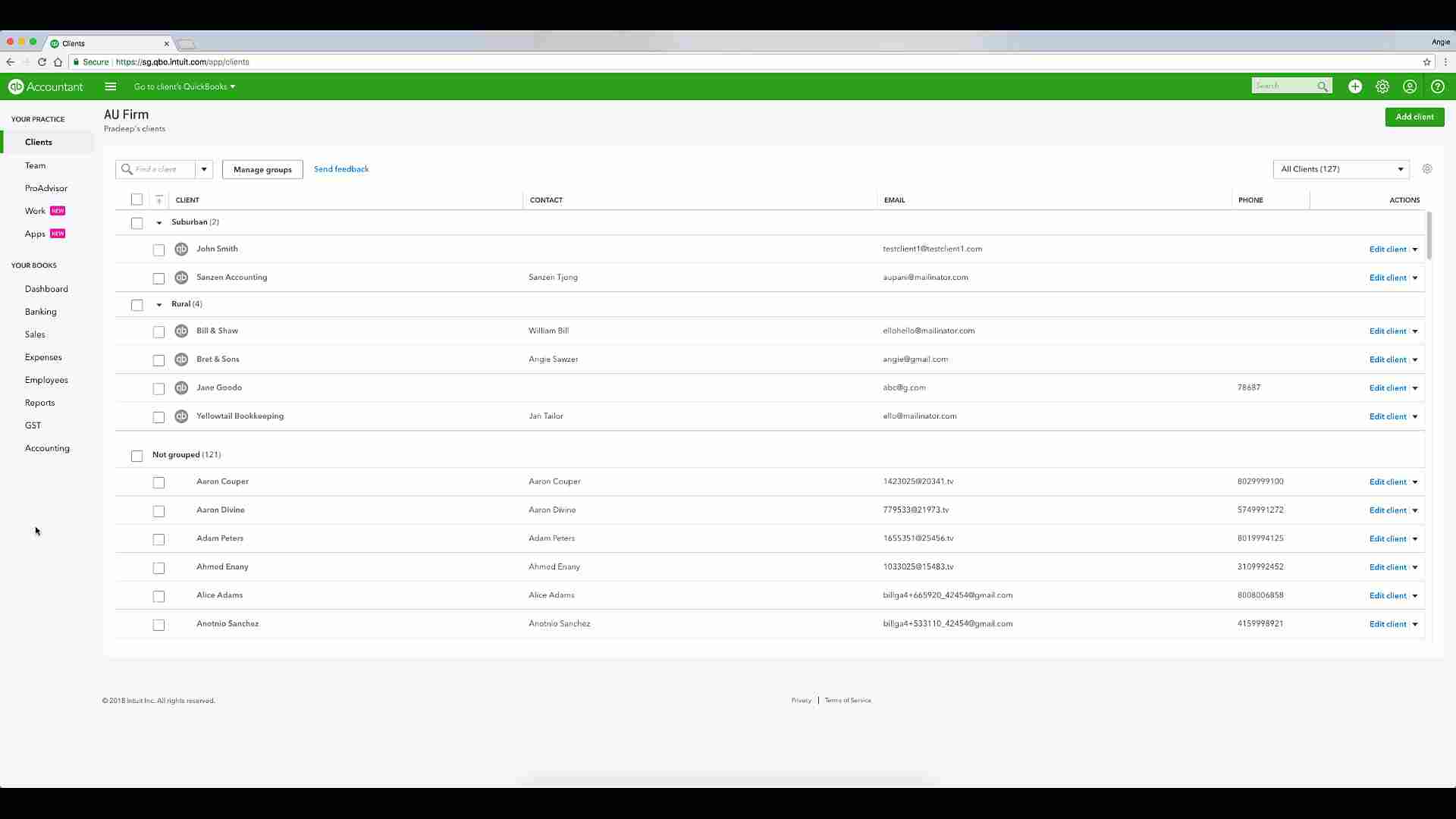
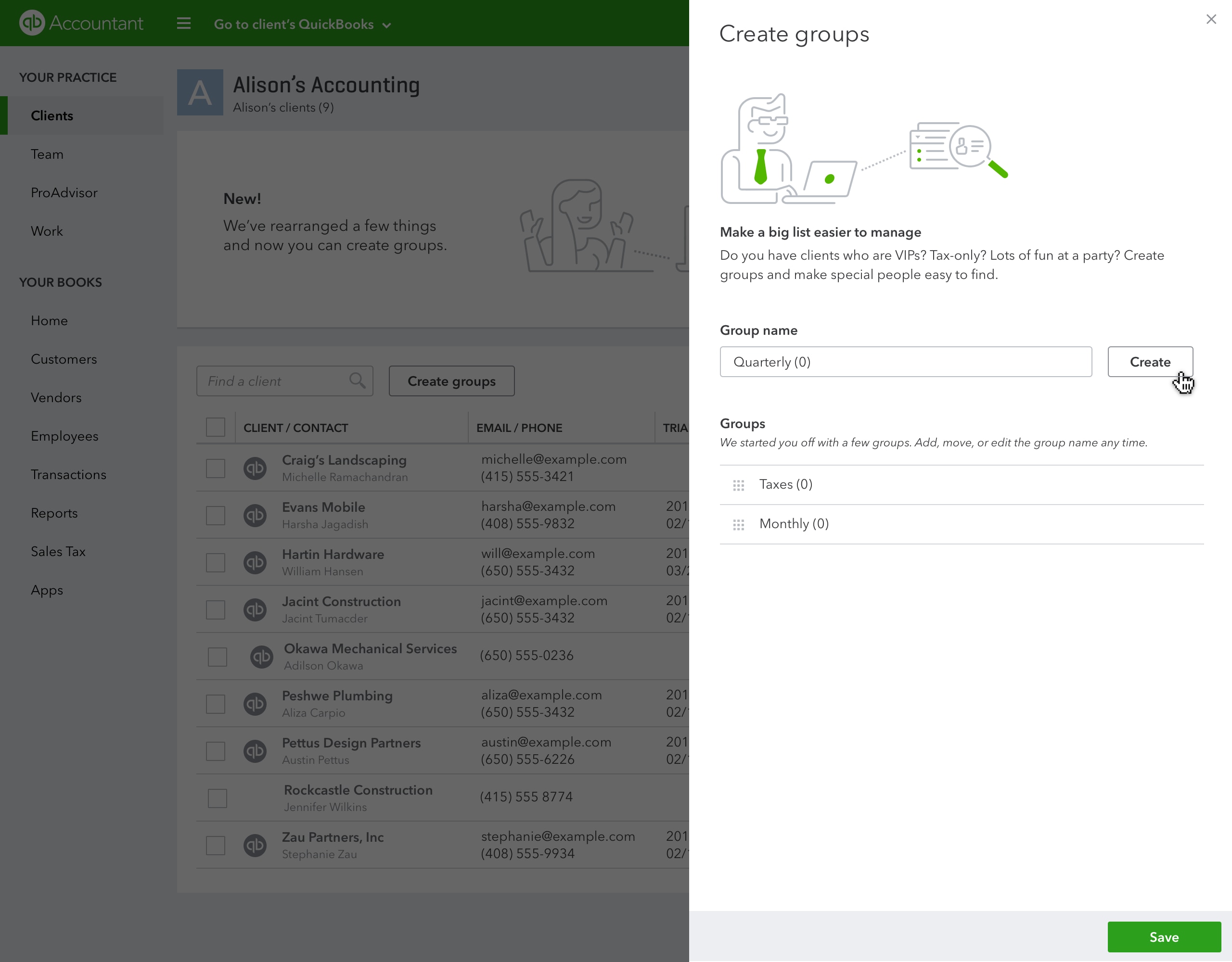
With our new client list functionality, you can create and add your clients to groups in seconds. Simply click on “manage groups” and you can add and edit groups as well as change their order.

Create Client Groups

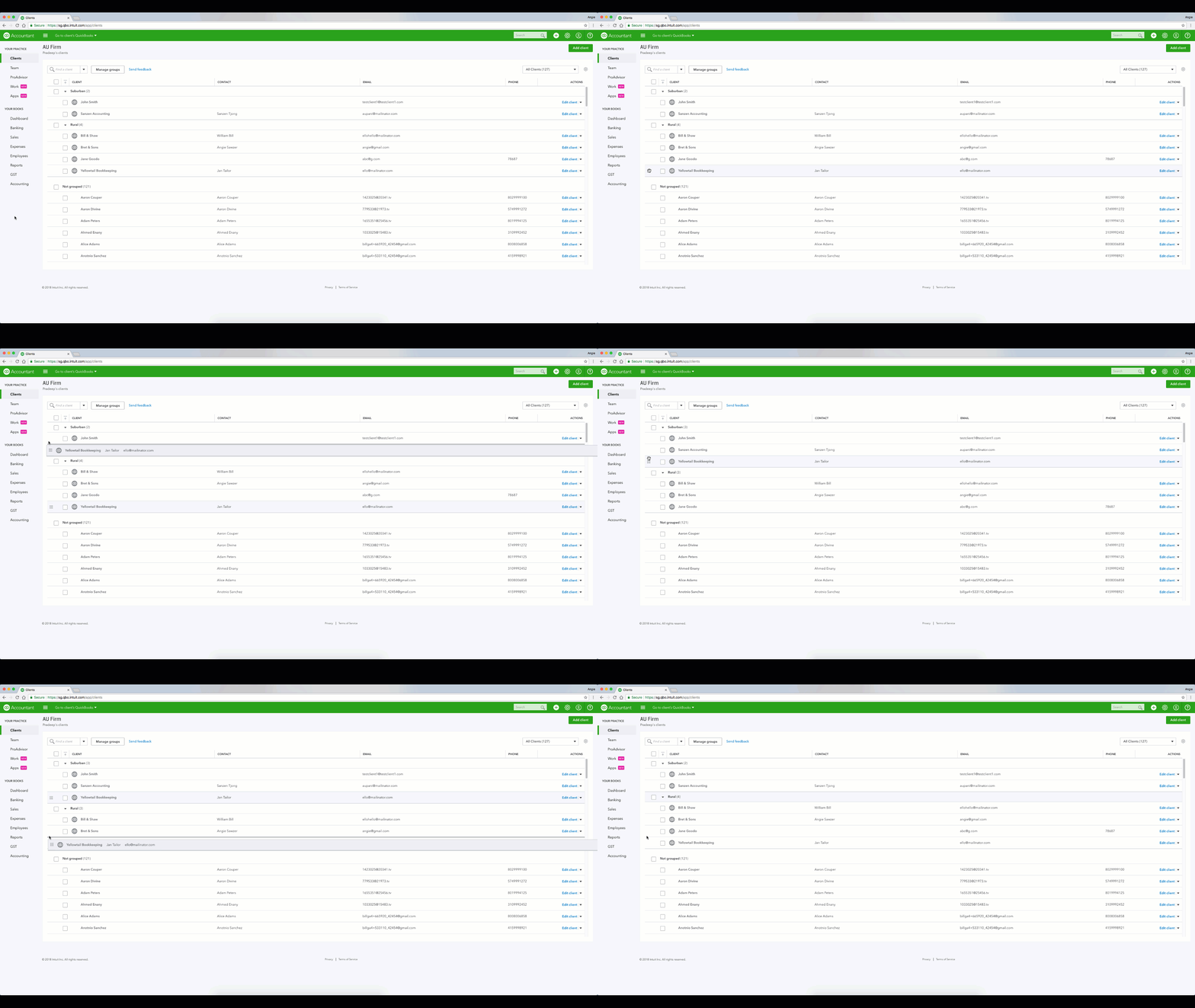
Drop and drag with ease

Add multiple clients to a new group by selecting your client records and dragging and dropping into your new group. You can also select the “move to group” button at the top of the client list display and move large groups with ease.

The client list page has also been refreshed to include your client’s name, email address and phone number, so company contact information is at your fingertips. When you need to make changes, just click the “edit client” link.

Drop & Drag Company

Your practice in your pocket

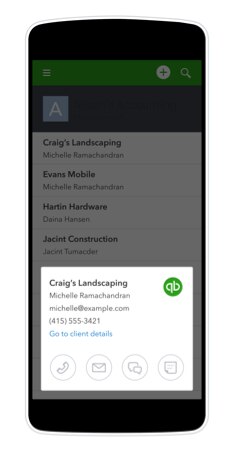
Reaching out to clients on the go has never been easier. You can access QuickBooks Online Accountant on your mobile device – so you’re never out of the loop. To contact a client, simply open your client list on your mobile device then tap the icon to call, text or email. Easy!

Client access on mobile

This new functionality is being rolled out over the coming weeks so be sure to keep an eye out for it. Managing your clients in 2018 just got a little bit easier. For more information, chat with your account manager or call the Care team on 1800 114 837.

Related Articles

A computer screen showing a picture of a computer.

TAKE A NO-COMMITMENT TEST DRIVE

Your free 30-day trial awaits

Our customers save an average of 9 hours per week with QuickBooks invoicing*

No credit card needed

Cancel anytime

Unlimited support

By entering your email, you are agree to our Terms and acknowledge our Privacy Statement.