


How to Avoid Fake QuickBooks Sites: Why a Direct URL Beats Searching
Typing quickbooks.intuit.com directly into your browser, or using a bookmark you've saved, takes you right to Intuit's official site, skipping search results entirely. It only takes a couple of seconds, and checking for the official intuit.com domain is super easy. Here is why making this quick habit part of your routine gives you total peace of mind.
Key facts at a glance
- Fake sites can capture your password. Phishing links can send you to fake sites that capture your password or install malware.
- Intuit asks you to sign in directly. If you need to update account information, Intuit will ask you to sign in to your account or contact Intuit directly.
- A bookmark removes the guesswork. Save the real address once and use it every time.
Why is typing the address safer than searching?
A fake QuickBooks website is a page built to look like QuickBooks or Intuit so you'll enter your sign-in details, a verification code, or payment information. People can end up on these pages from an email, a text, or a web search.
When you type quickbooks.intuit.com yourself, no result, ad, or link stands between you and the real site. That also aligns with official Intuit safety recommendations, which advise signing in directly through the main website whenever you're unsure.
How do you reach QuickBooks safely and check the address?
- Type quickbooks.intuit.com into your browser's address bar and press Enter.
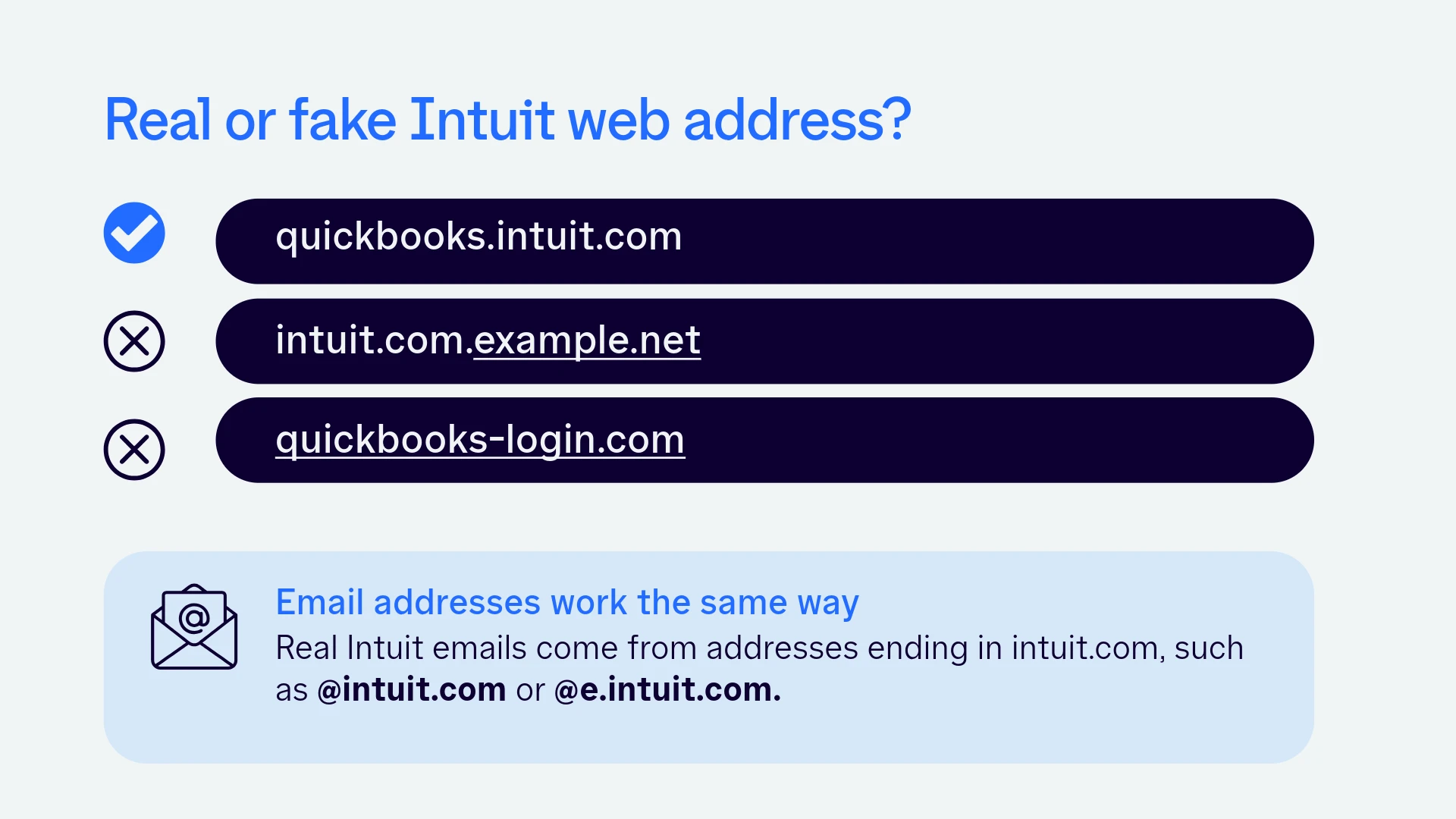
- Check the address that loads. It should end in intuit.com before the first single slash.
- Sign in there.
- Bookmark the page and use that bookmark from now on.
To tell a real Intuit address from a fake one, read the part of the web address just before the first single slash. All official Intuit websites end in intuit.com, such as quickbooks.intuit.com. An address like intuit.com.example.net or quickbooks-login.com is not Intuit, even if it contains the right words. Misspellings, extra words, and unfamiliar endings are all warning signs.
What to do if you already signed in on a suspicious page
Don't panic! Acting quickly makes a real difference in significantly minimizing any potential risks.
- Change your password from the official site, not from the page or message that led you there. Turn on multi-factor authentication, and change the same password anywhere else you've used it.
- Review your account activity by signing in directly on the official website.
- Run antivirus or security software on your device, especially if you downloaded anything.
- Let your team know if a bookkeeper, accountant, or employee shares access to your account.
- Report it through the Intuit Security Center at security.intuit.com. If it started with an email, you can also forward the email to security@intuit.com.
Frequently asked questions
What if I mistype the address or click a search result?
A typo or a lookalike search result can land you on a fake site. Check the address bar before you enter anything, and use a bookmark you created from the real site to avoid the risk. Don't assume the first result is the real QuickBooks site.
What about links in emails or texts?
Intuit says any link it sends in an email will go to an intuit.com address. If you're unsure about a message, skip the link and sign in directly.
Will Intuit contact me first?
Intuit won't reach out to you to fix a problem with your computer. If someone contacts you out of the blue, don't follow their instructions or links, and contact Intuit through its official channels.
Official Intuit and QuickBooks resources
- Intuit Security Center
- Online security tips
- Recognize and report suspicious emails (QuickBooks Help)\
- Identify suspicious activity and phishing scams
- [Link to "How to Spot a QuickBooks Phishing Email"] and [Link to the phone number checklist]
The takeaway
When in doubt, take control of where you're going! Simply type quickbooks.intuit.com straight into your address bar, do a quick double-check that the domain ends in intuit.com, and save it as a bookmark. It only takes a second, but it gives you total peace of mind every time you log in.