
SUMMER SAVINGS 90% OFF QuickBooks for 3 months* Ends 8/27

Buy now
Switch to QuickBooks and 70% off for 3 Months
Aug 2, 2025 8:58 PM UTC
Solved

I uploaded a receipt for an expense using the snap feature. I can view the attachment with the expense. How do you download it or screen capture it? The app won't let me.

When I use my Android phone's built in screen capture feature the app is disallowing recording the attached receipt when I view it.
ArielIAnswer
QuickBooks Team
Aug 2, 2025 10:49 PM UTC

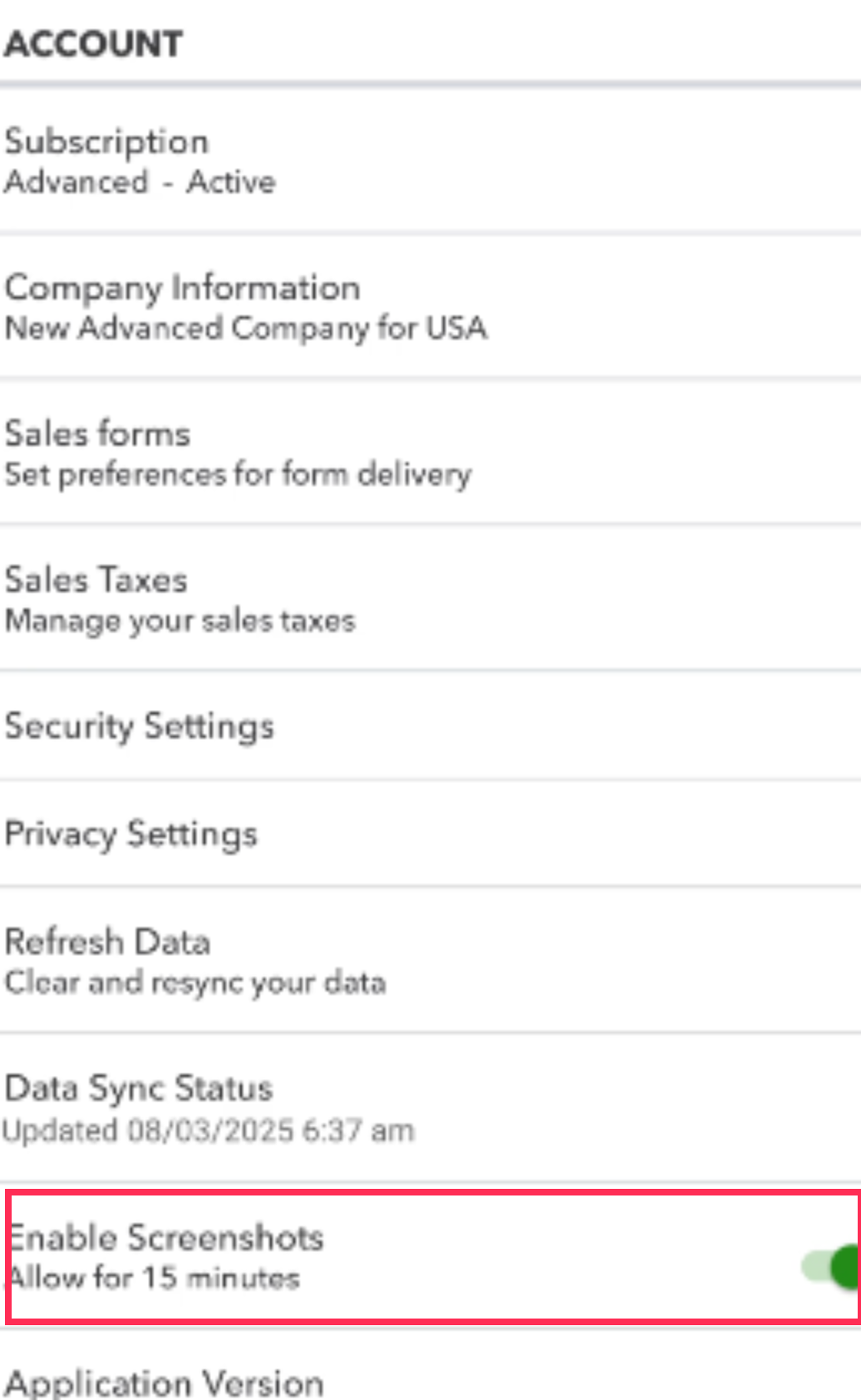
To download the receipt, you can enable the screenshot feature, which allows you to capture the receipt for up to 15 minutes, @accounting669.


  1. Tap the Settings icon in the top left corner.
  2. Enable the Screenshot option.
  3. Return to the receipt and try capturing it again.


Following these steps will help you successfully save your receipt. If you have any further questions, feel free to reach out. We're here to assist you anytime.

3 replies

ArielIQuickBooks TeamAnswer
QuickBooks Team
Aug 2, 2025 10:49 PM UTC

To download the receipt, you can enable the screenshot feature, which allows you to capture the receipt for up to 15 minutes, @accounting669.


  1. Tap the Settings icon in the top left corner.
  2. Enable the Screenshot option.
  3. Return to the receipt and try capturing it again.


Following these steps will help you successfully save your receipt. If you have any further questions, feel free to reach out. We're here to assist you anytime.

Aug 3, 2025 12:49 AM UTC

That worked perfectly. Thank you!

RazzieE
QuickBooks Team
Aug 3, 2025 1:35 AM UTC

Hello there @accounting669.
 

We are thrilled to learn that our colleague Ariel's solution helped you successfully save your receipt! Your satisfaction is important to us, and we're glad we could assist.


If you have any more questions or require further help with QuickBooks, please feel free to return to the Community. We're dedicated to providing support whenever you need it.