
BLACK FRIDAY SALE 70% OFF QuickBooks for 3 months* Ends 11/29

Buy now
Switch to QuickBooks and 70% off for 3 Months
Aug 23, 2022 8:51 PM UTC
Question

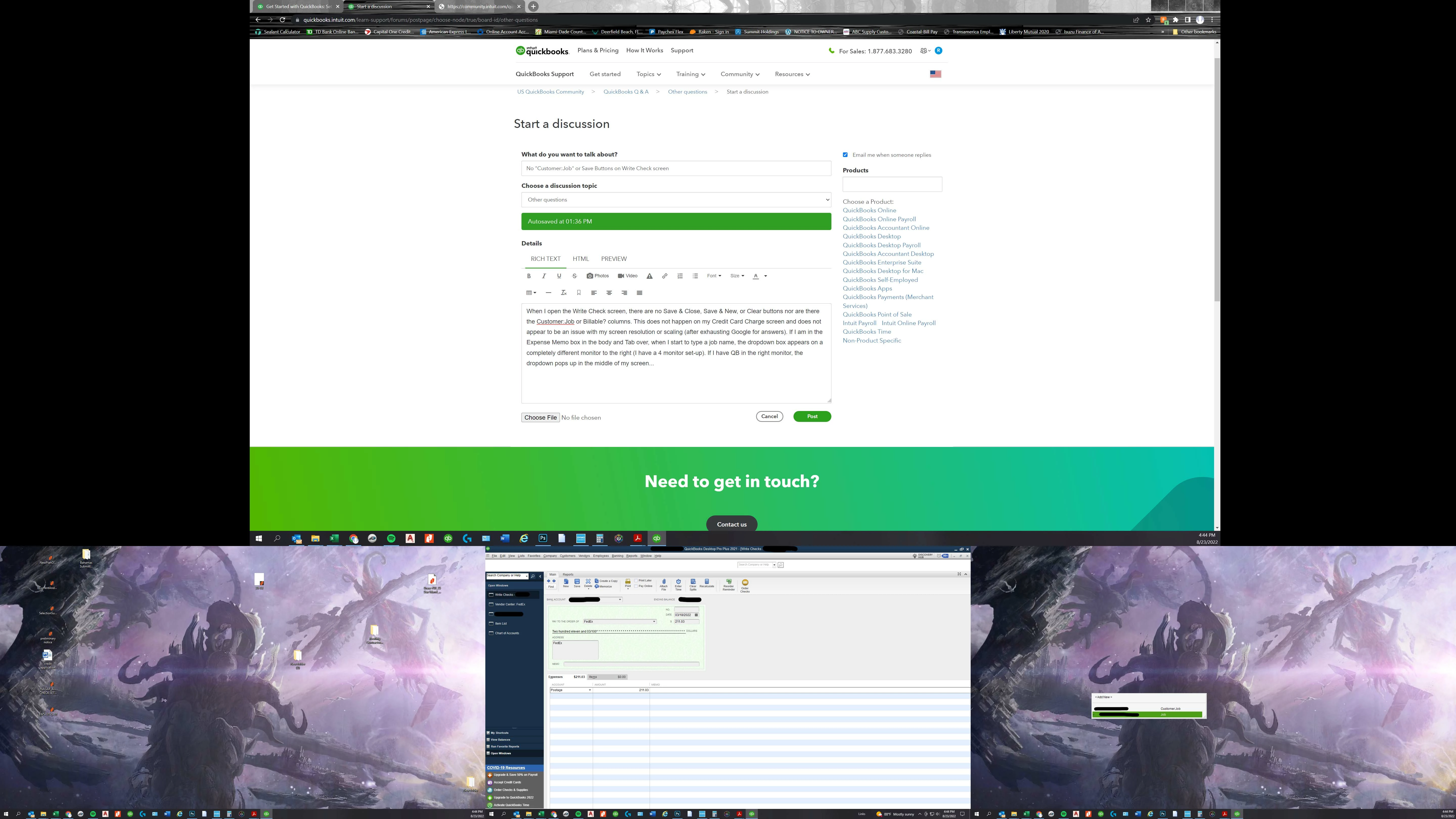
No "Customer:Job" or Save Buttons on Write Check screen

When I open the Write Check screen, there are no Save & Close, Save & New, or Clear buttons nor are there the Customer:Job or Billable? columns. This does not happen on my Credit Card Charge screen and does not appear to be an issue with my screen resolution or scaling (after exhausting Google for answers). If I am in the Expense Memo box in the body and Tab over, when I start to type a job name, the dropdown box appears on a completely different monitor to the right (I have a 4 monitor set-up). If I have QB in the right monitor, the dropdown pops up in the middle of my screen...
 

6 replies

QuickBooks Team
Aug 23, 2022 10:28 PM UTC

Thanks for bringing this to us, @RLeeKERY.


In QuickBooks Desktop (QBDT), we can toggle the Multiple Windows by going to the Edit menu. Make sure to maximize the specific window.


 Here's how:


  1. Go to the Edit menu.
  2. Select Preferences.
  3. Click Desktop View. 
  4. In the My Preferences tab, select the Multiple Windows radio button.
  5. Hit OK.


Once done, we can run the Verify and Rebuild tool to isolate if your data is damaged or corrupted. I'll guide you on how.


First, let's rebuild your data:


  1. Go to the File menu, then select Utilities.
  2. Choose Rebuild Data, then click OK.
  3. Follow the prompts to save a backup.
  4. Select OK when you see Rebuild has completed.


Once done, we can now verify it:


  1. Go to the File menu, then select Utilities.
  2. Choose Verify Data.
  3. Select OK if there are no problems detected.
  4. If Verify finds an issue with your data, you will be prompted to Rebuild Now or View Errors.
  5. Click Rebuild Now.


I've added this link that you can check about creating and printing checks in QuickBooks: Create, modify, and print checks.


Please let me know if you need further assistance when writing checks in QuickBooks.

RLeeKERYAuthor
Aug 25, 2022 1:27 PM UTC

I did not need to try this as the problem miraculously fixed itself after I posted the inquiry. Thank you.