new code with p banner - black friday

BLACK FRIDAY SALE 70% OFF QuickBooks for 3 months* Ends 11/29

Buy now
Switch to QuickBooks and 70% off for 3 Months
Aug 18, 2021 6:55 AM UTC
Question

Send invoices to customers by email

How do I change the email setting when sending invoice to customers from Outlook as per below 


[removed]
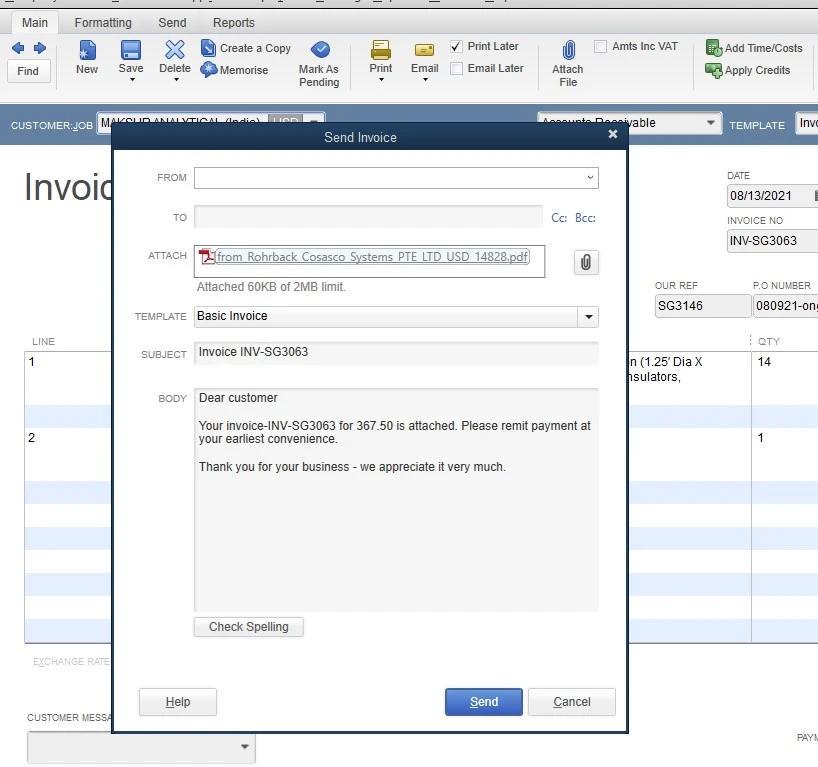
The 2nd picture is what I have currently 


4 replies

sfangAuthor
Aug 18, 2021 7:25 AM UTC

[removed]


This is the actual which I want to email to customers

Level 8
Aug 18, 2021 9:12 AM UTC

Welcome to the Community, @sfang. Let me help you change the email setting when sending invoices from Outlook.


When setting up or changing your preferences in sending sales forms, you can go to the Edit menu. From the list, select Preferences to modify a specific feature in QuickBooks that includes sending forms preferences.


Let me show you how:

  1. Select Edit next to File and then choose Preferences.
  2. In the Preferences window, go to Send Forms.
  3. Select the My Preferences tab and then tick the Web Mail radio button.
  4. Click Add to enter Email ID and Email Provider.
  5. Choose Outlook/Hotmail/Live, and then you may choose to Use enhanced security so you won't have to enter password when sending sales forms or prefer not to and then click OK.

  6. And then click Yes if you want to set it as your default mail ID.
  7. Hit OK to save the setup.


Well done! You can also read this article for more information: Connect your email to QuickBooks Desktop.


Also, you can email sales forms, invoices, and statements by batch in QuickBooks Desktop.


Let me know if you have additional questions about setting up an email to send customer invoices. I always want to help your business succeed. Take care and have a nice day!

sfangAuthor
Aug 19, 2021 5:36 AM UTC

Dear Jovychris_A,


Thank you for the reply.  There is no Outlook in the selection.  Only Gmail/Yahoo/Hotmail/live and others.  Currently its set to Others.  Should I choose Hotmail instead?

MaryLandT
Level 10
Aug 19, 2021 6:48 AM UTC

Yes, you can select Hotmail for the setup, sfang.


I'll also share why Outlook is missing and here are some of the possible reasons why it's not on your options:


  • You're using a QuickBooks version that doesn't support Outlook.
  • There's an issue with Outlook installation.
  • Your profile is not set up in Microsoft Outlook.
  • Outlook is not the default email program.
  • Your QuickBooks is hosted on the Cloud and your service provider doesn't have Office installed as a hosted application.


We provide solutions so you can still use Outlook. Check out this link for instructions and detailed steps: Fix Outlook is missing in send forms preferences.


In case you receive an error when sending invoices to customers, here's what you need to do: How to fix "Error: QuickBooks is unable to send your email to Outlook".


Let me know if there's anything else you need about setting up an email. I'm always around to help you.
