
SUMMER SAVINGS 90% OFF QuickBooks for 3 months* Ends 8/27

Buy now


Switch to QuickBooks and 70% off for 3 Months
Jan 7, 2018 11:40 PM UTC
Solved

How do I print my chart of accounts

No text available
    ItsAccrualWorld
    Jan 8, 2018 7:34 AM UTC

    If you're on Quickbooks Online, click Accounting from the left panel, select  Chart of Accounts at the top, click the Print icon.
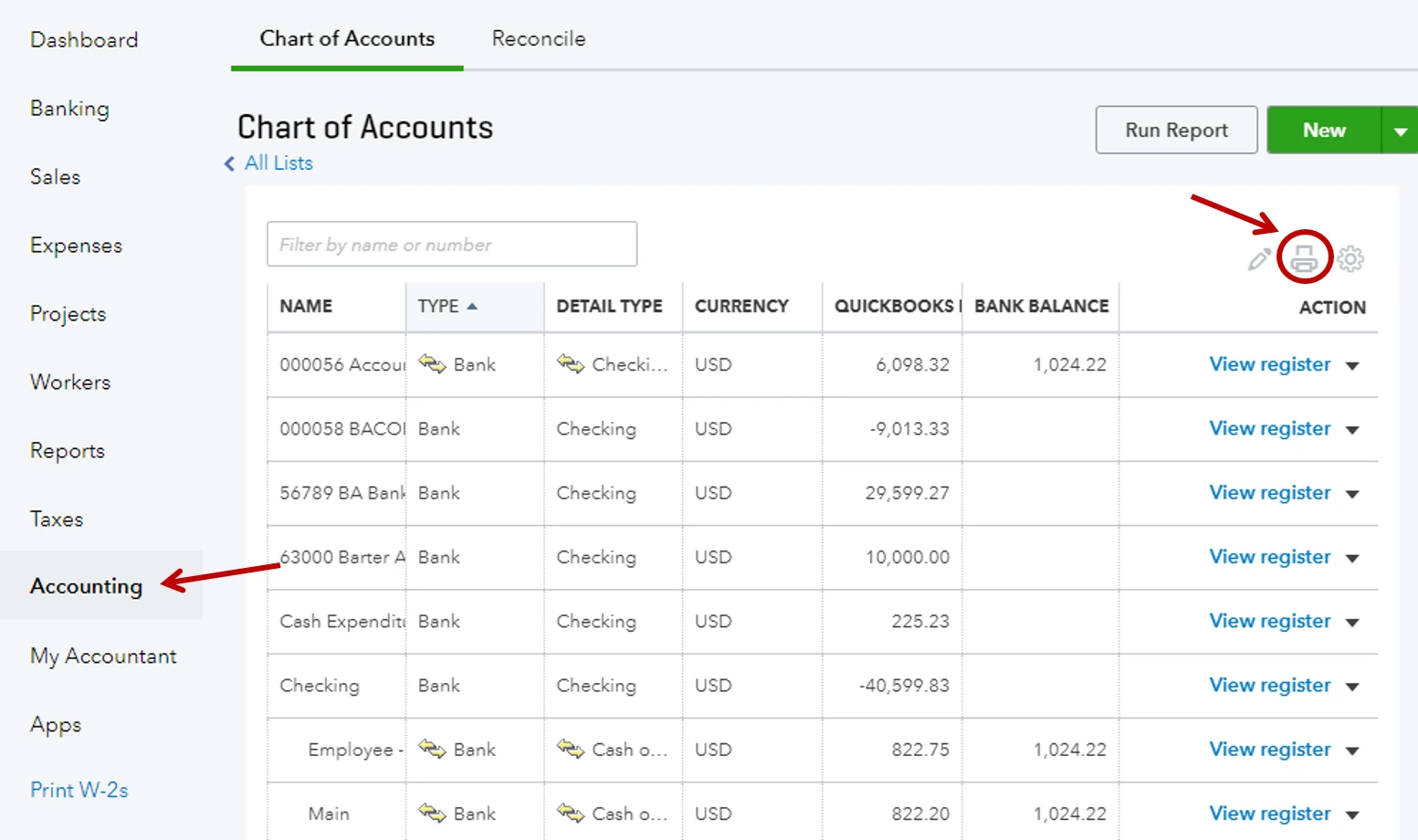
     

    If you're using QB Desktop, go to Reports > Accountant & Taxes > Account Listing.


    :D

    3 replies

    ItsAccrualWorld
    Jan 8, 2018 7:34 AM UTC

    If you're on Quickbooks Online, click Accounting from the left panel, select  Chart of Accounts at the top, click the Print icon.


    If you're using QB Desktop, go to Reports > Accountant & Taxes > Account Listing.


    :D

    New Member
    Jun 26, 2018 6:14 PM UTC

    I click the print icon and nothing happens. I am allowing pop ups and print is working on all of my reports. Any suggestions?


    MichaelDL
    Level 4
    Jun 26, 2018 7:10 PM UTC

    I'll make sure you're able to print the Chart of Accounts without error, @enfuso.

    A little troubleshooting may be necessary to get the print function working correctly. Does the button act any differently when accessed from a different web browser? I recommend clearing your internet cache to see if that helps, you'll find the steps for doing this in popular browsers from the link here. Also, try double-checking the pop-up blocker and see if it yields any notifications just as you click the Print button.

    Thanks for reaching out, be sure to keep me posted on your results. I'll be watching for your reply.