This error simply means that a specific setting in QuickBooks Online is currently turned off, even if the time is billed or not, Pat.
Enabling the correct setting will resolve this issue. To fix this, you can follow the steps outlined below:
- Go to the Gear icon and then Accounts and settings.
- Navigate to the the Time section, then select Timesheet.
- Toggle on the option Allow time to be billable.
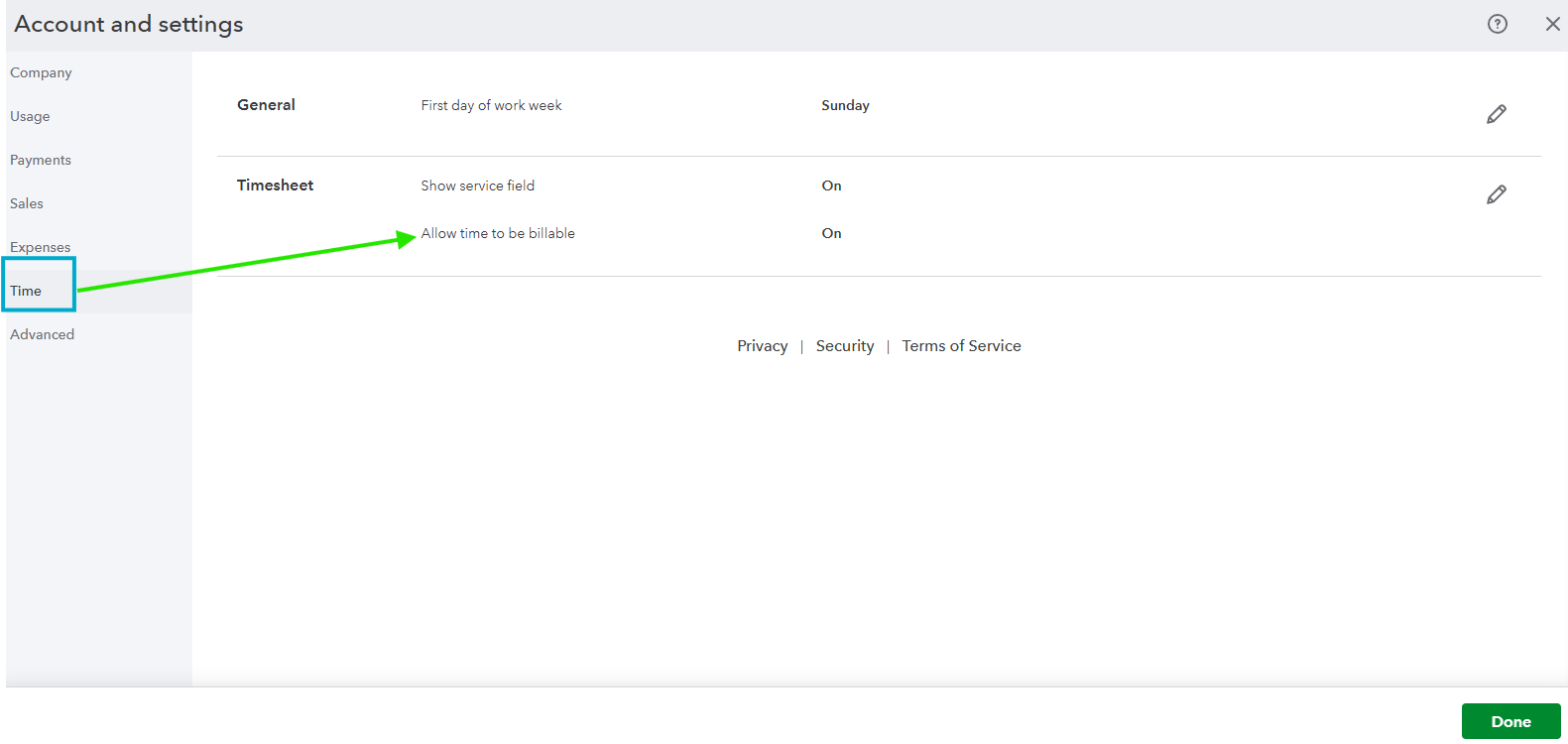
- Click Save, then Done.
Another reason for this is that you have not assigned a payroll item to your employee. To resolve, go to the Payroll Item Mapping Tool section and locate for the name of your employee with a yellow exclamation mark, then place an item.
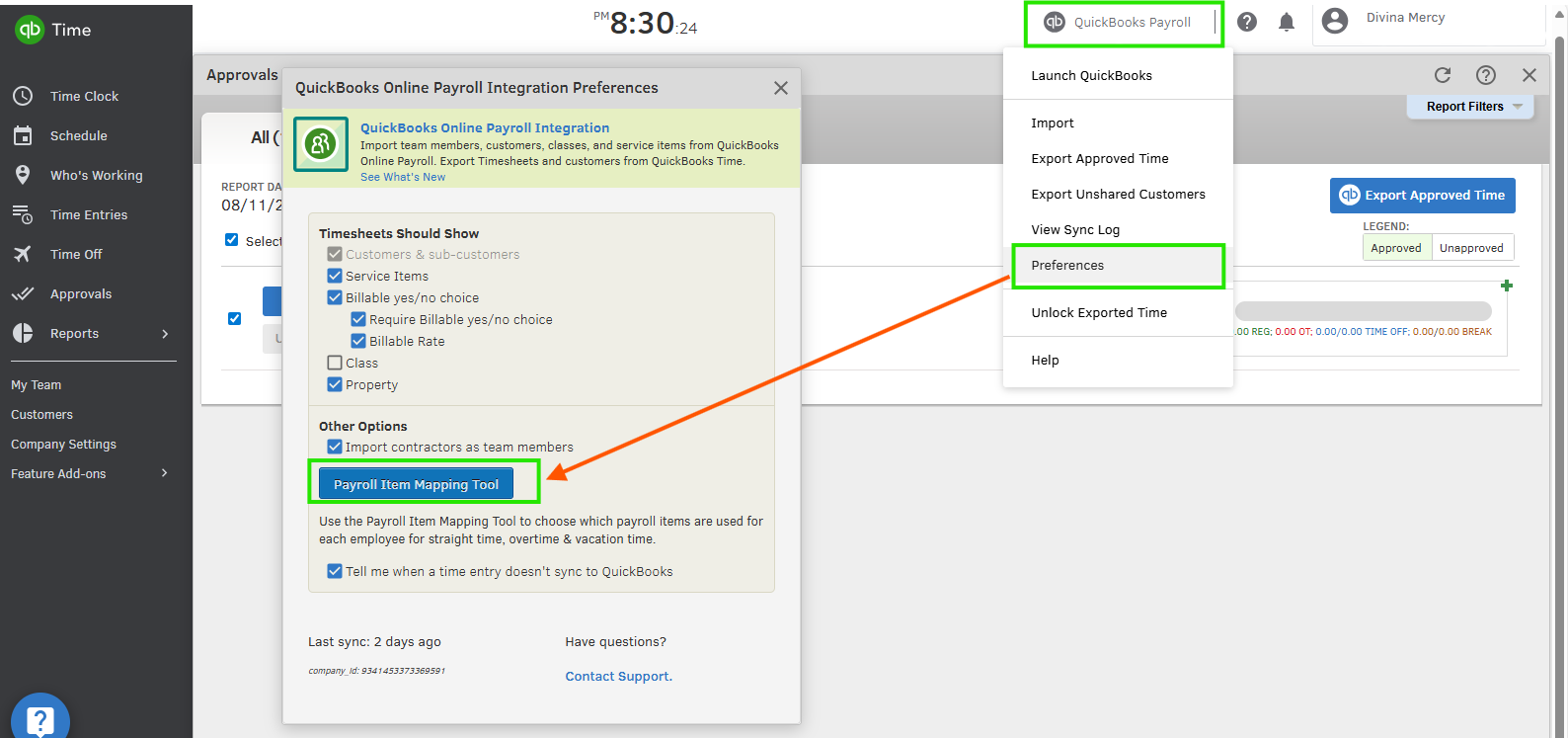
After that resync your QuickBooks Time
If the error persists, I recommend contacting our phone support team for further assistance. They can review the mapping of your account and identify the steps needed to fully resolve the problem
- Go to the (?) Help icon.
- In the Search bar, type Contact Us.
- Click Contact Us.
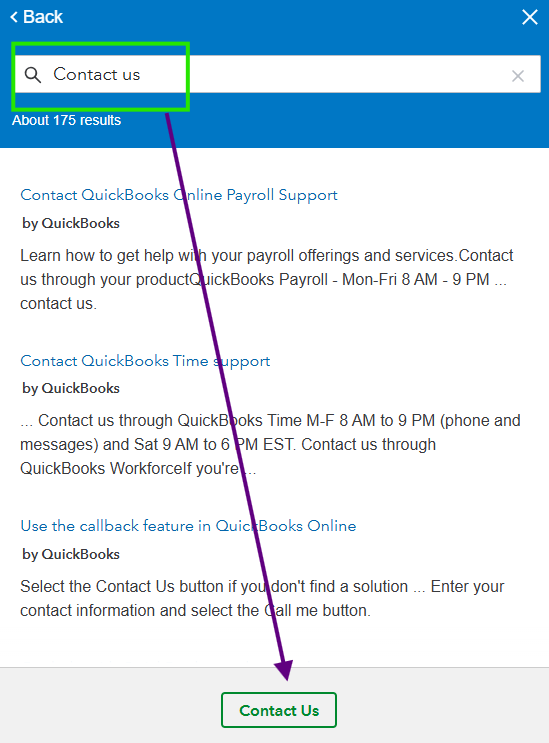
- Choose the Callback option.
- Follow the prompts until you'll will talk to one of our representative.
If you need further assistance or clarification on unlinking time activities from an invoice or encounter any other concerns related to timesheets, please don't hesitate to let me know. I'm here to make sure everything is running smoothly and get the help you need most.


