I’ll provide more details below on how you can void a transaction in your Undeposited Funds account, chinaridgetrails.
Beforehand, I’d like to ask if you're looking to void a payment that hasn’t been deposited into your actual bank account yet, or if you need to clear a duplicate or incorrect transaction from your Undeposited Funds account? Providing more details about what these transactions are for can help us guide you efficiently and ensure your books stay accurate.
Voiding a transaction doesn’t erase it; it simply changes the amount to zero while keeping a record in your account. This can affect your books, including your income, outstanding balances, and bank reconciliations. That’s why it’s important to fully understand any transaction in Undeposited Funds before voiding it.
If you’re certain the transaction is a duplicate or incorrect and needs to be voided, here’s how you can do it:
- From the navigation menu, go to Sales and open the Customers section.
- Locate the relevant customer and click the transaction tied to the balance in Undeposited Funds.
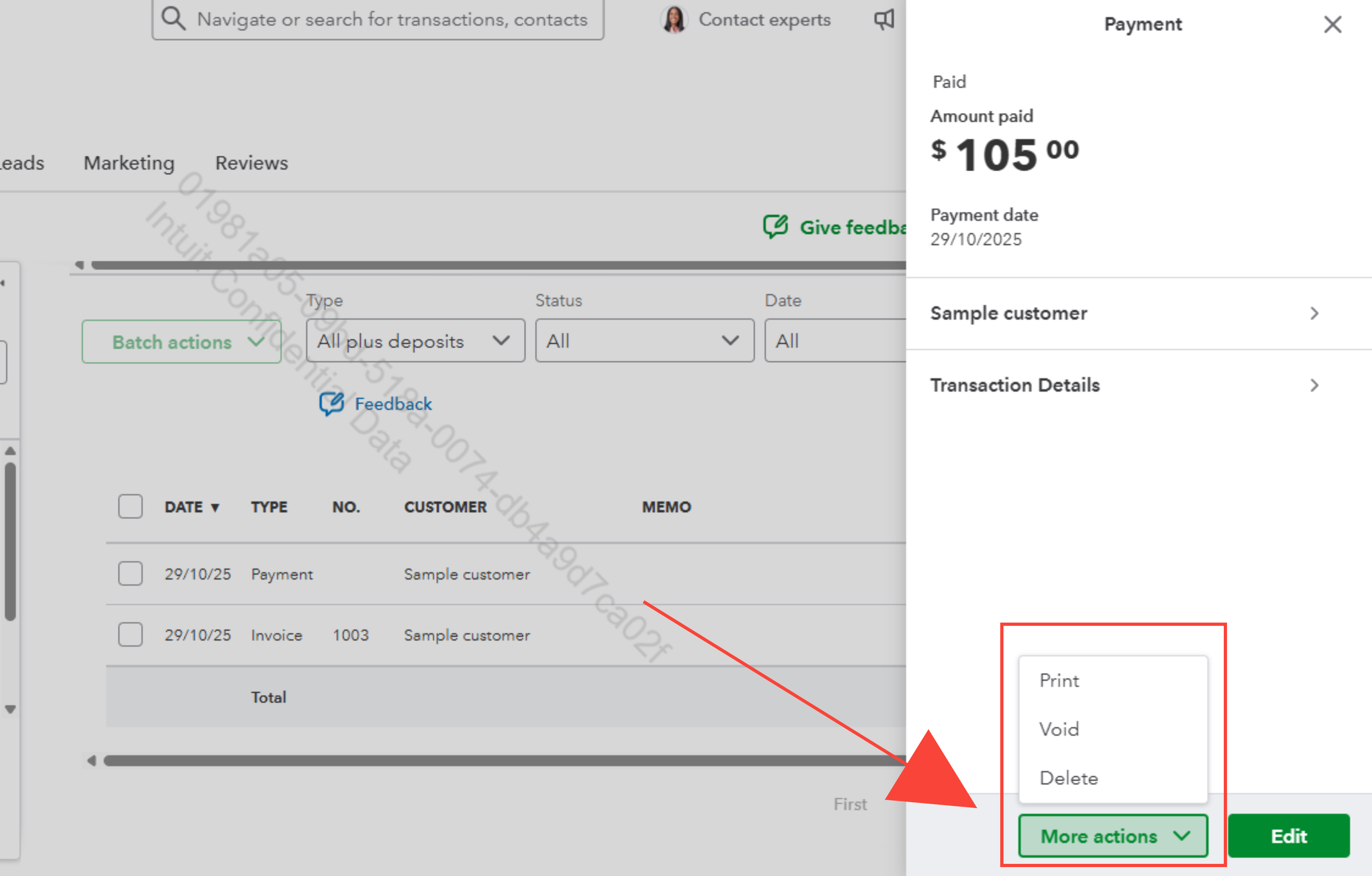
- Select the More actions button and choose Void, then confirm the action.
If the transaction isn’t an error or duplicate and already appears on your bank statement, you can record a Bank Deposit to move it out of Undeposited Funds. However, if the transaction is from a previous financial year, I recommend consulting an accountant before making any changes.
We encourage you to use the Reply button below if you require further assistance managing your transactions or performing a specific QBO-related task. We'll make sure to respond as soon as possible.


