Thank you for providing the steps you've taken, Lisa.
I agree that updating the settings should automatically update all account terminology to align with the nonprofit standard.
Since these changes haven’t applied as expected despite signing out and back in, a thorough review of your account is needed to determine why the changes did not reflected. I recommend contacting our Live Support team for direct assistance. They have the tools to help you further and resolve the issue.
Here's how:
- Click the Help menu or the (?) icon in the upper-right corner of QBO.
- Go to the Assistant tab.
- Type "contact support" in the chat box and press Enter.
- Provide a brief description of your concern and click Continue.
- Choose your preferred option. Have us call you or chat.
You may check our support hours to find out when support is available.
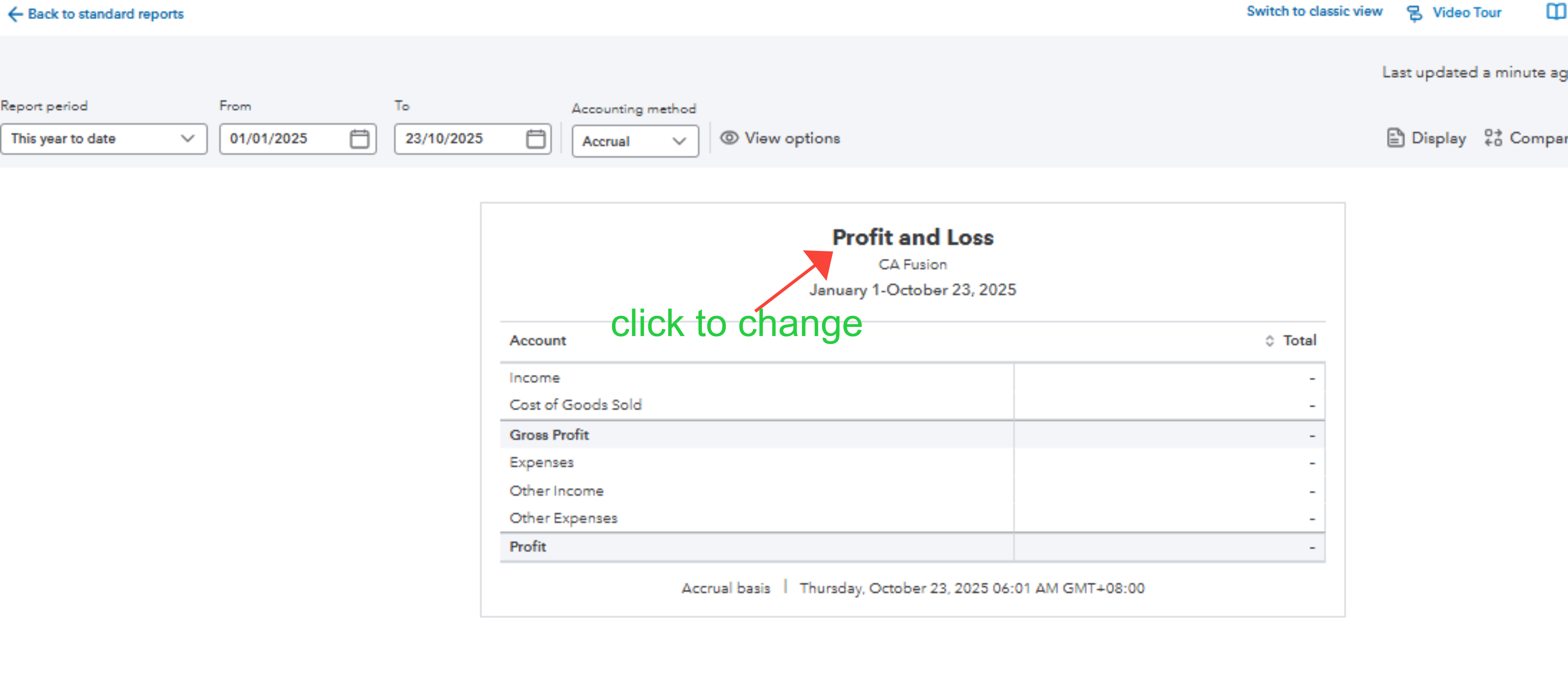
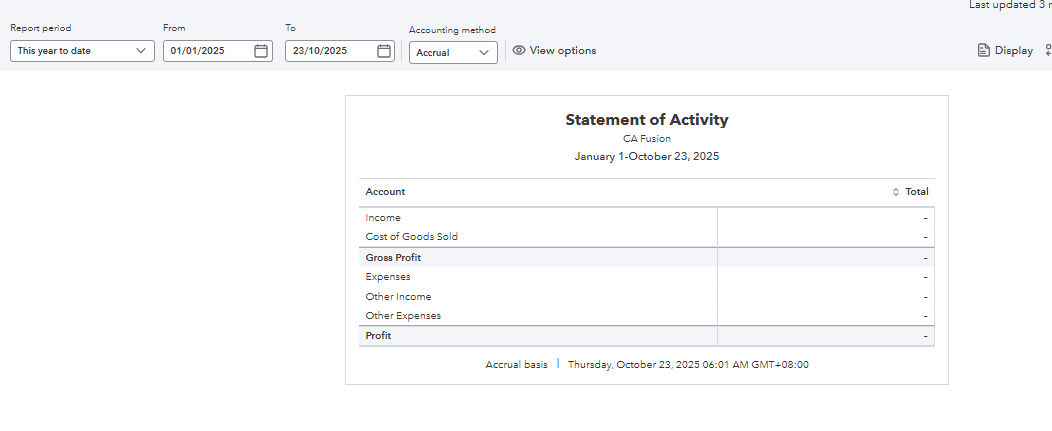
Please note that the generated details on the reports remain accurate and unchanged. However, if you prefer to view nonprofit terminology, you can manually edit the report label as a temporary workaround while the support is working on it. Please see the sample screenshot:
Please leave us a response if you have other questions or concerns.


