Let's review your deposit speed and payment type to determine why the money hasn't been deposited into your account, Faithy.
Please know that if this is your first set of payments, QuickBooks Online (QBO) will process it within 5 business days. These initial deposits may take longer as we set up your account. Afterward, customer payments will be processed much faster.
Also, the deposit speed in QBO varies depending on the payment type. Standard deposits are processed every day except Sundays, Thanksgiving Day, and Christmas Day. As for instant deposits, they're processed every day without exceptions. For more details, please read this article: Find out when QuickBooks Payments deposits customer payments.
To check your deposit speed, please follow the steps below:
- Go to Gear icon. and select Account and settings.
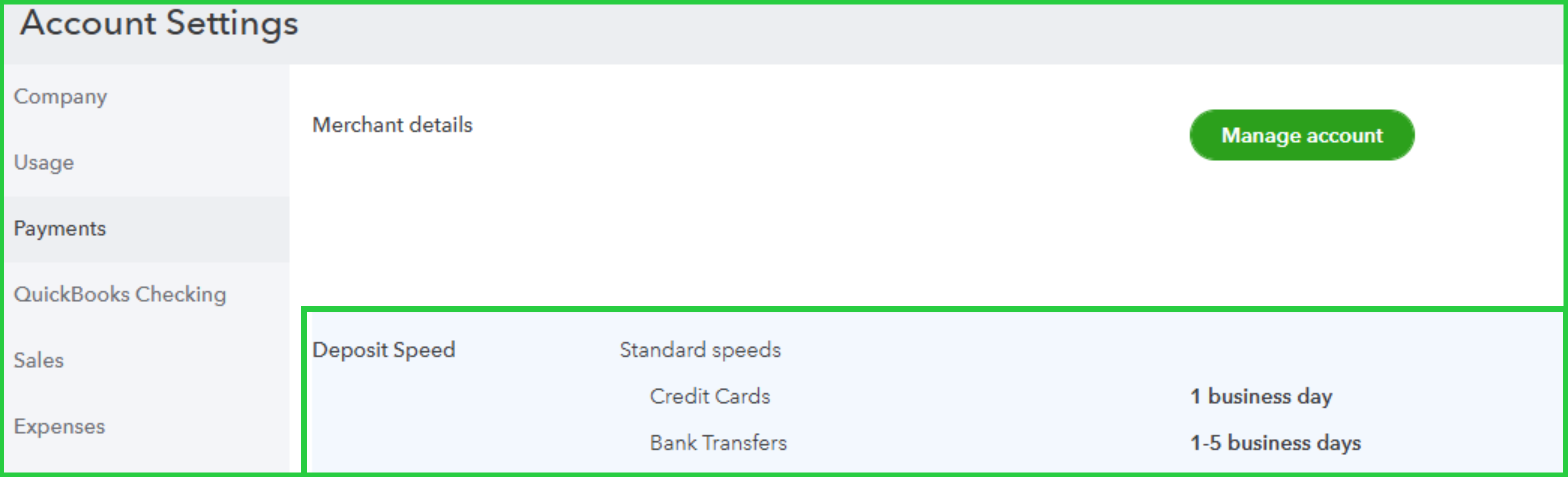
- Navigate to the Payments tab.
- Review the Deposit Speed section.
For reference, please see the screenshot below:
Meanwhile, if this recent payment is on hold, please know that we need to review these funds to ensure accuracy and security. To know more about this, refer to this article: Why are my funds on hold?.
I’ll also include this helpful article for managing customer-based payments in QuickBooks: Void or refund customer payments in QuickBooks Online.
Feel free to reply to this message if you have other questions or concerns about money movements in QuickBooks. The Community forum is always available to assist you.


