That’s a great question, Ali. I’d be happy to clarify this for you.
The Send Invoice via WhatsApp feature has been updated in the new layout. Instead of sending the invoice directly through WhatsApp, you can copy the URL and share it via WhatsApp. Additionally, you can use the same URL to share invoices through other apps, such as Viber, Messenger, and more.
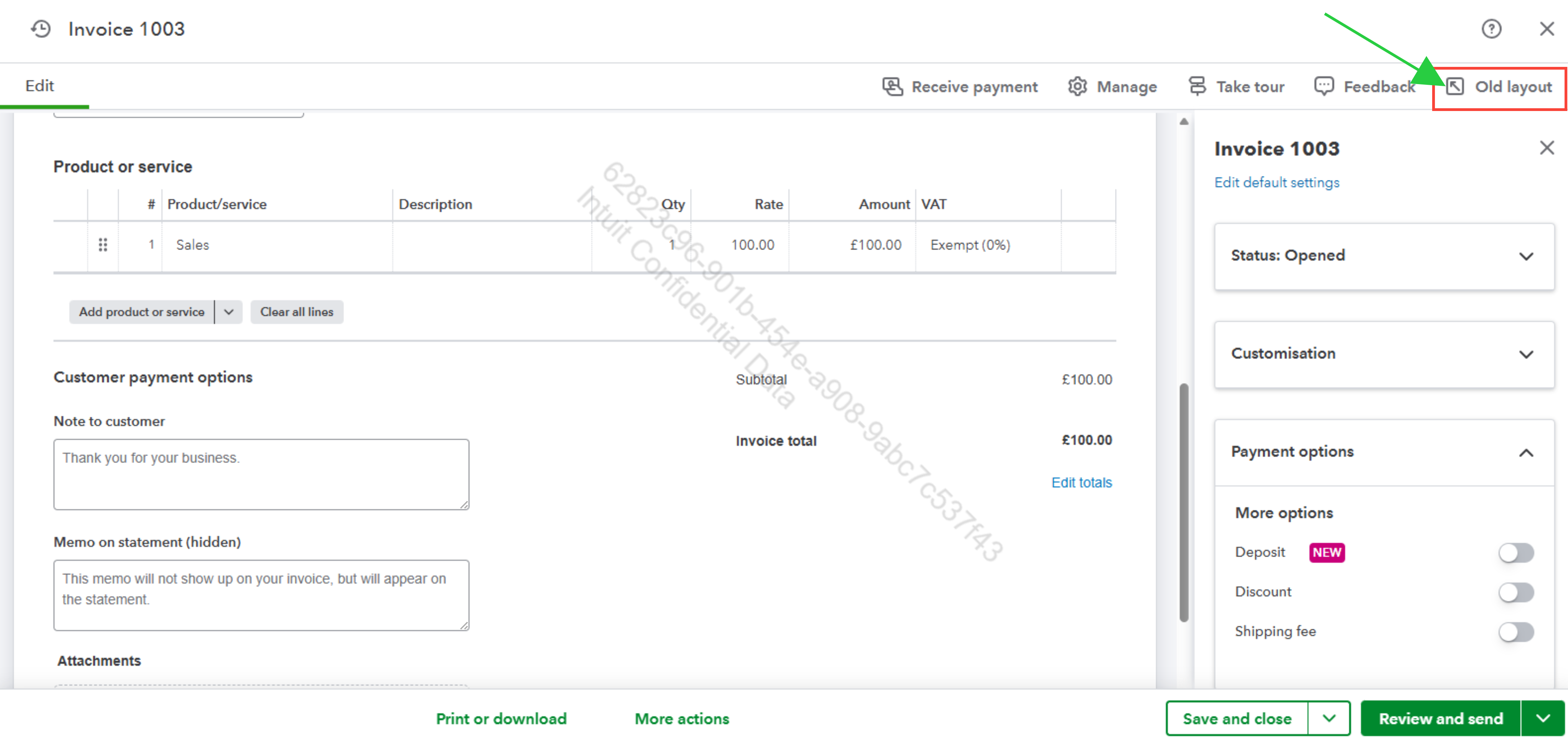
If you're using the new layout, here's how to send an invoice via WhatsApp:
- After creating your invoice, click the dropdown arrow next to the Review and send option.
- From the dropdown options, select Share Link.
- A pop-up message will appear saying, "Send your customer a link to their invoice. Skip the cluttered inbox and share an invoice link instead. Your customer can download, print, or pay it in an instant." Click Copy Link and then Done.
- Navigate to WhatsApp and paste the invoice link into your chat to send it to your customer.
While this process is slightly different from the previous method, it still allows you to share invoices via WhatsApp effectively.
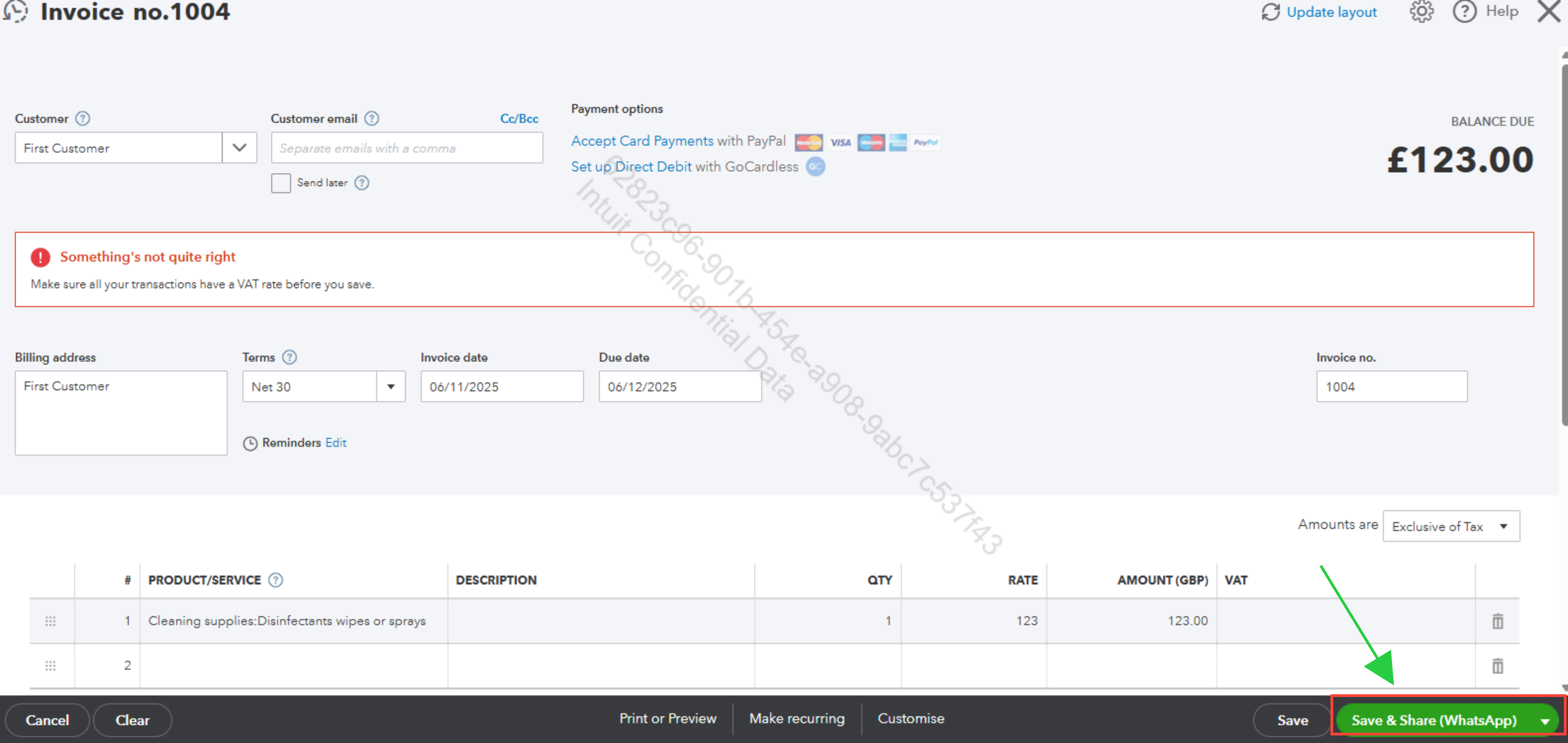
If you prefer the old WhatsApp option, you can switch back to the old layout in QuickBooks Online. Here, you’ll find the Send invoice via WhatsApp option still available and accessible as it was before.
Please see the screenshot below as your visual reference.
If you have further questions or need any assistance navigating through this process, feel free to reach out.


