Turn on suggestions
Auto-suggest helps you quickly narrow down your search results by suggesting possible matches as you type.
Showing results for


Hello there, @hillrn.
To view Part 1 of the P45 retained in your payroll, navigate to the Payroll tab under the employee's section. Let me provide you with detailed steps to find it.
When you are using In Core Payroll, here's how:
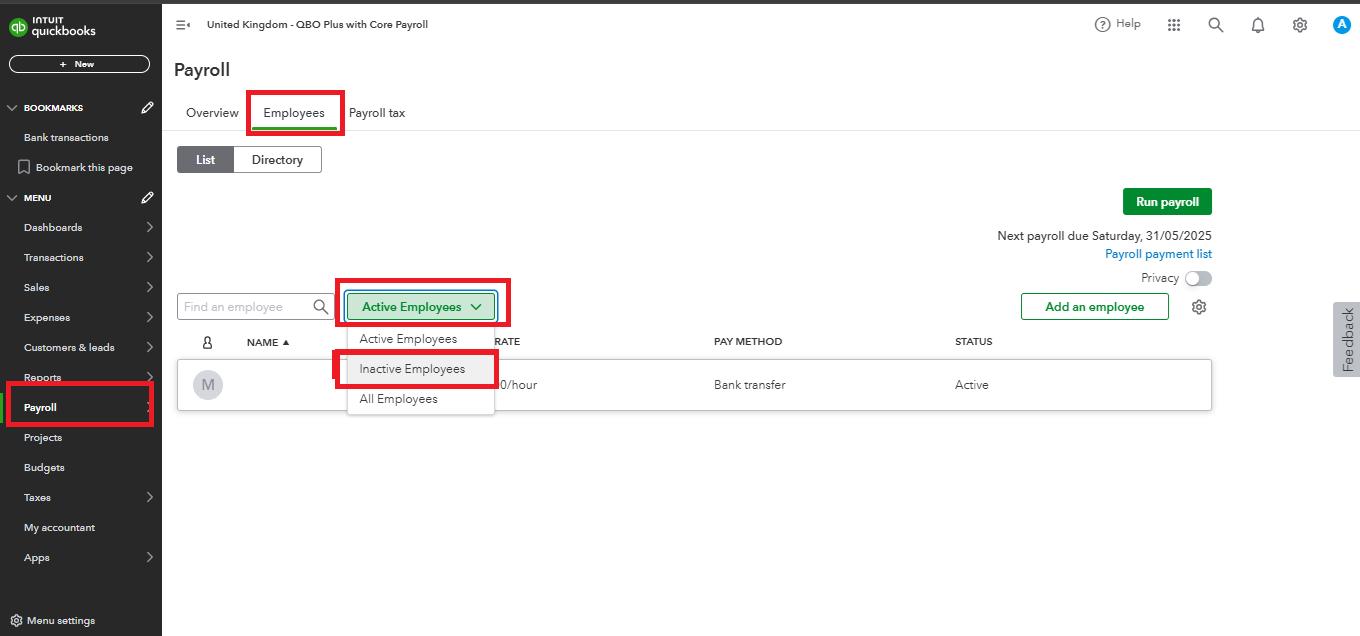
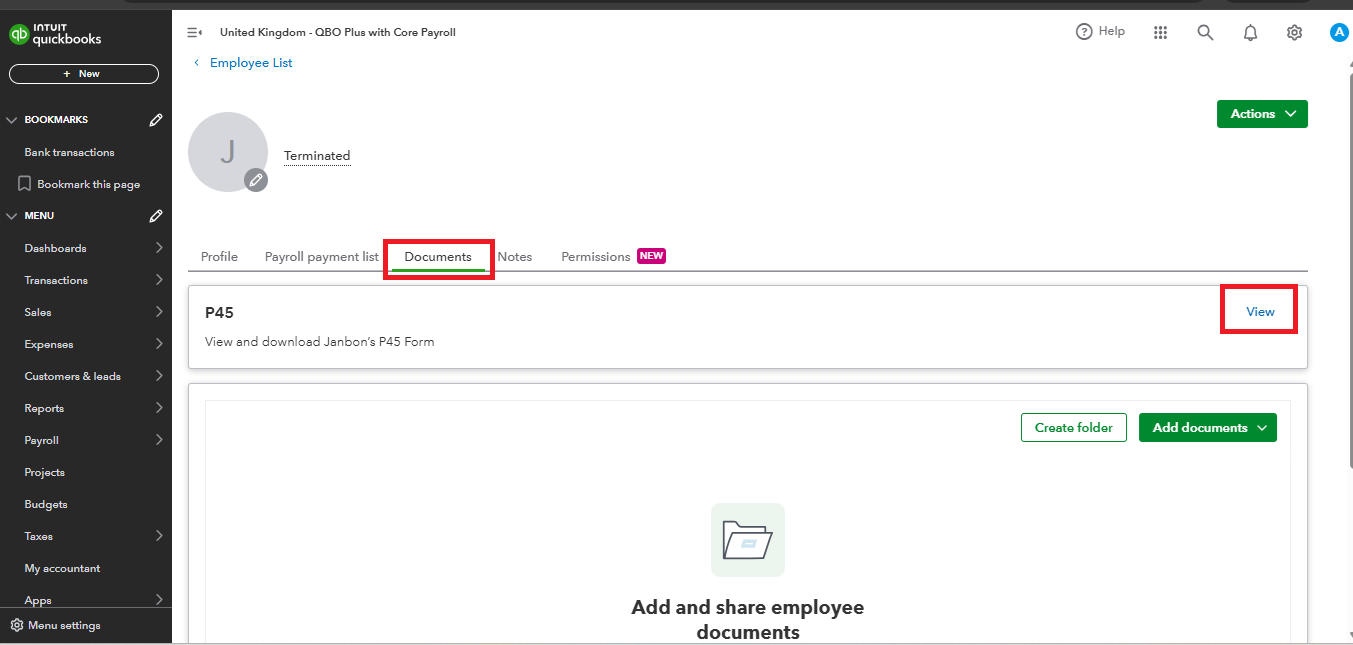
If you are utilizing Advanced Payroll, please check the comprehensive steps outlined for your reference. These instructions will guide you through the process effectively: Issue a P45 in QuickBooks Payroll.
Financial reports in QuickBooks provide valuable insights about your business. You can customise these reports in various ways, such as filtering by specific accounts or customers and adjusting the layout to display data where you want it.
If you have concerns about Part 1 of your P45 payroll, please feel free to use the Reply button below. The Community is always here to provide prompt responses.
I followed those steps but when I came to view and print the P45, only Part 1A, 2 and 3 were shown. No sign of Part 1, the employer's copy. Where could it be?
Part 1 of the P45 form is sent directly to HMRC, hillrn.
When you run your final payroll for a terminated employee, Part 1 of the P45 form will be submitted directly to the HMRC as it's included in your FPS (Full Payment Submission). The option to get a copy of this part in QuickBooks Online Payroll is currently unavailable. Also, note that you only need to provide your employees with Part 1A, Part 2, and Part 3 of the form.
Moreover, several payroll reports are available in QuickBooks if you want to get valuable insights from your business and employees. Select Reports from the left pane and proceed to the Payroll section under the Standard reports tab to locate them.
We always aim to provide you with all the assistance you need in the Community. You can notify us by clicking the Reply button below if you have additional questions about obtaining the P45 form or when managing employees in QuickBooks Online Payroll. Have a great day ahead!


You have clicked a link to a site outside of the QuickBooks or ProFile Communities. By clicking "Continue", you will leave the community and be taken to that site instead.

