Turn on suggestions
Auto-suggest helps you quickly narrow down your search results by suggesting possible matches as you type.
Showing results for
[Removed full name]

I'd be glad to provide advise on the proper way to handle an employee who needs to be reactivated so that you can accurately enter their NI information, @emma96.
An employee should be terminated in the employee's profile and classified as a new hire when re-employed. They should not be reactivated, as this can cause issues, including those experienced with their NI information.
To begin with, here's how to properly terminate an employee:
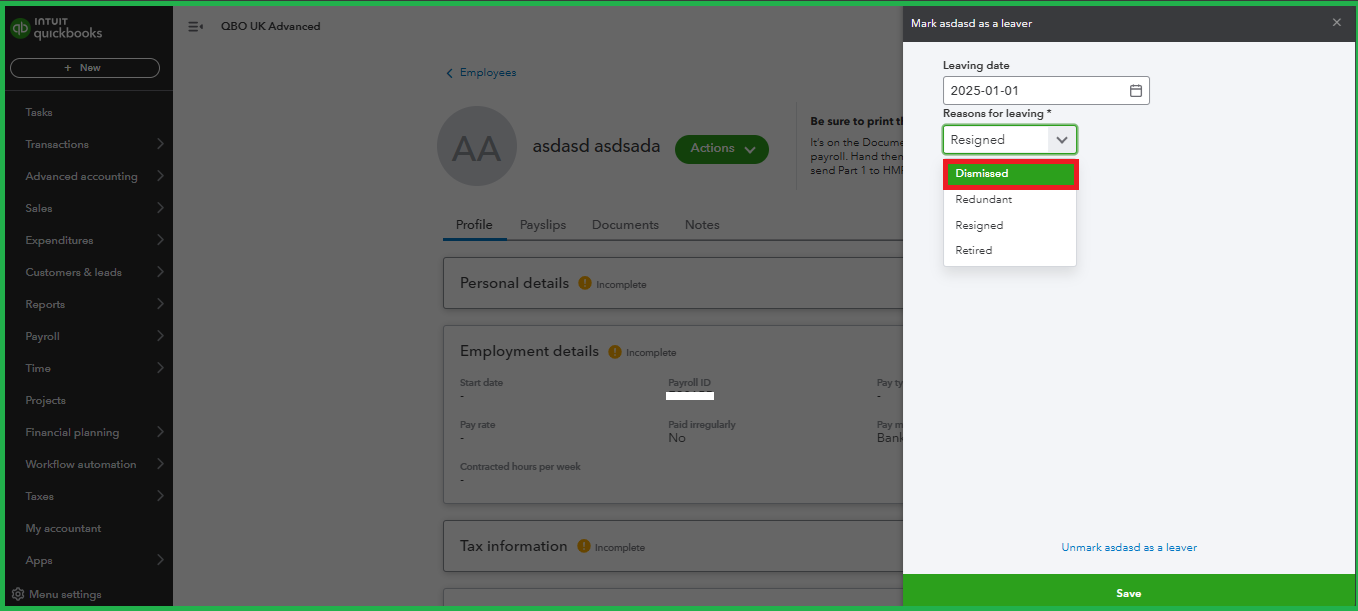
Once finished, let's create a new employee profile for that same individual:
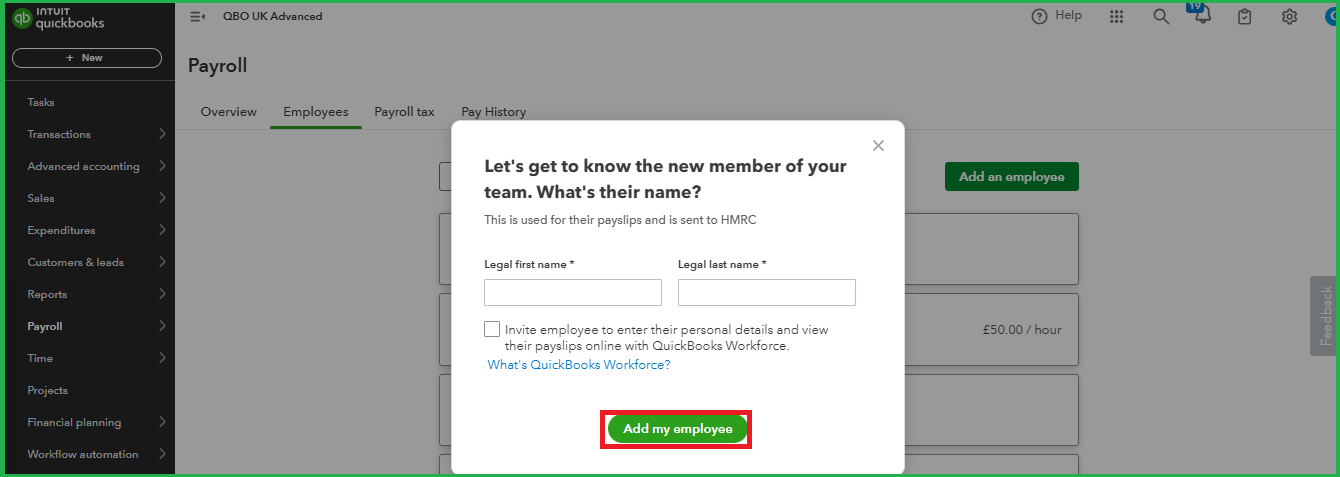
To learn more about entering tax and NI details for an employee, you can refer to Step 4 in this article: Managing employees in QuickBooks Online Advanced Payroll and Bureau Payroll.
Once you have correctly set up your employee, you can proceed with running payroll for that employee in the future.
Proper employee management ensures that all data is recorded precisely, leading to reliable financial reporting and smoother operational processes. If you have further questions, feel free to return. I'll be right here to assist you.
Thank you for your reply. I have the employee marked as terminated as they resigned and I cannot amend the inactive employee status to change this to Dismissed - When I enter the NI number into the new employee a error flags that the NI number is conflicting - do you know how I navigate these?
Thanks Emma
You're doing great, emma96. You might have an updated version of QuickBooks Online (QBO) Payroll compared to the one used by my colleague in the previous post. This is because, in the updated version of QBO Payroll, there are only two options available for an employee's status: Active or Terminated.
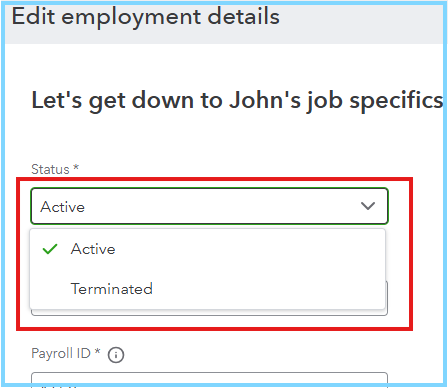
Since we want to ensure that you can successfully reinstate your employee, we'd like to inform you that the system is designed to flag duplicate employee details when they are entered. As a potential solution, you might consider making a minor adjustment to the National Insurance number in the original profile (for instance, by altering the last digit) before creating a new employee profile with the correct NI number.
If you're able to resolve the issue and reactivate your employee through our suggested solution, you can now run your payroll. We'd like to share this following article with you for guidance, especially when you're using QBO Core Payroll: How to run payroll in QuickBooks Online Core Payroll.
Should you have further questions about QBO Payroll or just wish to follow up on your current concern for additional context, please do not hesitate to reach out to the Community. Remember, we're happy to assist you anytime.


You have clicked a link to a site outside of the QuickBooks or ProFile Communities. By clicking "Continue", you will leave the community and be taken to that site instead.


