The Profit and Loss (P&L) report in QuickBooks Self-Employed (QBSE) provides an overview of your income and expenses, alannah.
You can customize the date range of this report to display all income and expenses for a period of up to six months. When you download the file, it is automatically formatted as a PDF file.
Please note that the standard P&L report in QBSE provides a summary of your income and expenses, rather than a detailed breakdown in a single PDF file.
To customize the date of the P&L report and download it in PDF format, follow these steps:
- Go to Reports.
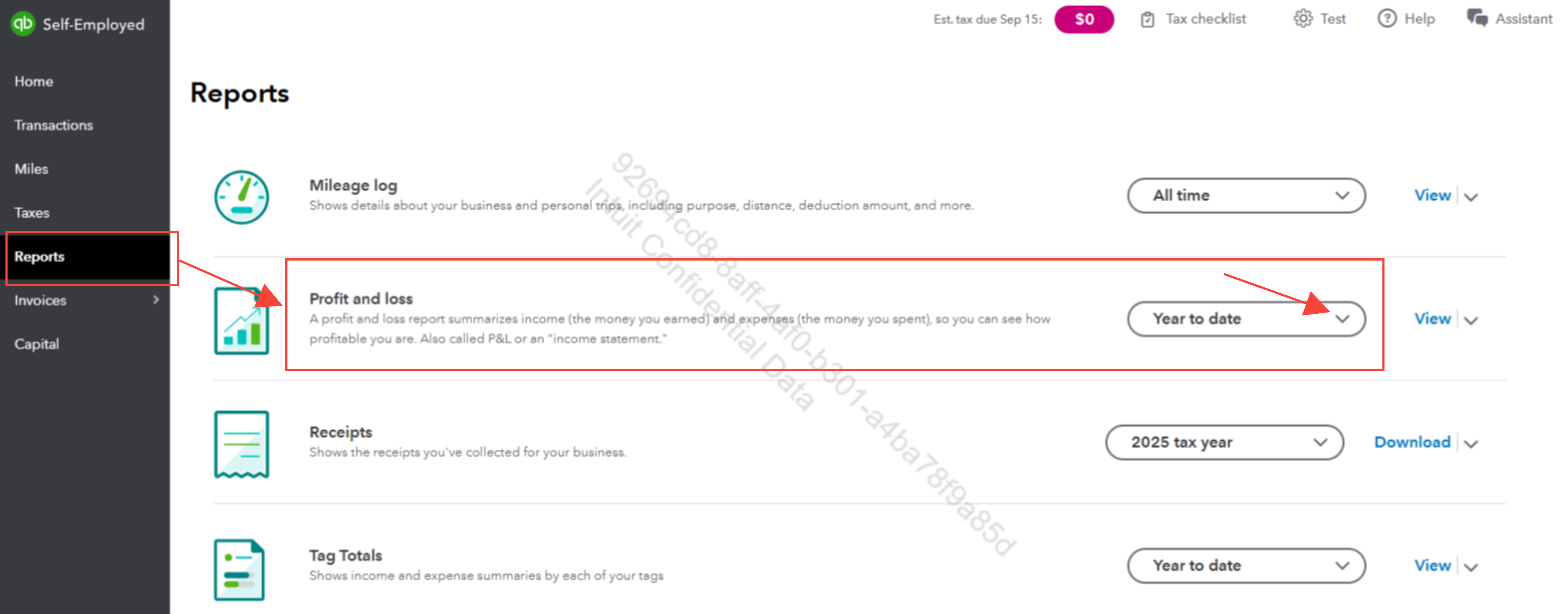
- Click the dropdown button in the Profit and Loss section.
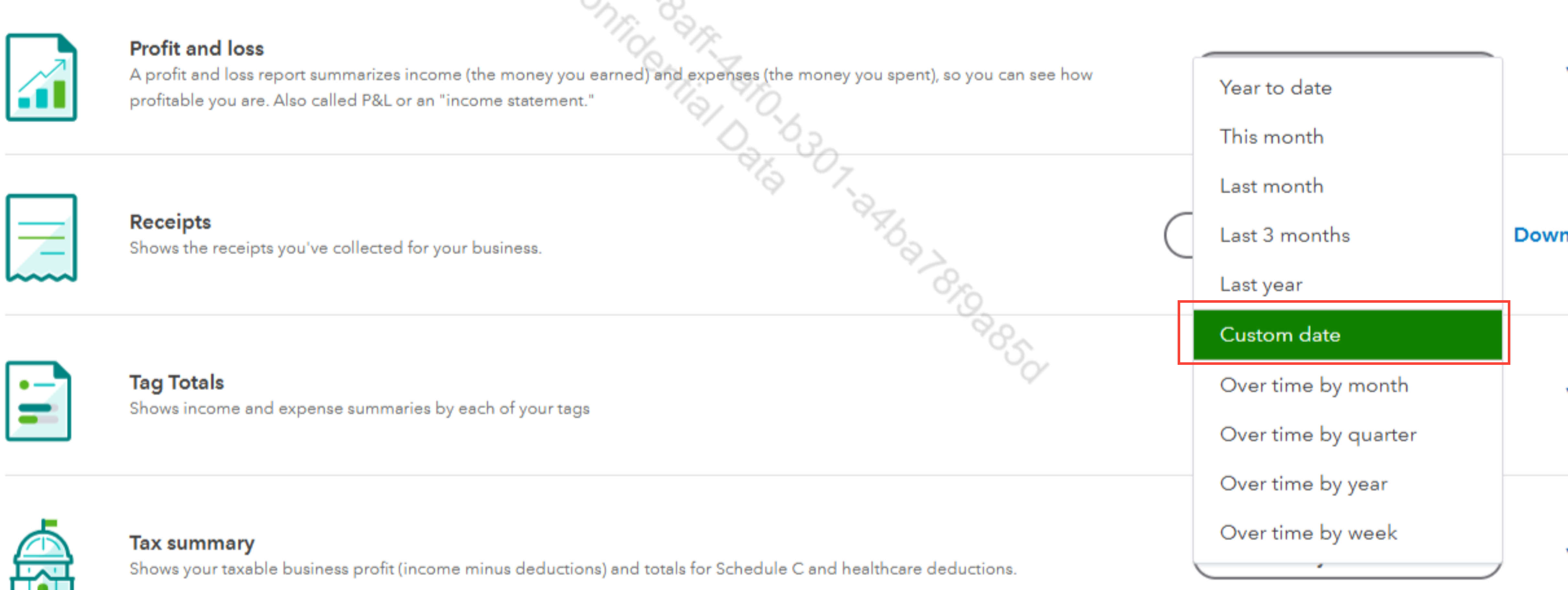
- Select Custom date and enter the desired date range.
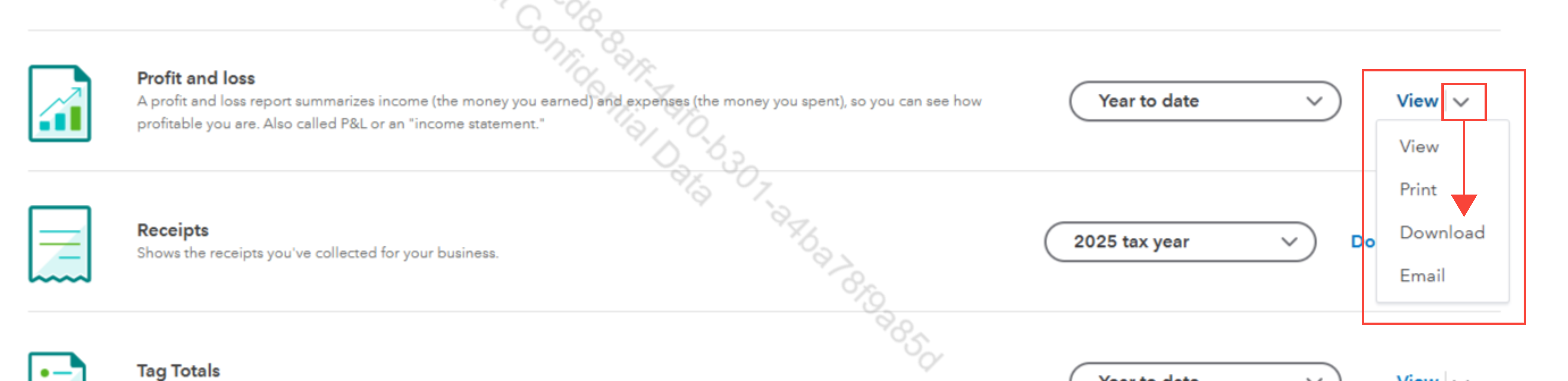
- Click the dropdown button beside the View link and select Download.
Feel free to reply here if you have additional questions or need further assistance.


