Thanks for joining the Community space, @jamie41
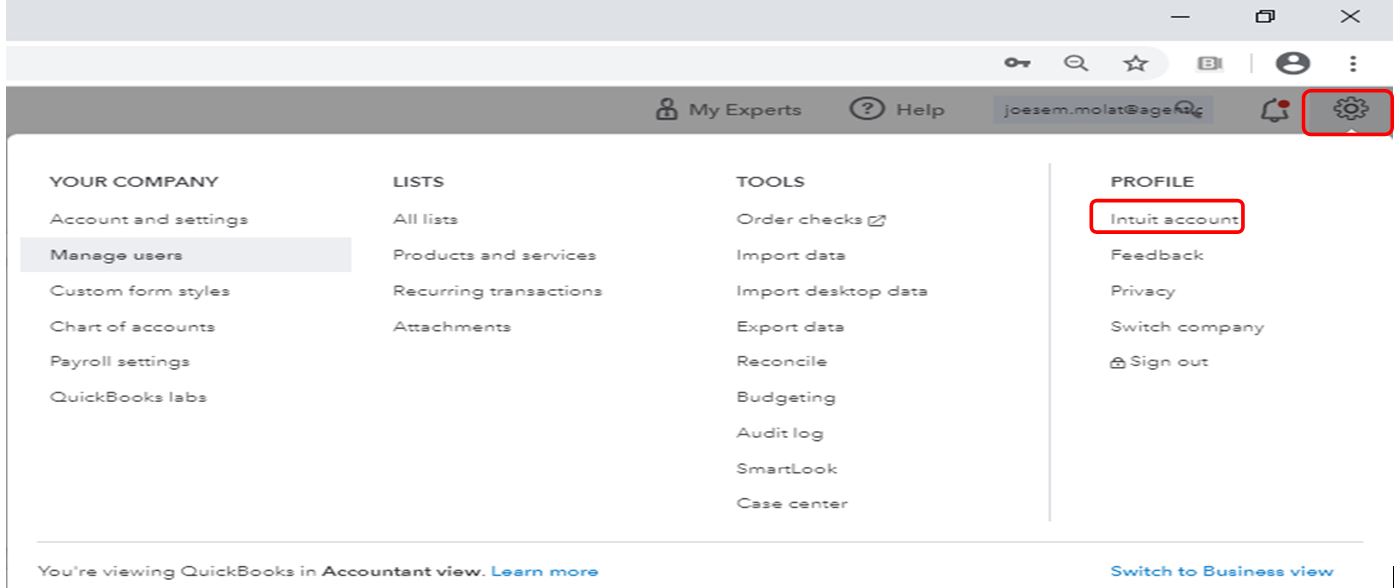
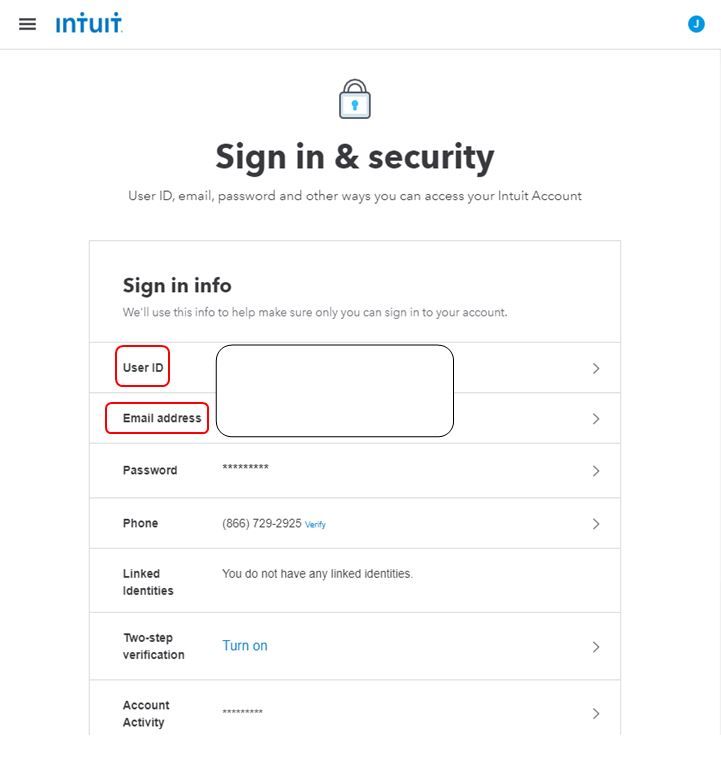
You can confirm the changes by going to the Intuit account. This will show the User ID, email, password, and other ways to access your account. I'll guide you how:
- Click the Gear icon in the upper right corner.
- Under Profile select Intuit account.
- Choose Sign-in & Security tab.
- Under Sign-in info, you can view the updated User ID and email address.
You can also visit our Get Started page if you need help on a specific task in QuickBooks Online. It provides articles about managing your QBO account, income, expenses, banking, inventory, and running reports. Just click on the + More topics button to expand the view.
I'm always here to lend you a helping hand if there's anything else you need. Keep safe always, @jamie41.


