Turn on suggestions
Auto-suggest helps you quickly narrow down your search results by suggesting possible matches as you type.
Showing results for
SALE EXTENDED 70% OFF QuickBooks for 3 months* Ends 12/8
Buy now
Yes, there's a report that shows sales with different location, pogorelaya-finnt.
You can run the Sales by Location Detail report to see the location of your sales. By doing so, you'll be able to pull up the information you're looking for in your report.
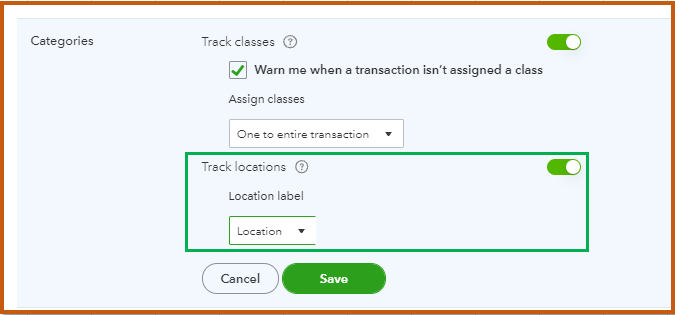
Just make sure the Track Location setting is turned on. This is to ensure you're able to track your transactions by state in your report.
I'll guide you how:
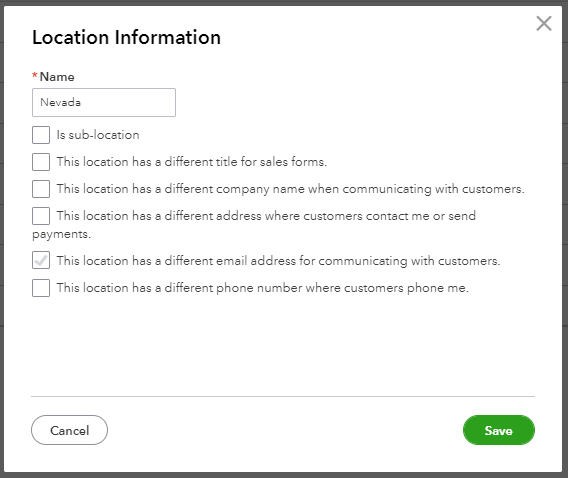
Once done, add those states you want to track. Here's how:
When you create a transaction, add the state on the form to track the location.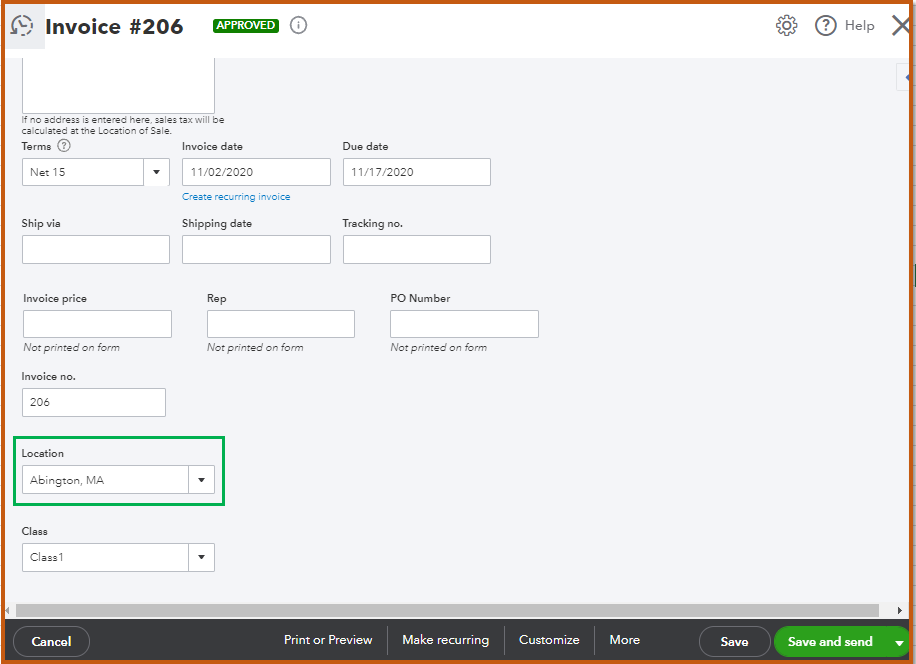
Once all set, run the Sales by Location Detail report and add the Location column. Here's how:
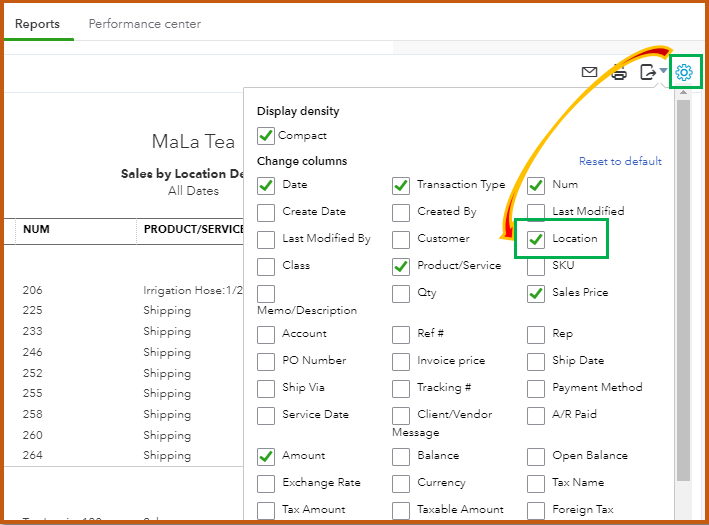
You can export this report to Excel or memorize for future use.
Stay in touch with me if there's anything else you need about running a report that shows different states. I'm always around to help you.
So I need to add an extra field to each invoice?
But there is a field "Ship to address" which contains the information about the State. In Quickbooks Enterprise I can add the colomn "Ship to State" to the report and it automatically identifies the state from the 'ship to address field". Do I understand correctly that there is no such or similar option in Quickbooks Online?
Thanks a lot!
Hey there, @pogorelaya-finnt.
Thanks for following up with us.
Although you won't be able to sort any reports by shipping address, I have found a report to include it. I suggest running the Transaction List by Donor report and customizing it so it can include the shipping address. I've included some steps below to help you run the report.
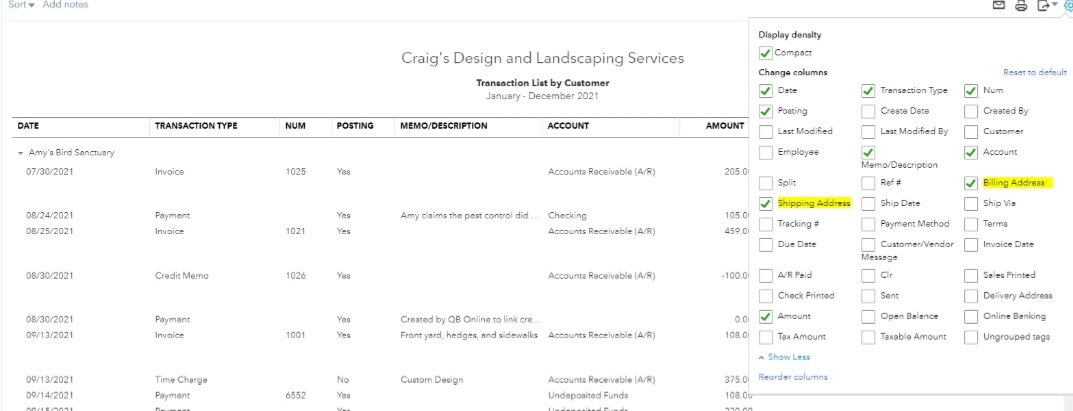
However, I can see how having the ability to sort the report by shipping address would be more efficient for you and your business. I gone ahead and submitted this feedback to our Product Development Team. This way, it can be considered in a future update.
Please don't hesitate to let me know if you have any questions or concerns. Have a great day!
Yes, I need this too, as this method only allows the whole address to be listed in the report but with new tax laws, I really need to be able to run a report of sales shipping state in the very near future.
Hi ZachT,
I can see how much you need a report showing the gross sales per shipping state. While isn't an option for now, please continue doing your current process. Then, I encourage you to send feedback about this. That way, our engineers can consider adding the report in future updates.
On the other hand, if you want to check for references for QBO, just click the Topics menu above and choose a topic.
Let me know if you have any other concerns about reports or taxes. Take care and have a good one.


You have clicked a link to a site outside of the QuickBooks or ProFile Communities. By clicking "Continue", you will leave the community and be taken to that site instead.
For more information visit our Security Center or to report suspicious websites you can contact us here


