I'd be glad to guide you in running a report on tagged transactions, Rhatchett.
To begin, follow these steps:
- Click the Reports menu.
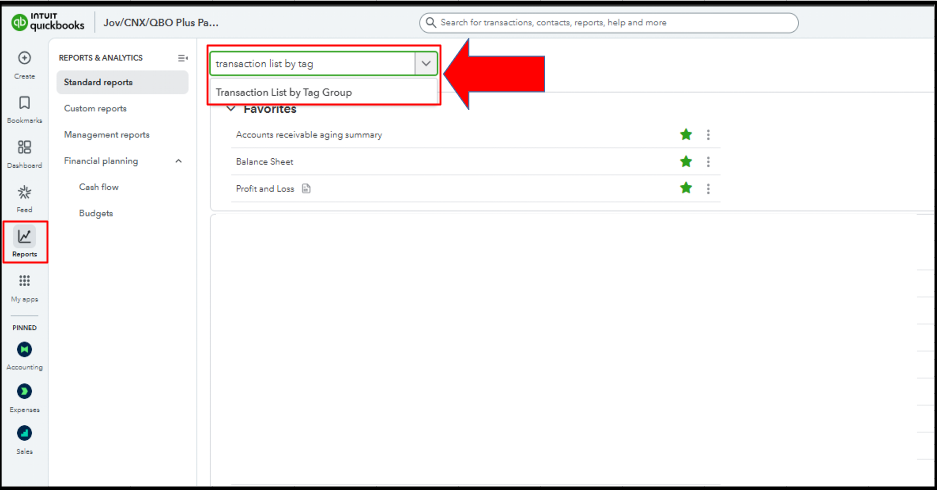
- In the report search field, enter Transaction List by Tag Group.
- Click the Customize button.

- Choose a specific Report period.
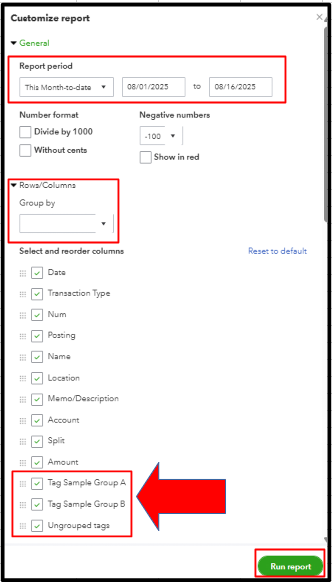
- In the Group by dropdown, select the name of the tag group.
- Click Change columns and tick all the other tags you created.
- Select Run report.
If you have other questions, feel free to add a reply.


