Yes, you can still revert to the old view with your Bank Transactions page, @mtprgh.
You are now experiencing the new AI-driven accounting look, which enhances bookkeeping with an improved user experience and advanced automation for transaction categorization and matching.
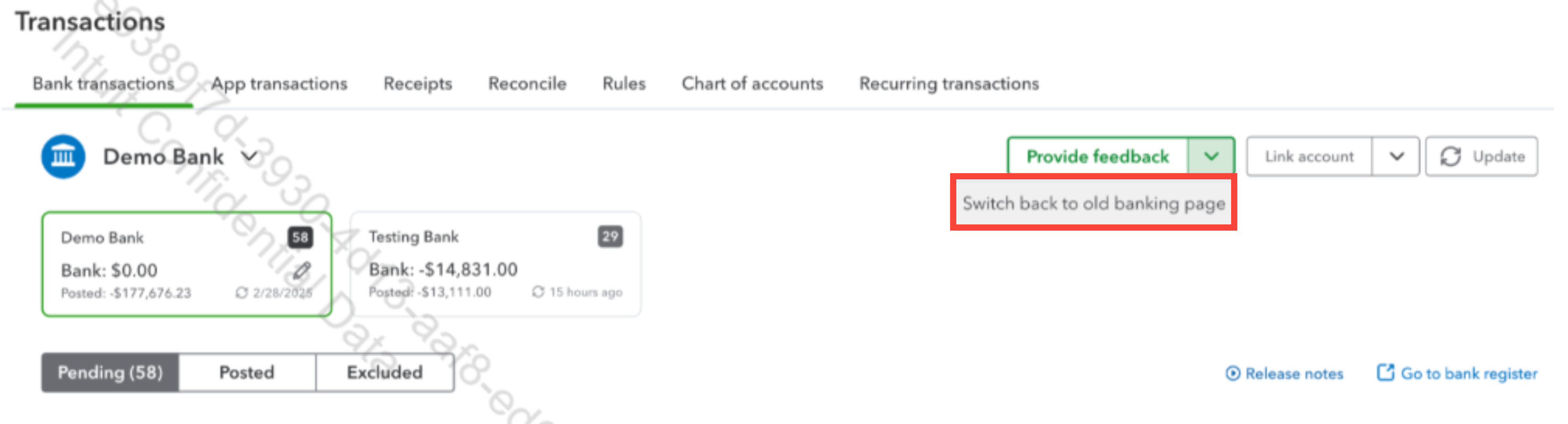
You can see the option to switch back to the old format under the Provide feedback button. See the sample screenshot below.
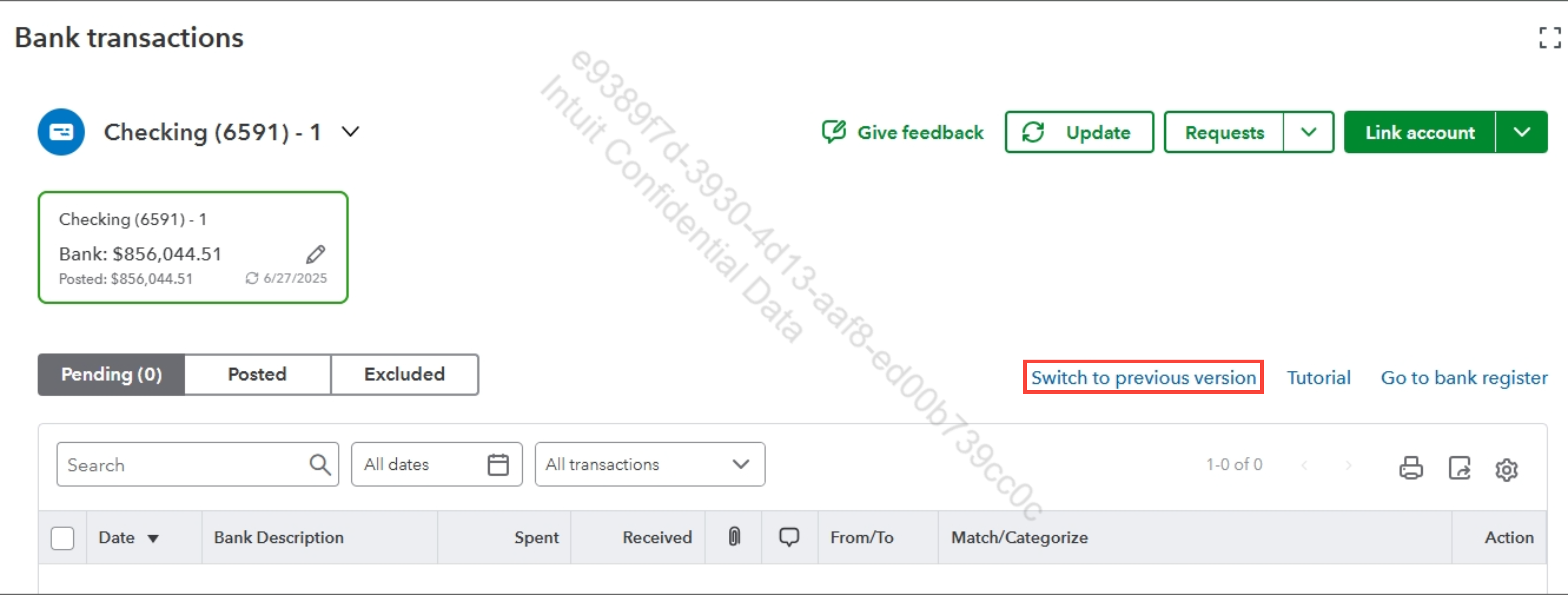
If the option does not appear in the same area, you can see it beside the Tutorial section. See another sample screenshot below.
You will then see the old view of your Bank Transactions page.
We value your feedback as a valued customer and would love to hear your thoughts on this experience. I encourage you to share your input with our Developer team by clicking the Give feedback button above in your new view.
I'll also add this article to guide you in reconciling your accounts so they always match your bank and credit card statements: Reconcile an account in QuickBooks Online.
You can leave a comment below if you have additional concerns with your bank transactions. I'm always here to help. Have a great day.


