Welcome to the Community, Jack.
When you need to move money from one account to another in QuickBooks Online (QBO), you’ll record the transaction as a transfer. This keeps both accounts accurate and ensures your records are correct.
QBO offers several ways to record transfers: you can create a new transfer, record a transfer by check, match imported bank transactions if your accounts are connected, or make a journal entry (consult your accountant first for this option).
If the transaction hasn’t been imported from your bank yet, you can manually record the money transfer in QuickBooks by following these steps:
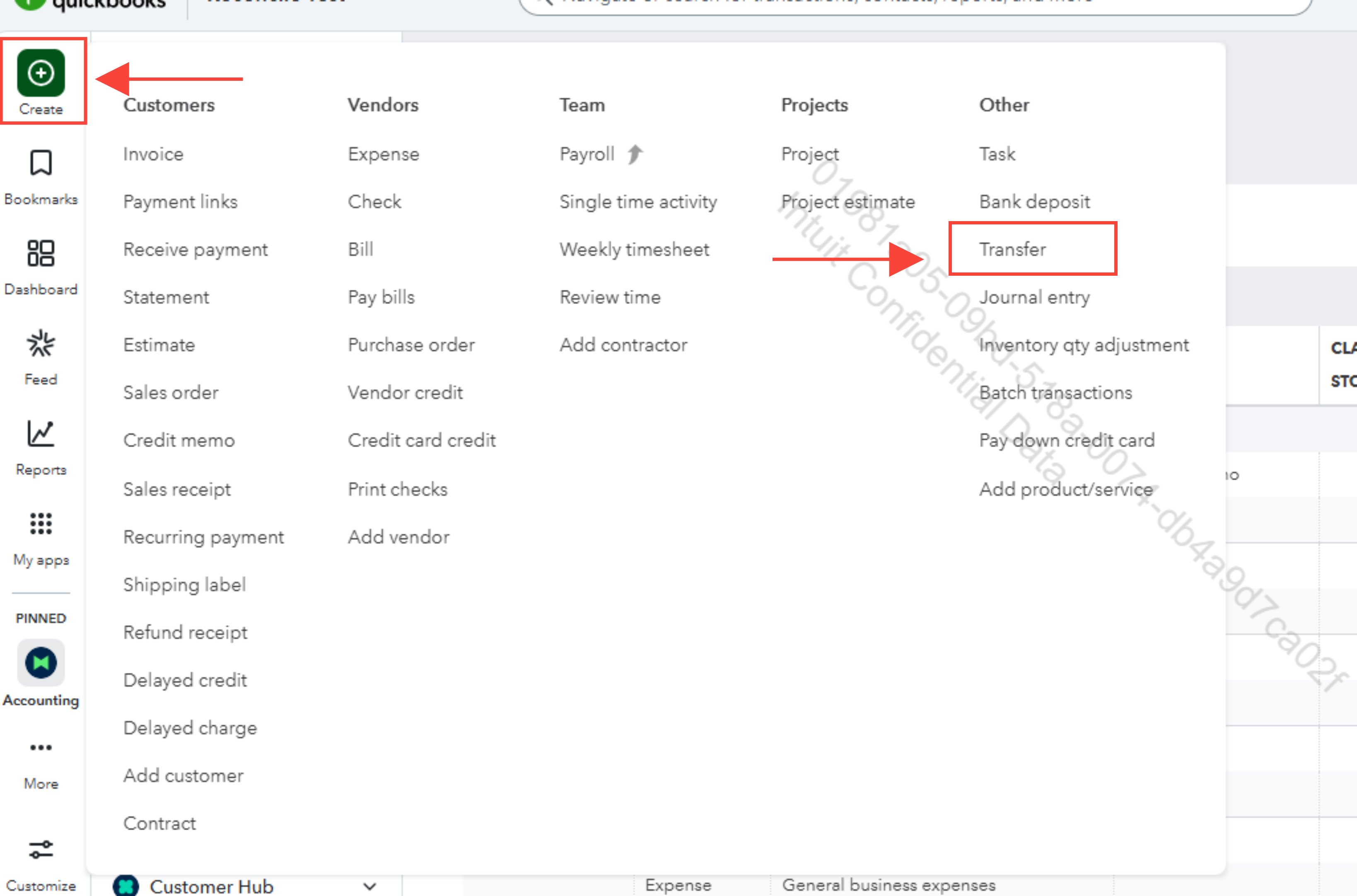
- Go to + Create, then select Transfer.
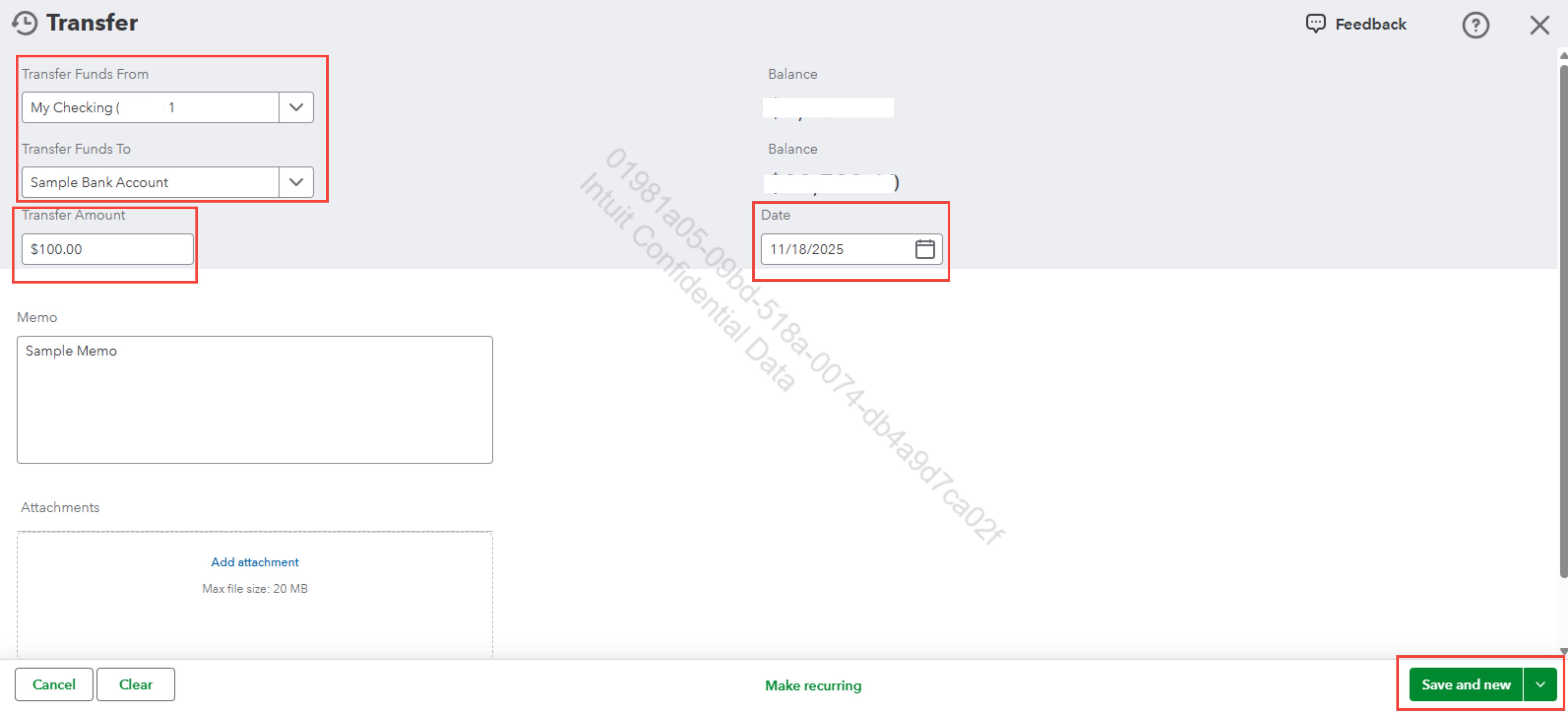
- Choose the accounts for Transfer Funds From and Transfer Funds To.
- Enter the Amount and Date.
- You can add a Memo if you'd like (optional).
- Click Save and close or Save and new.
You can review the recorded transfer by checking each account register in your Chart of Accounts.
For transfers made using a physical check, here's how to record the transfer and the check number:
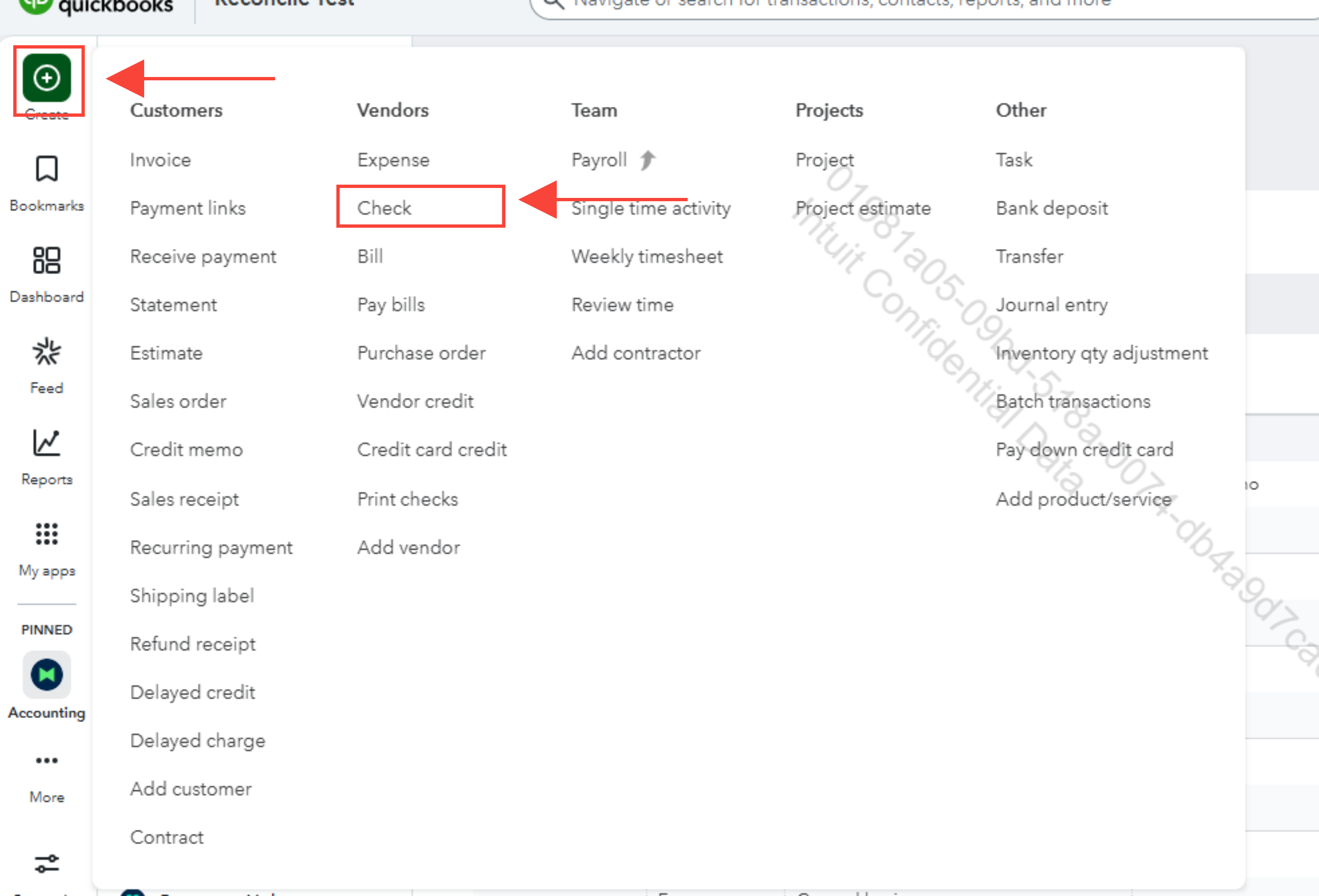
- Go to + Create and select Check.
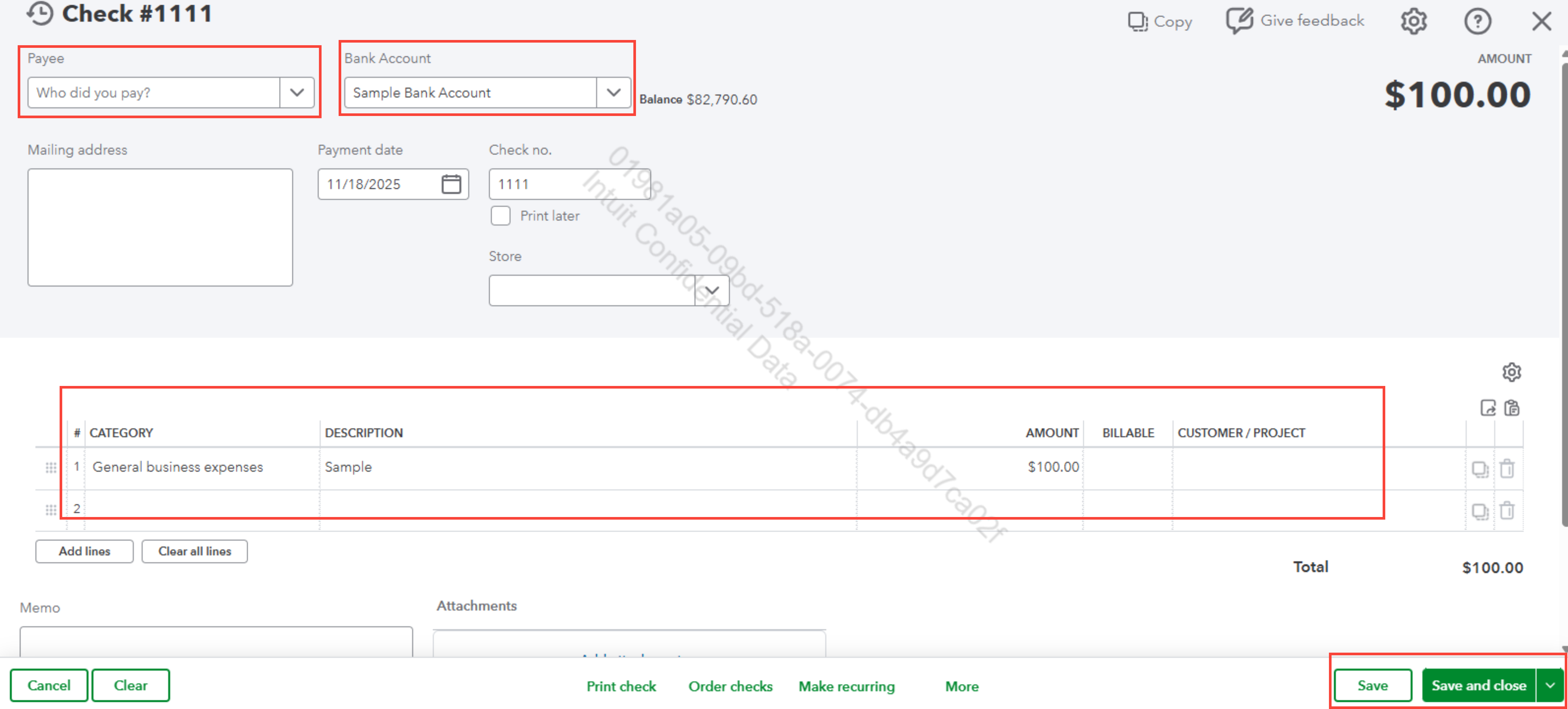
- Enter the necessary check details, including the check number.
- Choose the account the funds are coming from in Bank Account.
- Select the account the funds are going to in Category.
- Click Save and close or Save and new.
To match a transfer that appears in your imported or uploaded bank transactions, simply follow the “Match a transfer in your imported bank transactions” section in this article: Transfer funds between accounts.
Feel free to Reply if you have any questions about recording transfers or managing your accounts in QBO. We’re here to help


