I have a recommendation for you to find an effective e-signature for your paychecks in QBO, @AdminPC.
While we can't recommend a specific app, I can still recommend how to navigate to the Apps menu of QBO and search for an app that allows e-signature to paychecks.
Here's how:
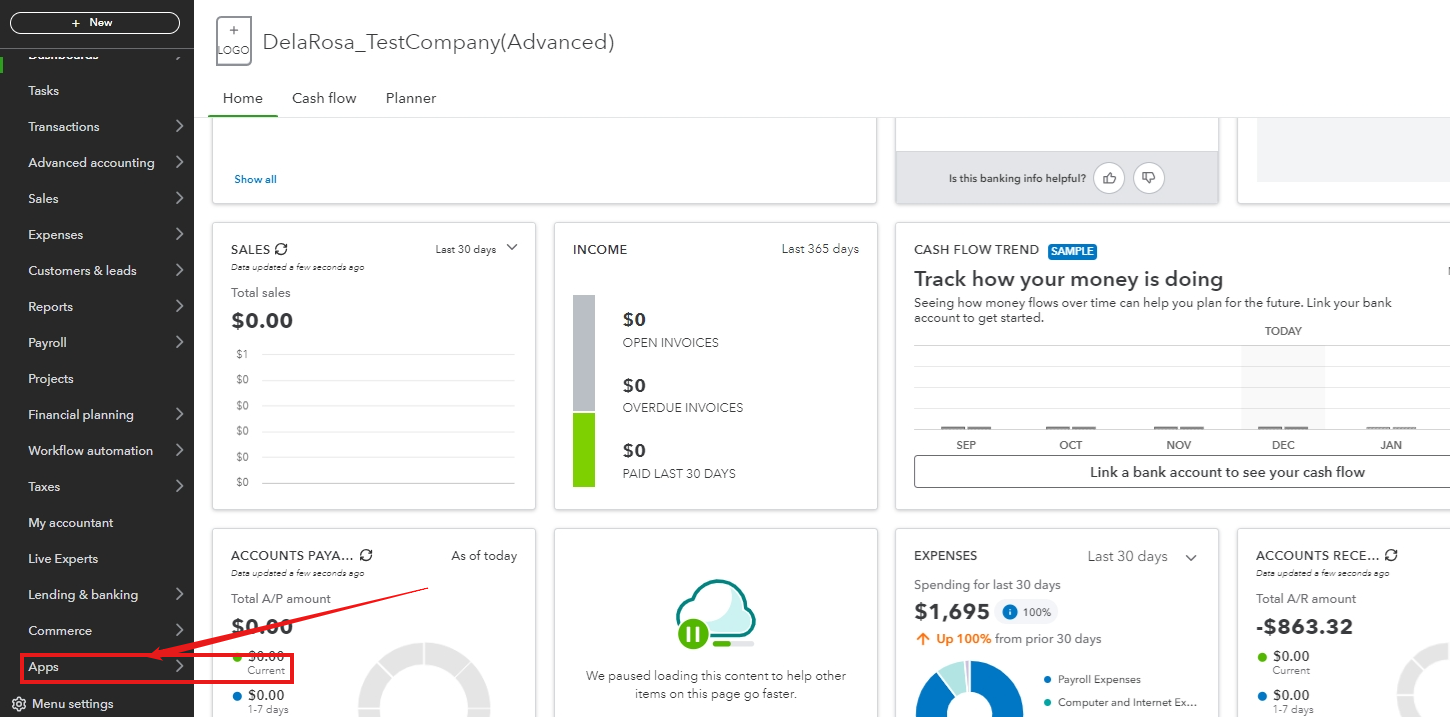
- Click Apps at the left pane.
2. Select Find Apps,
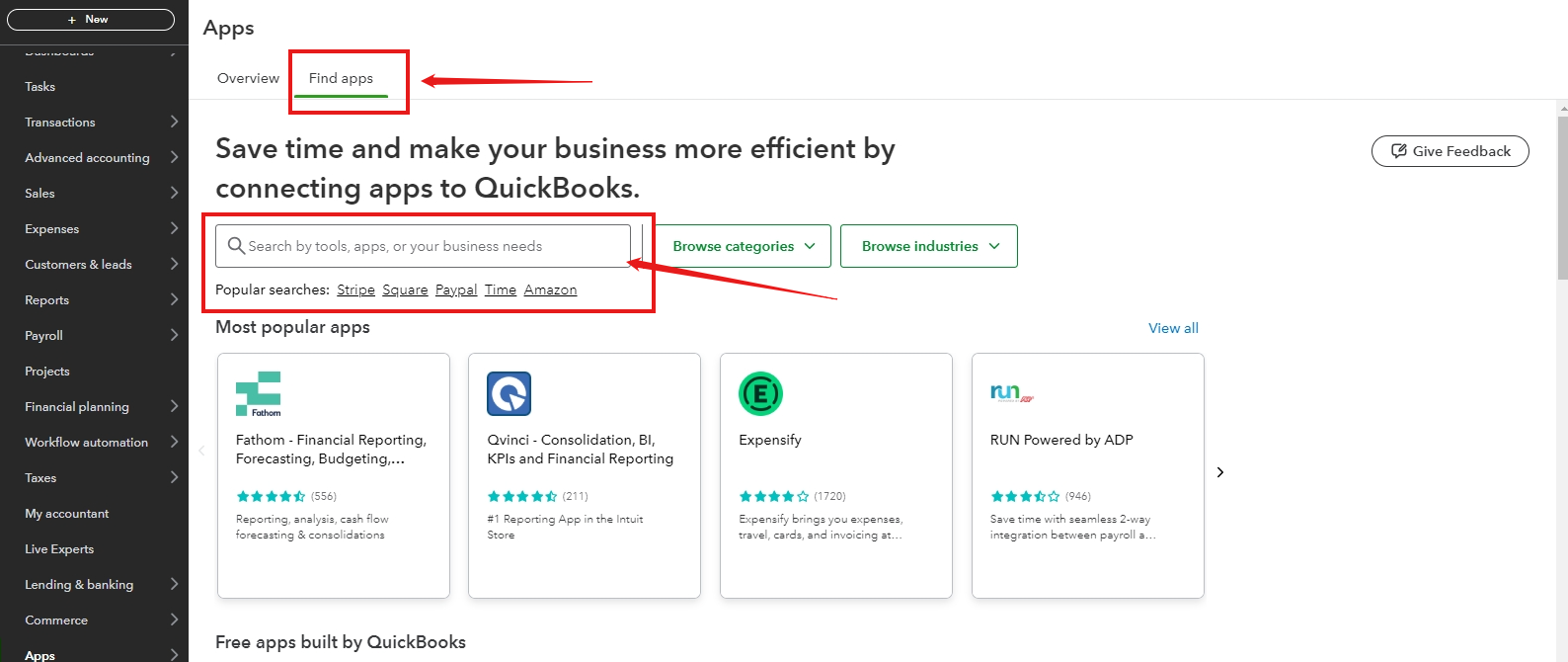
3. In the search bar, type "E-signature", then hit enter.
In your QuickBooks Online account, you can select an application that more effectively aligns with your needs for e-signature on your paychecks. Moreover, it's important to review the overviews and reviews to gain a clearer understanding and make an informed decision.

If you are in a hurry to find the right app for having an e-signature, you can access this website efficiently: QuickBooks App Center.
If you're looking to effectively manage and optimize the features of QBO for your benefit, you may adjust the settings on the Accounts and Settings page. For more detailed guidance, please refer to this article: Edit company settings in QuickBooks Online.
Lastly, if you need further assistance to become more expert with managing and processing transactions on your account , our QuickBooks Live Assisted service is ready to offer guidance and share best practices to support customers like you.
Should you require additional assistance with e-signature to paychecks, I am here to respond thoroughly to your inquiries. Have a great day, and remember to stay safe!


