SALE EXTENDED 70% OFF QuickBooks for 3 months*   Ends 12/8

Buy now
cancel
Showing results for 
Search instead for 
Did you mean: 
Announcements
Simplify payday and set payroll to run automatically on QuickBooks. Explore QuickBooks Payroll
kate-wolters
Level 1

how do I add a dependent for an employee who recently had a baby?

 
1 Comment 1
AntoniettaE
QuickBooks Team

how do I add a dependent for an employee who recently had a baby?

You can only add a dependent claim in dollar amount, Kate. But if you invited an employee to self-set up their payroll info, they can add it in their Workforce account.


Here's how to add a dependent claim:


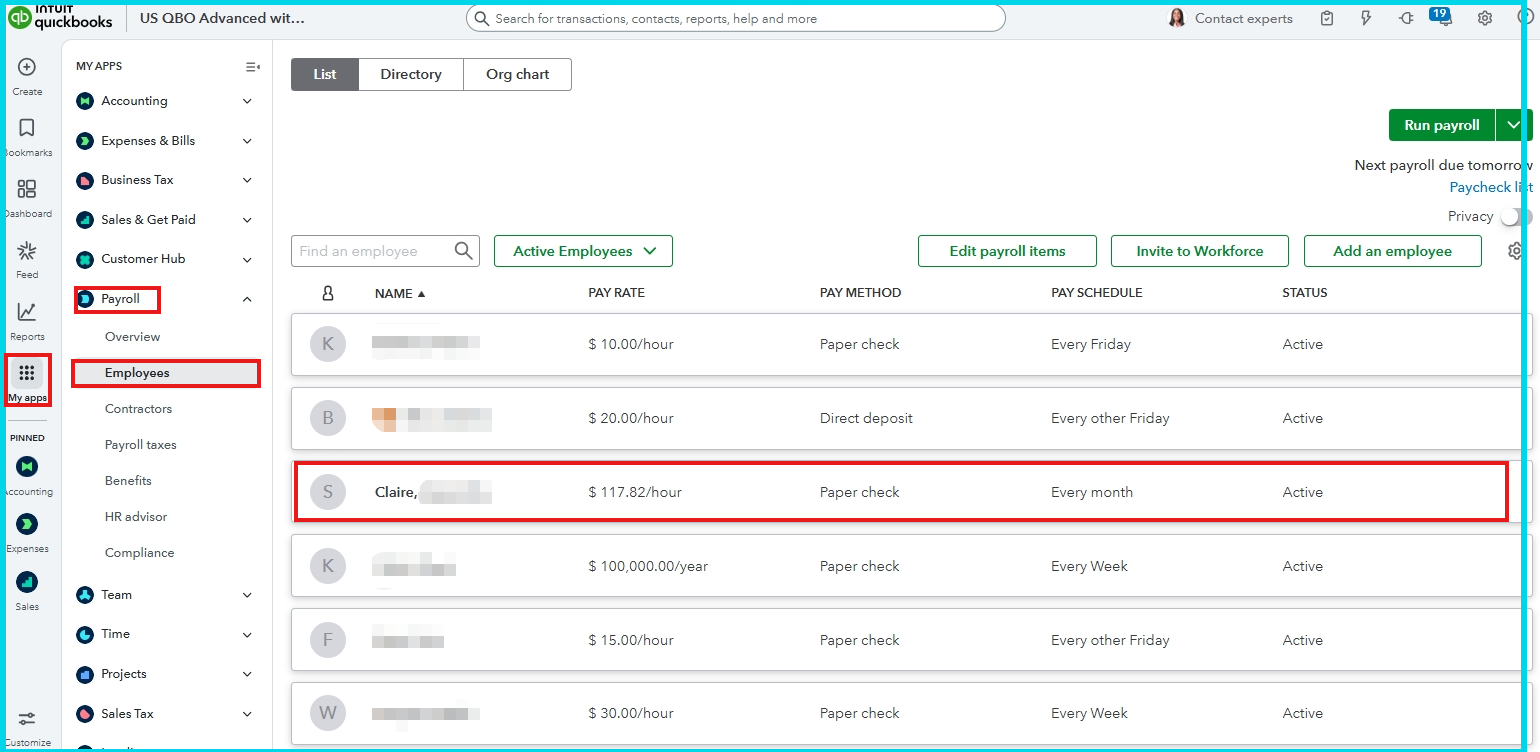
  1. Go to My apps and choose Payroll.
  2. Click Employees and choose the name of the employee.
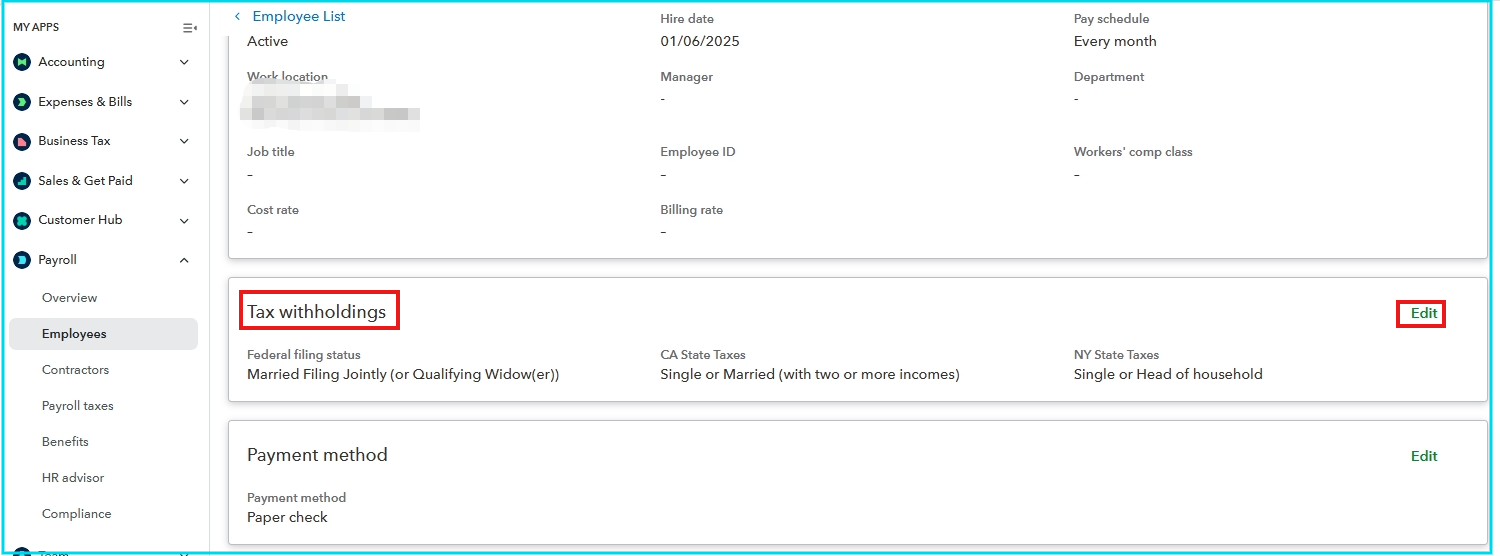
  3. Select Tax withholdings and click Edit.
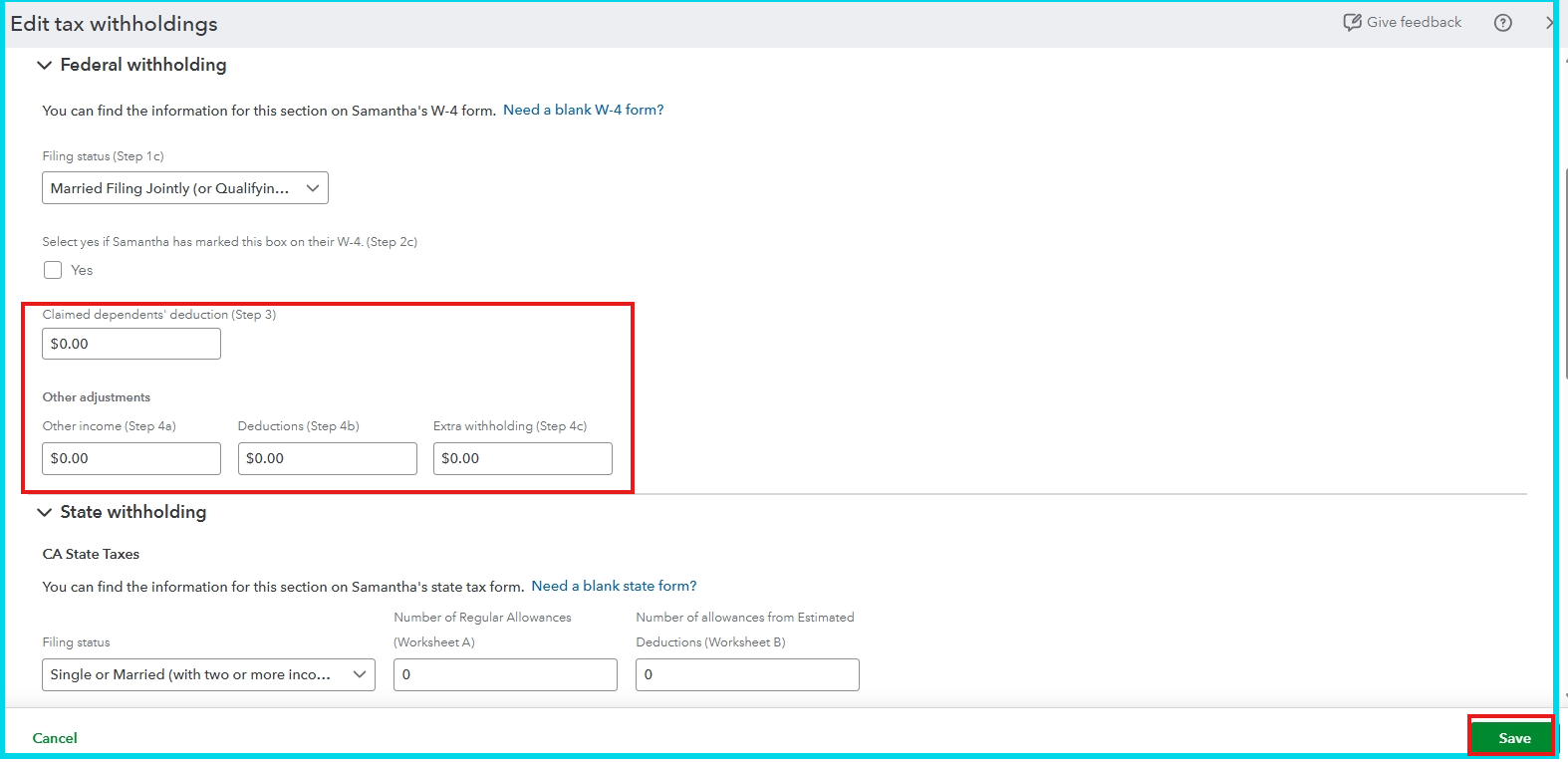
  4. Enter the amount in the Claimed dependents' deduction.
  5. Click Save.


If you have additional questions, please leave a reply below. The Community is always here for you.

Need QuickBooks guidance?
Log in to access expert advice and community support instantly.

Need to get in touch?

Contact us