Yes, @stephen68. You can filter the specific accounts you want to display in the report.
To customize the report, please follow these steps:
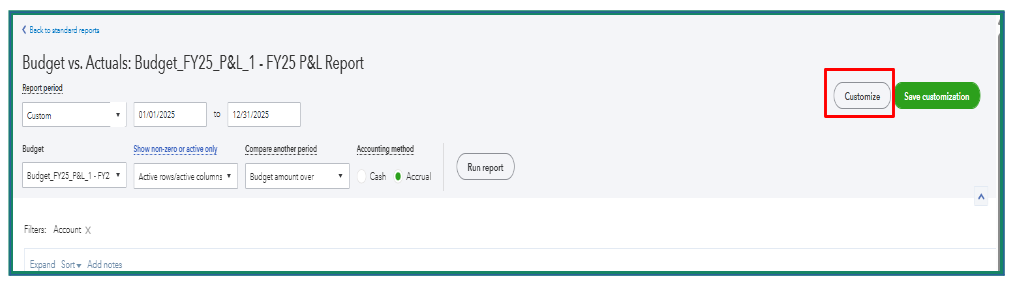
- In the Budget vs. Actual report, hit the Customize.
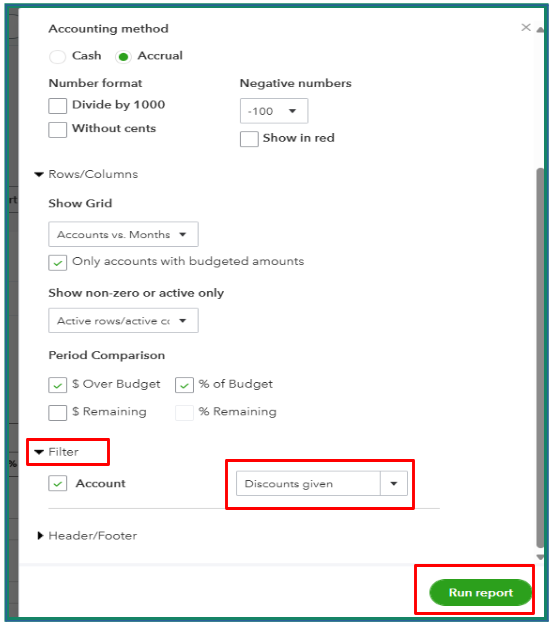
- Select the Filter dropdown and choose the desired account.
- Once you’ve made your selections, click Run Report.
For more detailed guidance on customizing a report, feel free to check out this article: Customize reports in QuickBooks Online.
If you have any further questions, don't hesitate to reach out. We're here to assist you anytime.


