BLACK FRIDAY SALE 70% OFF QuickBooks for 3 months*   Ends 11/30

Buy now
cancel
Showing results for 
Search instead for 
Did you mean: 
Announcements
Work smarter and get more done with advanced tools that save you time. Discover QuickBooks Online Advanced.
acotello
Level 1

IN QBO advanced how can I build the pay adjustment report?

 
2 Comments 2
CharmieH
QuickBooks Team

IN QBO advanced how can I build the pay adjustment report?

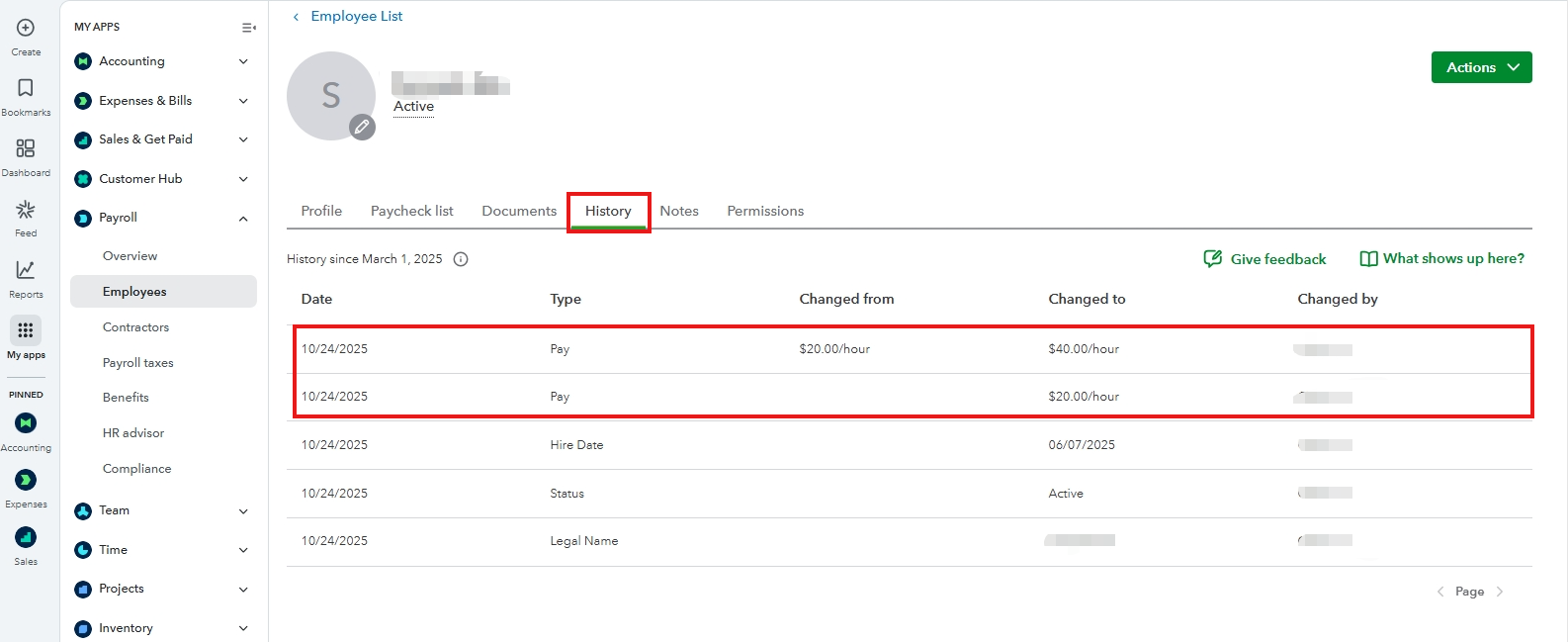
While QuickBooks Online (QBO) Advanced can't create a report specifically for pay adjustments, you can use the History tab in the Employee Profile to view the pay changes made to your employee, Aco.


Please note that the History tab is only available to QBO Payroll Premium and Elite users. Also, you can only track changes made on or after March 1, 2025. Any changes made before this date will not be displayed.


Here's how:


  1. Go to My apps.
  2. Click on Payroll, then select Employees.
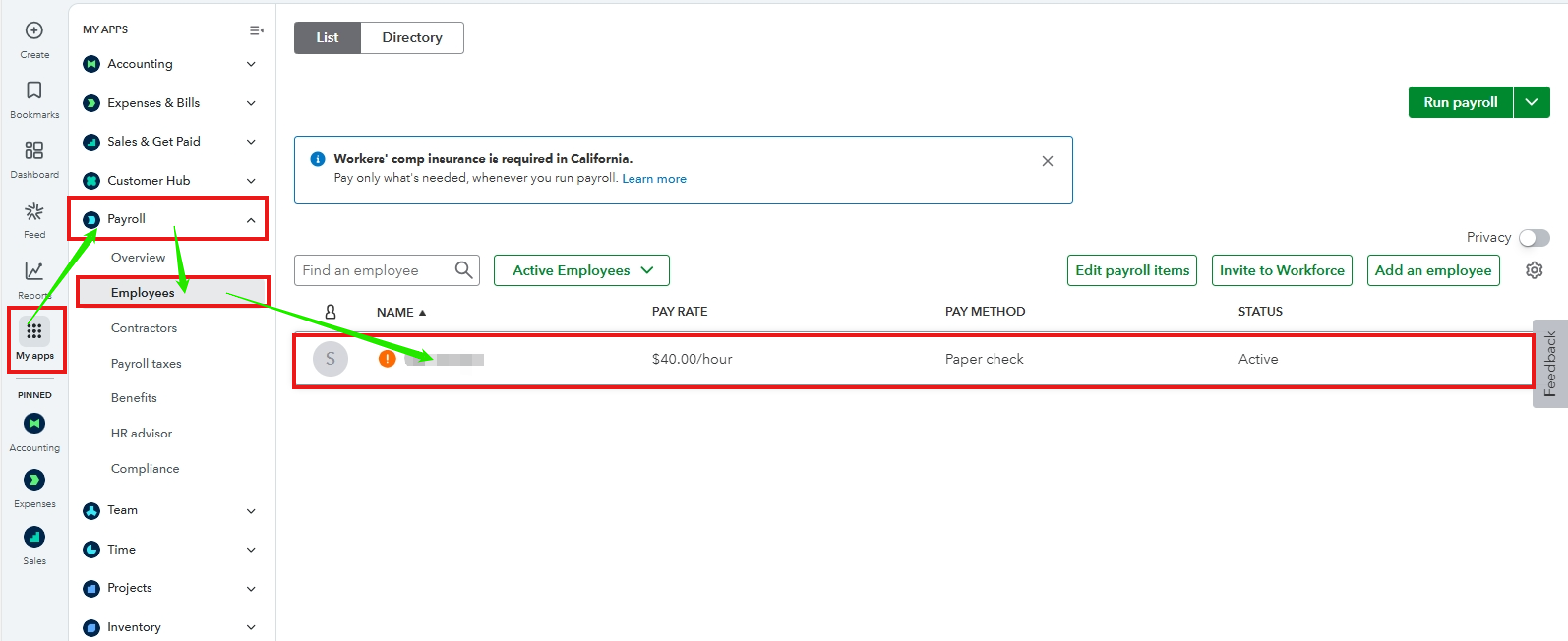
  3. Select the employee you wish to view the pay adjustments for.
  4. Click the History tab.


Other updated employee information will also be displayed on this tab. To learn more, you may visit this article: View your employee history.


If you have other questions, please feel free to reply below. The Community is always here to help you.

CharmieH
QuickBooks Team

IN QBO advanced how can I build the pay adjustment report?

Hi, Aco.


I'm following up to see if the solution we provided worked for you. Did it resolve your issues, or are you still experiencing difficulties?


We'll be glad to assist further if you need any more help.

Need QuickBooks guidance?
Log in to access expert advice and community support instantly.

Need to get in touch?

Contact us