I appreciate your efforts in troubleshooting the issue, hemmingerstudio.
First, let's check the status of the invoice. If it is marked as sent, please ask your customer to check their junk or spam folders for the invoice.
Once you have successfully asked your customer to check their junk or spam folders and the email is still not found, clear it and then re-enter your email address. You can follow the steps provided below:
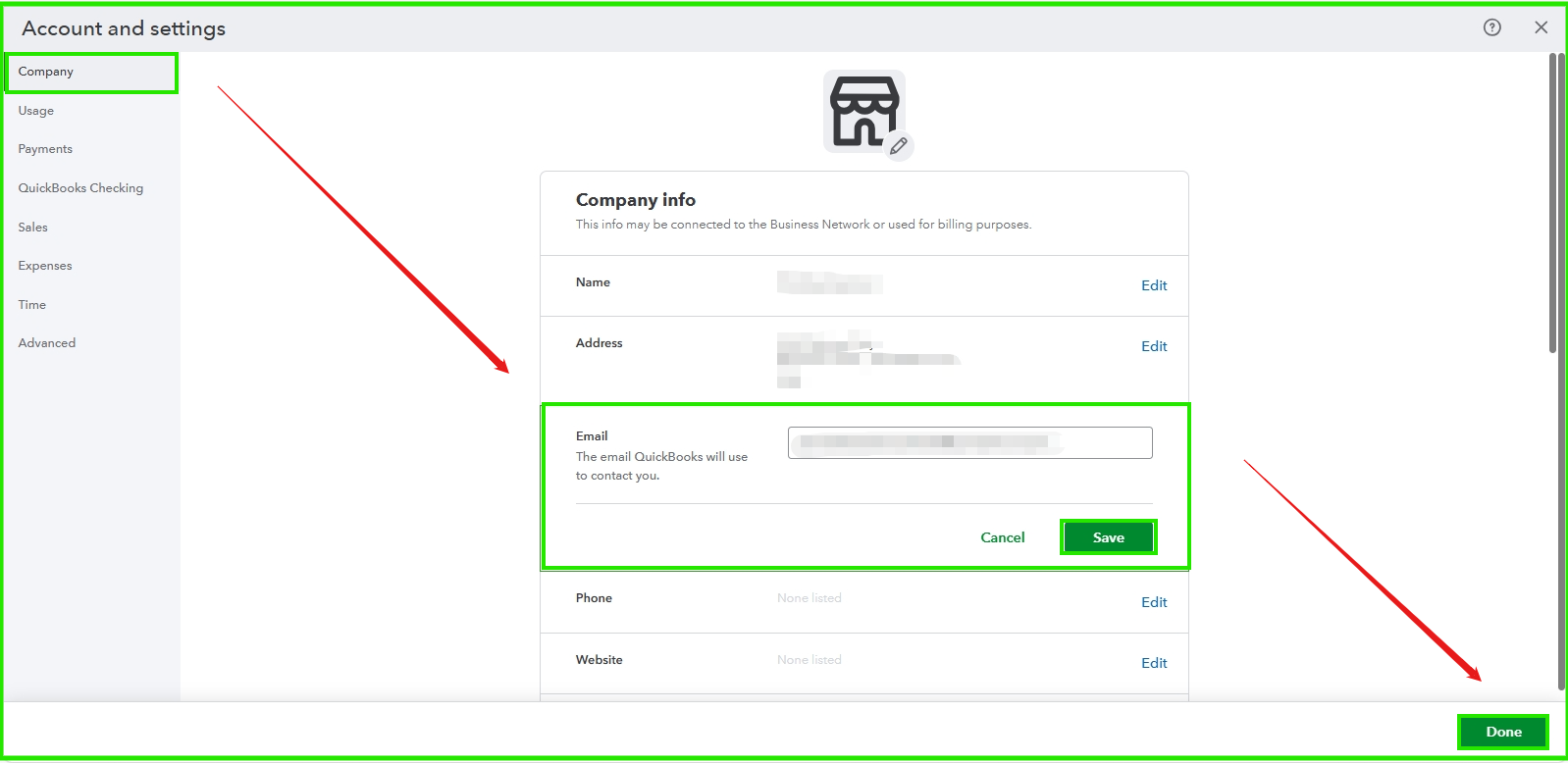
- Go to Settings and select Account and settings.
- In the Company section, click Edit next to Contact info.
- Clear the Company email field and re-enter the email address without extra spaces or characters.
- Click Save, then Done.
- Send yourself a test transaction.
- If you do not receive the email, consider using another email provider, such as Hotmail or Yahoo.
If it still doesn't work, you can refer to solution three in this article: Troubleshoot when customers don't get emails from QuickBooks Online.
Let us know if you have other questions or concerns. You can comment on the reply button below, and we're here to help.


