You can check the deposit status to find out why the payment was reversed, Kevin.
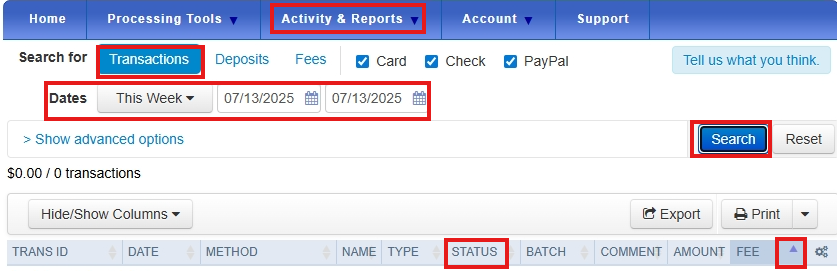
If there's a problem with the deposit, the Status column shows Withheld or Batch Deposit Returned.
Here's how:
- Log in to your Merchant Service Center.
- Go to Activity & Reports and select Deposits.
- Tap the Transactions, then set the Dates and hit Search.
- In the Fee tab, click the dropdown to review the details.
- You’ll receive an email from us with instructions on how to fix the reversed payment.
You can check these articles to learn how to record payments in QuickBooks (QBO) if this situation happens:
If you have more questions about your QuickBooks task, click the Reply button or start a new forum. We're here to support you.


