Welcome to the Community forum, @scoopdedoo. I'm here to ensure Merchant Services charges the correct credit card on file.
Please note that it is not possible to remove a customer's credit card because QuickBooks Payments places importance on their information. However, you can edit it and replace it with a non-transacting card number by following the steps below:
- Go to Customers & leads, then select Customers.
- Locate the customer name, then Edit.
- Navigate to the Payments section, and click the credit card number under the Preferred payment method field.
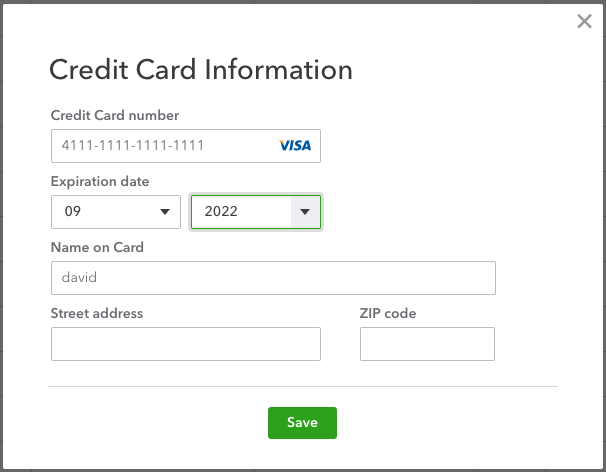
- On the Credit Card Information window, press Add.
- Change the following:
- Credit card number: 4111-1111-1111-1111.
- Expiration date: Any date in the future.
You also have the option to merge with a customer account without credit card info. Here's an article for the instructions: Delete your customer’s credit card number.
Bookmark this guide to receive customer payments in the future: Record invoice payments.
Feel free to reply to the thread if you have further concerns about managing the customer's payment method or any related details. I'm always here to assist you further. Take care!




