The transactions in the Bank Transactions tab are not automatically included when generating a report unless you categorize them, Cottage.
The Bank Transactions tab serves as a temporary holding area for raw data from your bank feed. These transactions will only become an official part of your financial records and appear in reports once you have categorized them as either a Business Expense or Income.
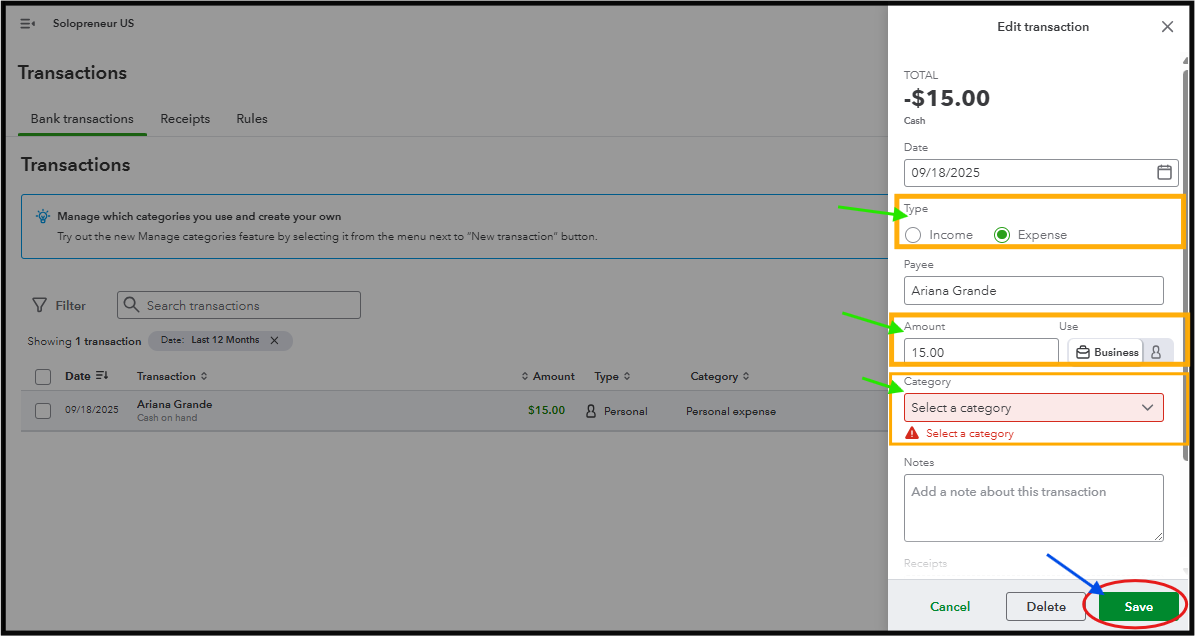
Follow these steps to categorize them:
- Head to Transactions from the left menu.
- Select the account where you made the purchase.
- Find the transaction in the list and click the Pencil icon.
- Verify the Payee, Transaction Type, and Amount. Select either Business or Personal transaction to ensure accuracy.
- In the Category column, select the correct expense account (e.g., Office Supplies, Utilities, or Marketing). You can also add a new category if needed.
- Once done, click the Save button.
Next, navigate to the Reports tab to generate a report. Be sure to adjust the date range to include the date of your purchase.
We are still available if you need further guidance on any QBO-related concerns.




