Hello there, Todd. I'd be glad to help you find a report for Accounts Payable for Retainage in QuickBooks Desktop (QBDT).
In QBDT, there's no specific report for Accounts Payable for Retainage but you can generate an Accounts Payable Aging Summary. To focus on Retainage, you can apply a filter to display only the transactions related to a Retainage Receivable account.
Here's how to do it:
- Go to Reports, then click Vendors & Payables.
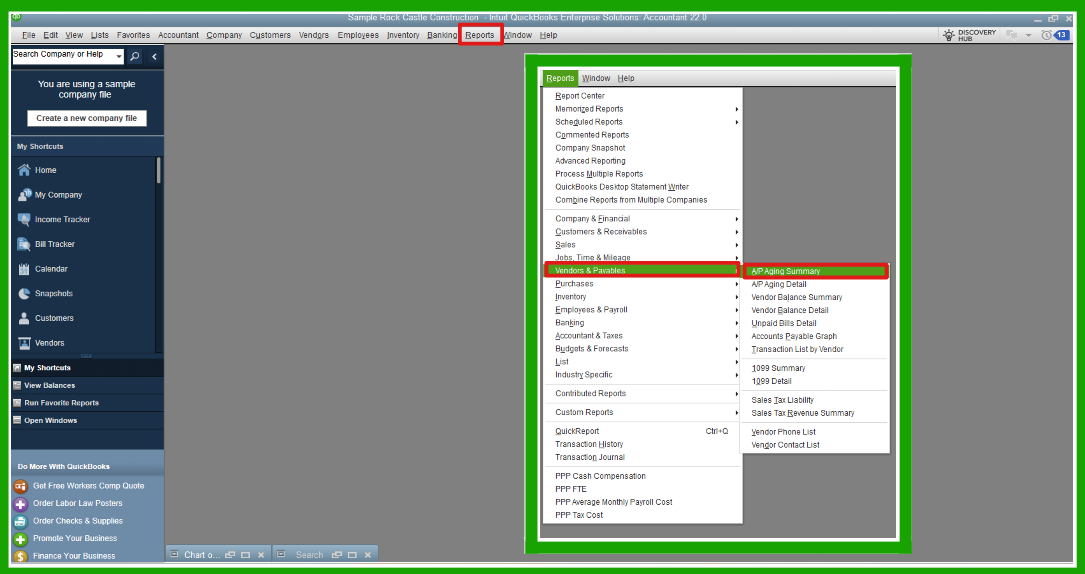
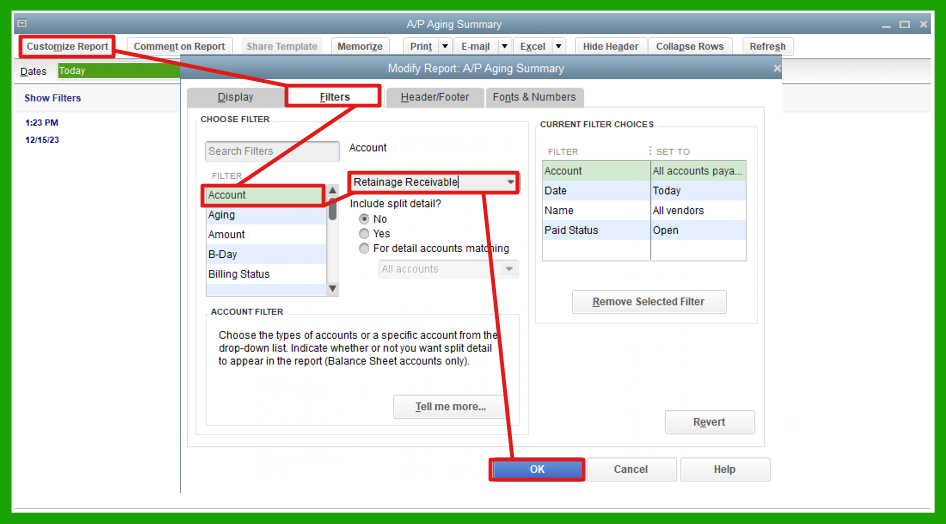
- Choose A/P Aging Summary or A/P Aging Detail then, click Customize Report.
- On the Filters tab, select Account and look for Retainage Receivable.
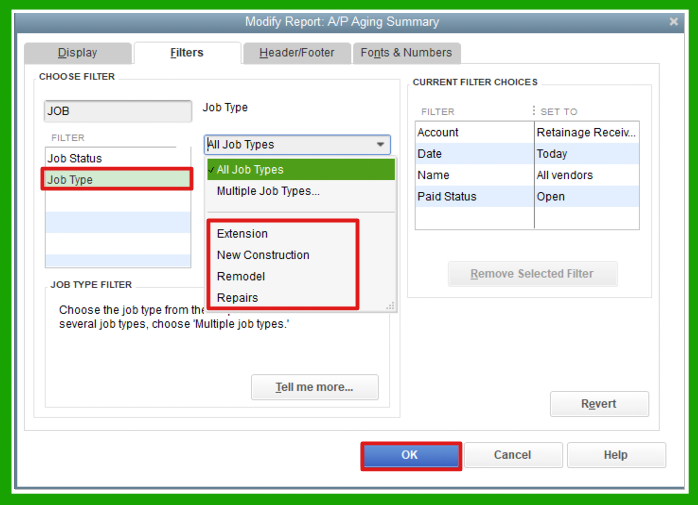
- From the Filters search bar, look for Job Type and select a job type you want.
- Once done, click OK.
This report provides a comprehensive overview of outstanding payables and allows you to effectively monitor and manage your retainage payments, ensuring that you stay organized with your financial obligations while providing greater insight into amounts owed.
Moreover, I've added this article as your reference in saving your customized report and exporting it to Excel:
Keep your post coming if you have further questions about customizing your report in QBDT. We'll always be here to help.




