Turn on suggestions
Auto-suggest helps you quickly narrow down your search results by suggesting possible matches as you type.
Showing results for
Hi there, natazha. Let’s walk through the steps together to ensure that you can connect your bank account in QuickBooks smooth and easy.
We can go to the Bank transactions page and ensure that you click the Show cards to display the tile box of bank accounts instead of Hide account cards.
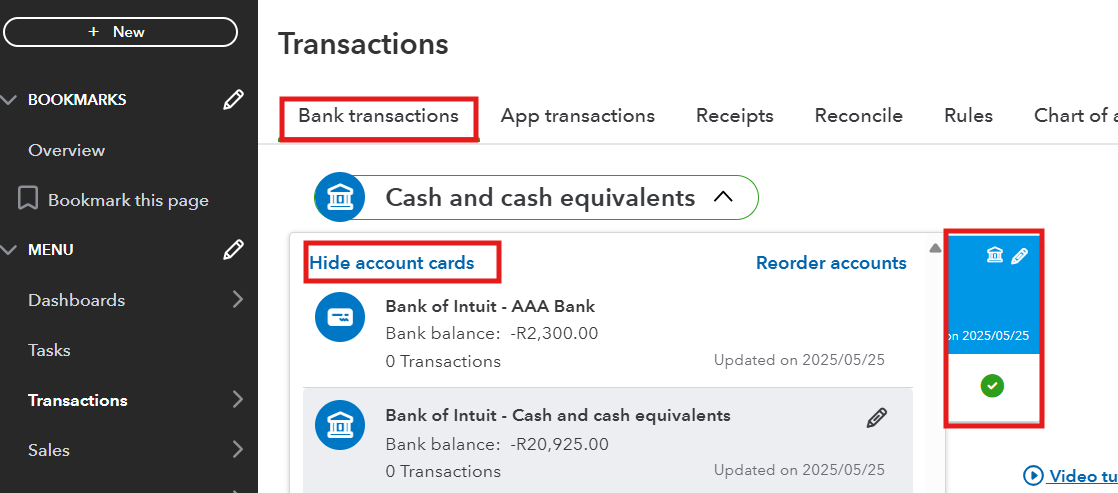
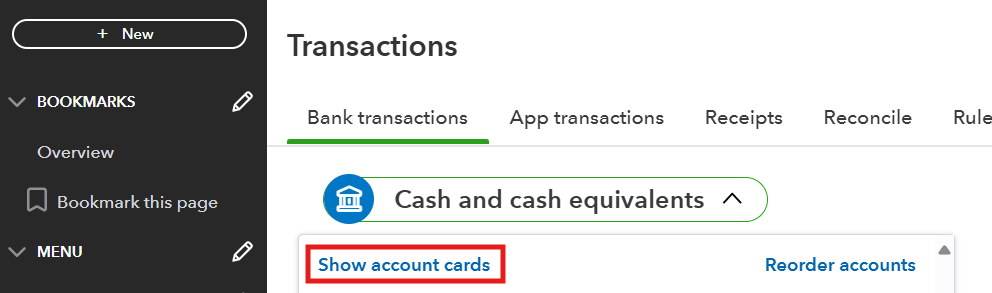
If it's now showing, we can manually update your bank if the process appears to be stuck. This will trigger the connection issues prompting for automatic updates.
Here's how:
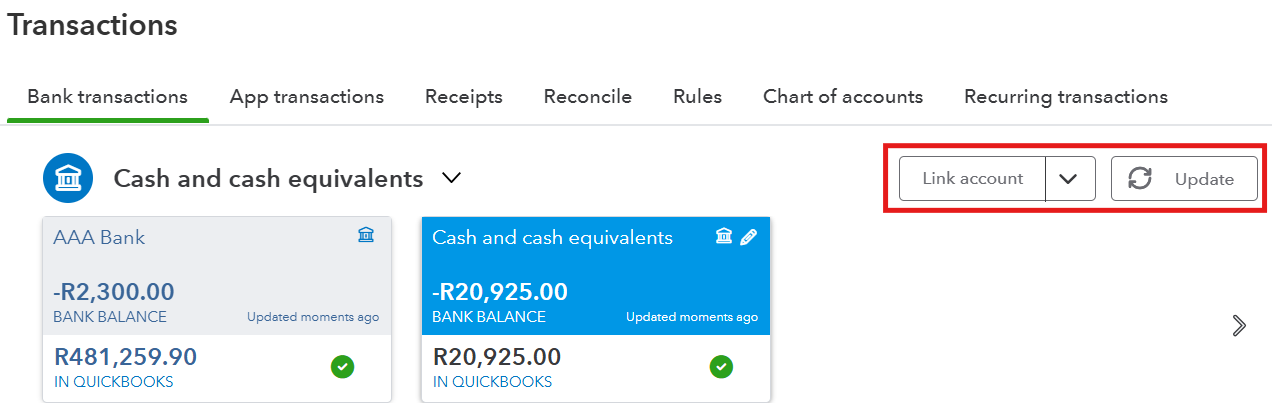
For more details, see this article: Download the most recent bank and credit card transactions.
However, if the bank is disconnected in QuickBooks, you can reconnect it so you don't have to manually enter your transactions in QuickBooks. Also, it's a good idea to visit your bank’s website to ensure its online services are operational. Check for any announced system maintenance or service interruptions.
Also, bank errors often block QuickBooks from downloading new transactions. You can follow this article based on the error code you are experiencing: Troubleshoot and fix banking errors.
Keep me posted if you have any additional questions or concerns with connecting your bank to QuickBooks Online. I'll be right here to help.
You have clicked a link to a site outside of the QuickBooks or ProFile Communities. By clicking "Continue", you will leave the community and be taken to that site instead.
For more information visit our Security Center or to report suspicious websites you can contact us here


