Turn on suggestions
Auto-suggest helps you quickly narrow down your search results by suggesting possible matches as you type.
Showing results for
how to change company location settings
Hi there! @evansnguku1,
To jump right into it, when you're moving your business from South Africa to Kenya, we need to address two things: the actual country version and your physical address.
The core system, which handles things like tax rates and currency (the actual country version), is set when you first sign up and cannot be directly changed from South Africa to Kenya. If you need Kenyan VAT and reporting, you'll need to start a new subscription for that region.
However, if you just need to update your contact information so your invoices and communications show your new location.
Here's how:
1. Start by going to the Gear Icon at the top right of your QuickBooks screen.
2. Next, click on Account and Settings from the menu that appears.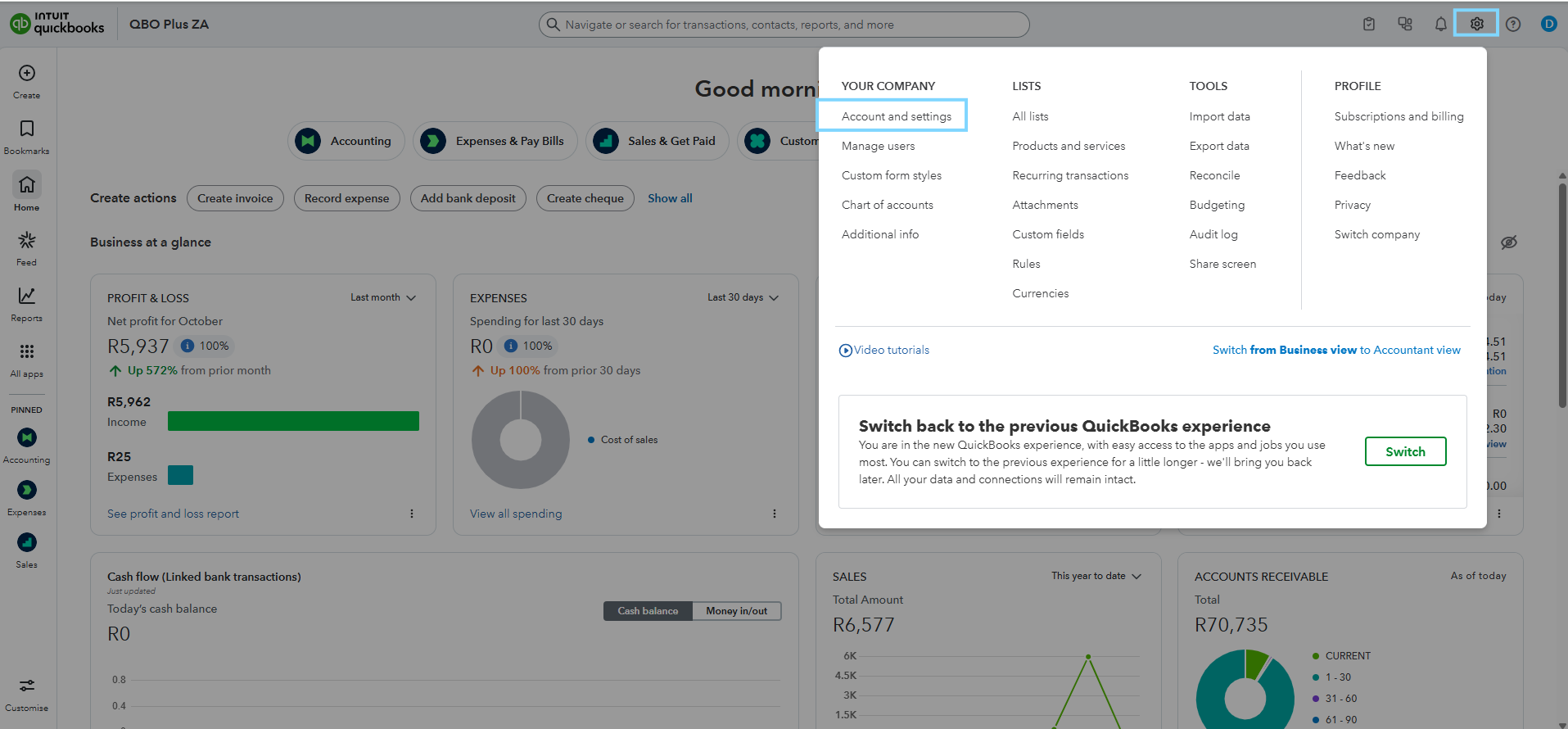
3. Then, select the Company tab on the left-hand panel.
4. Now, look for the Address section and click the edit to update the details.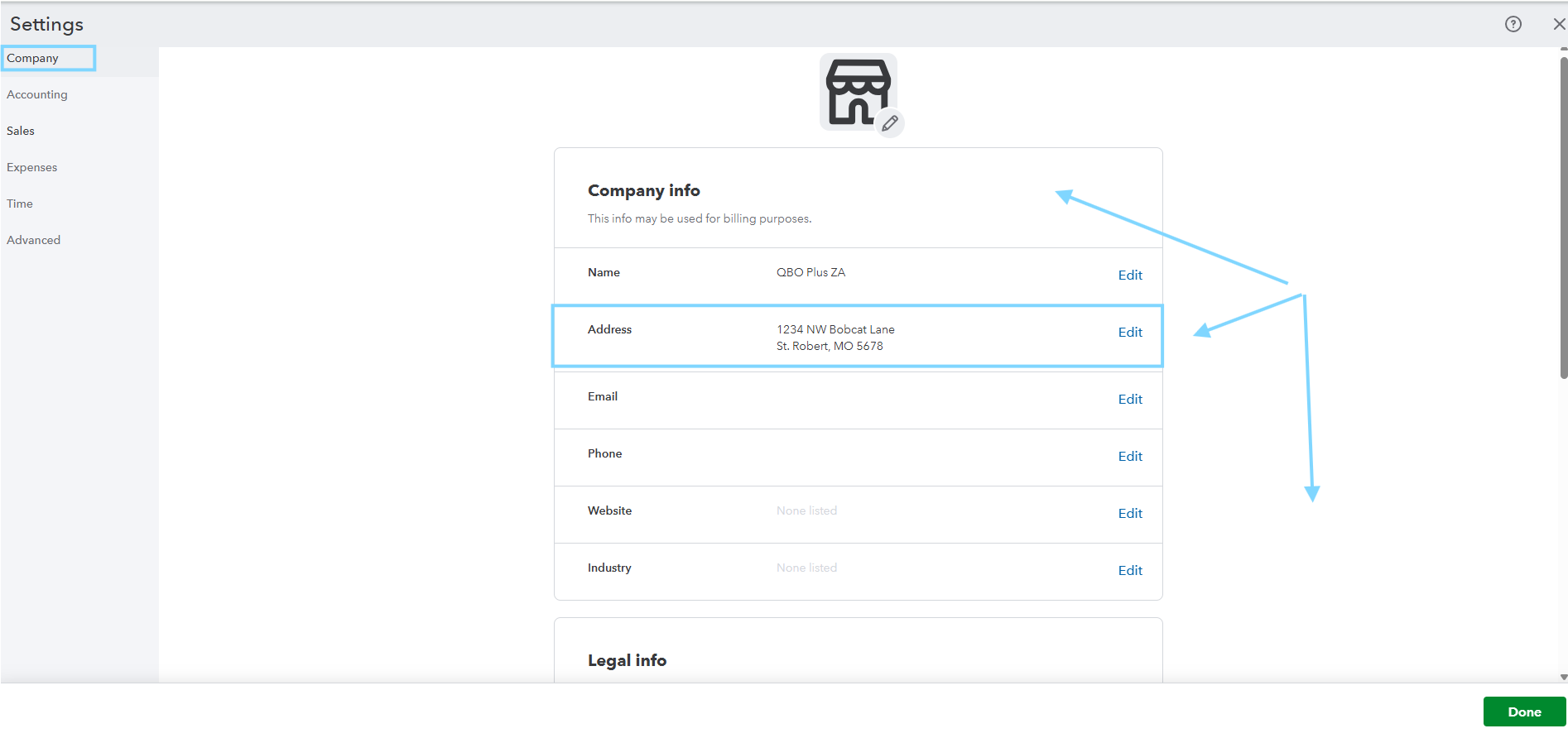
5. You can update the Company legal address, the Customer-facing address, and the Company contact info with your new Kenya details.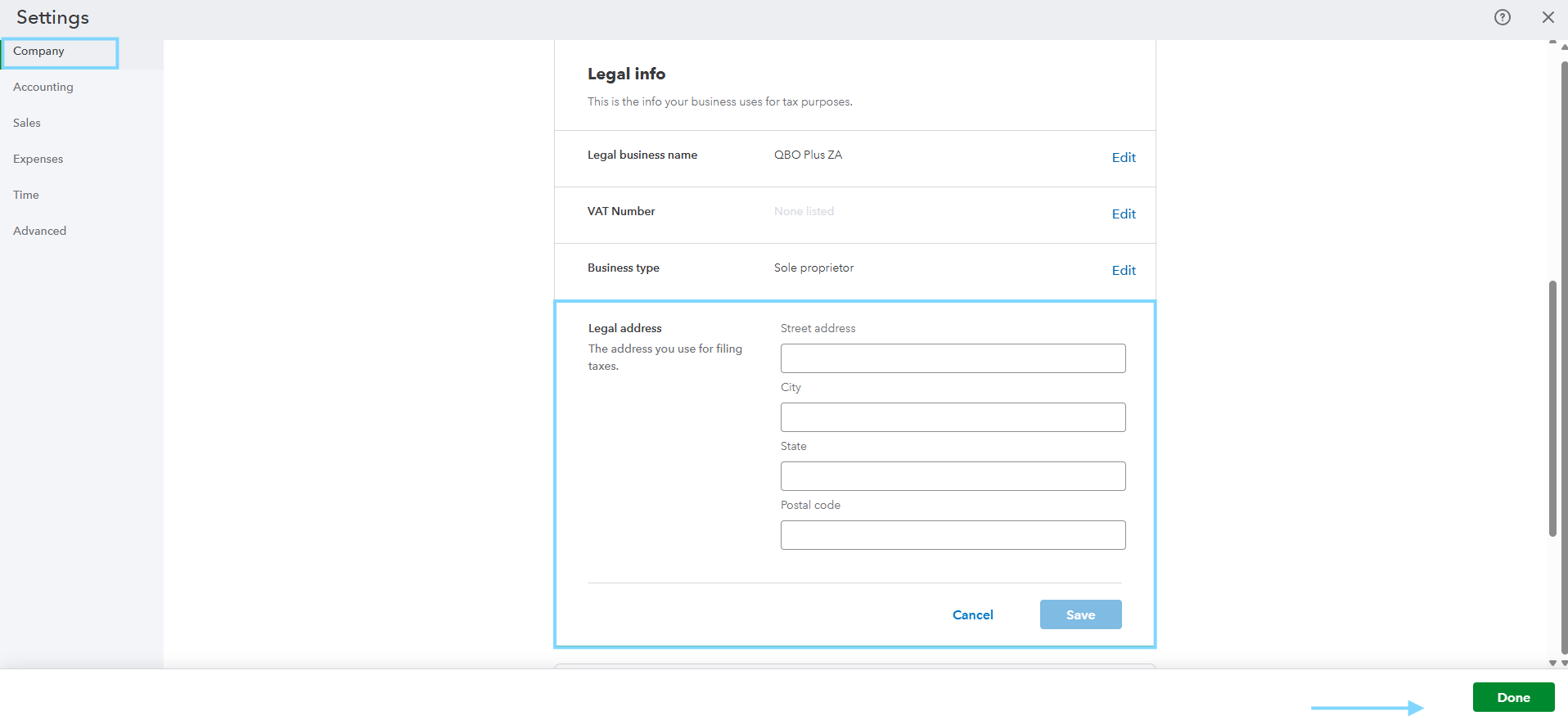
6. Finally, click Save to make sure those changes are applied.
If you need further help navigating the program, add a response below. We're always here to address them.
You have clicked a link to a site outside of the QuickBooks or ProFile Communities. By clicking "Continue", you will leave the community and be taken to that site instead.
For more information visit our Security Center or to report suspicious websites you can contact us here


