


- Mark as New
- Bookmark
- Subscribe
- Permalink
- Report Inappropriate Content
Account management
It’s great to see you in the Community, eddie-reilly.
With just a few clicks, you’ll be able to see the general ledger. Let’s go to the For my accountant section to access it.
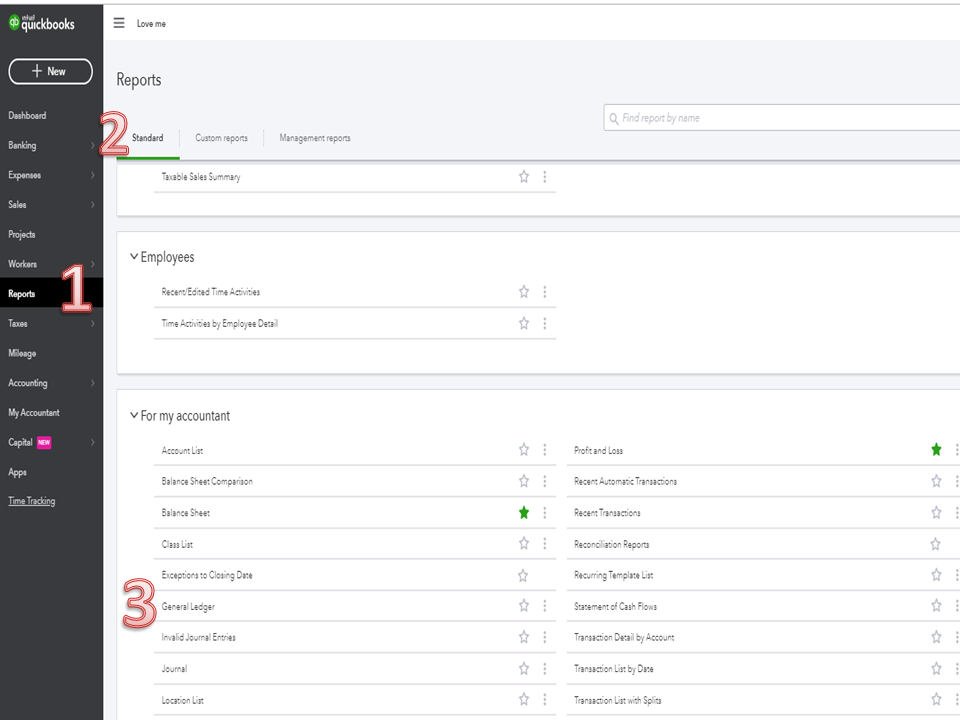
- Go to the Reports menu on the left panel.
- This will open a page that lists all reports available in QBO.
- Choose the Standard tab and scroll to the For my accountant section.
- From there, double-click on General Ledger to view the complete details.
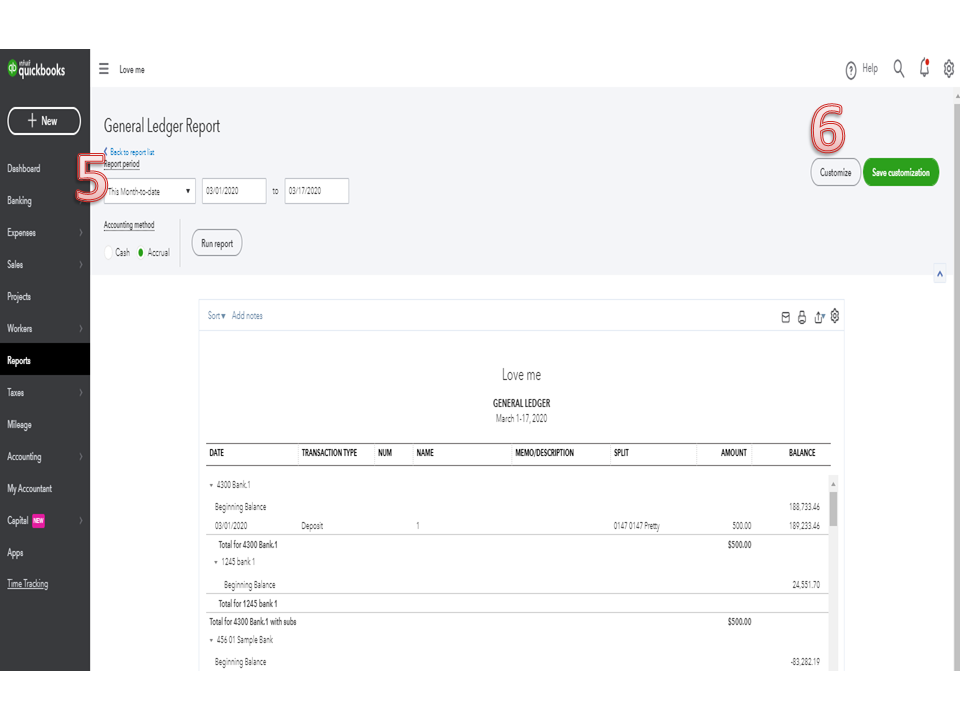
- On the General Ledger Report page, pick the correct date range in the Report period drop-down.
- Press the Customize menu if you want to sort or filter the data displayed on the report.
The following articles provide an overview of how to tailor a report as well as instructions about running financial statements:
Let me know if you need further assistance while working on QBO. I’m always ready to assist further. Enjoy the rest of the day.

- Mark as New
- Bookmark
- Subscribe
- Permalink
- Report Inappropriate Content
Account management
"How do i see my ledger"
From the left Dashboard > Select Accounting > Chart of Accounts > select bank account or liability account or equity account in question > Click View Register under Action column.
You can also run the report for each specific account from the drop-down arrow next to the view register.
If you can also various ledger or transactions report from the left Dashboard > Select Reports
The General Ledger Report will have the transactions for the whole company's Chart of Accounts.
Hope this helps!
