
- Mark as New
- Bookmark
- Subscribe
- Permalink
- Report Inappropriate Content
I need to import 6 months worth of bank transactions. At the moment only 3 months worth have been imported. How do I import the rest?


- Mark as New
- Bookmark
- Subscribe
- Permalink
- Report Inappropriate Content
Banking
Hello, Jonathan.
Since most banks limit automatic pulls to 90 days, you must manually upload a file to complete the six-month reporting period without data gaps.
To import the rest of your transactions, follow these steps:
1. First, sign in to your bank's website and download your transaction history as a CSV or any file format for the rest.
2. Next, in QuickBooks Online, go to All apps then in the Accounting section choose Bank transactions.
3. Head to the Link account dropdown arrow in the top right corner and select Upload from file.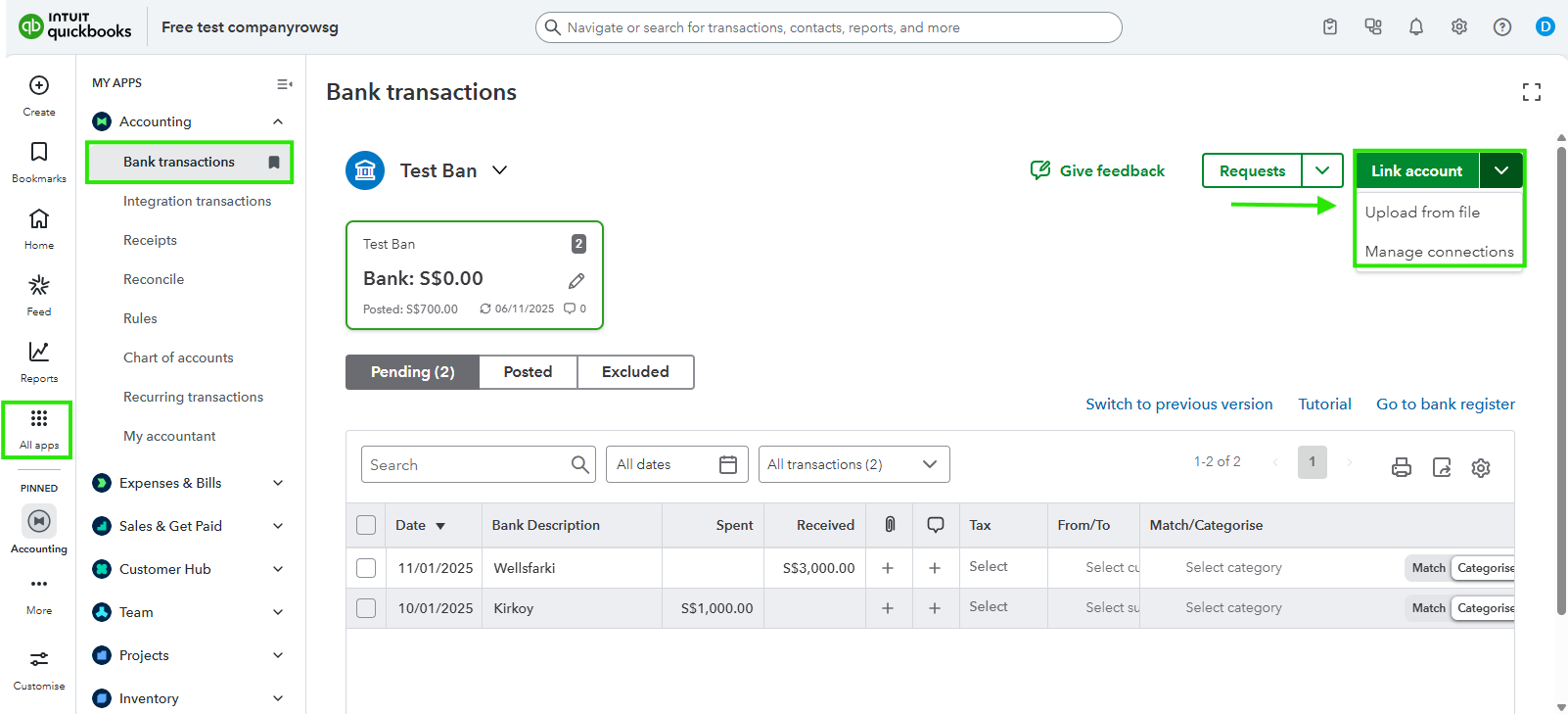
4. Then, click Drag and drop or select files to choose your bank file and select Continue.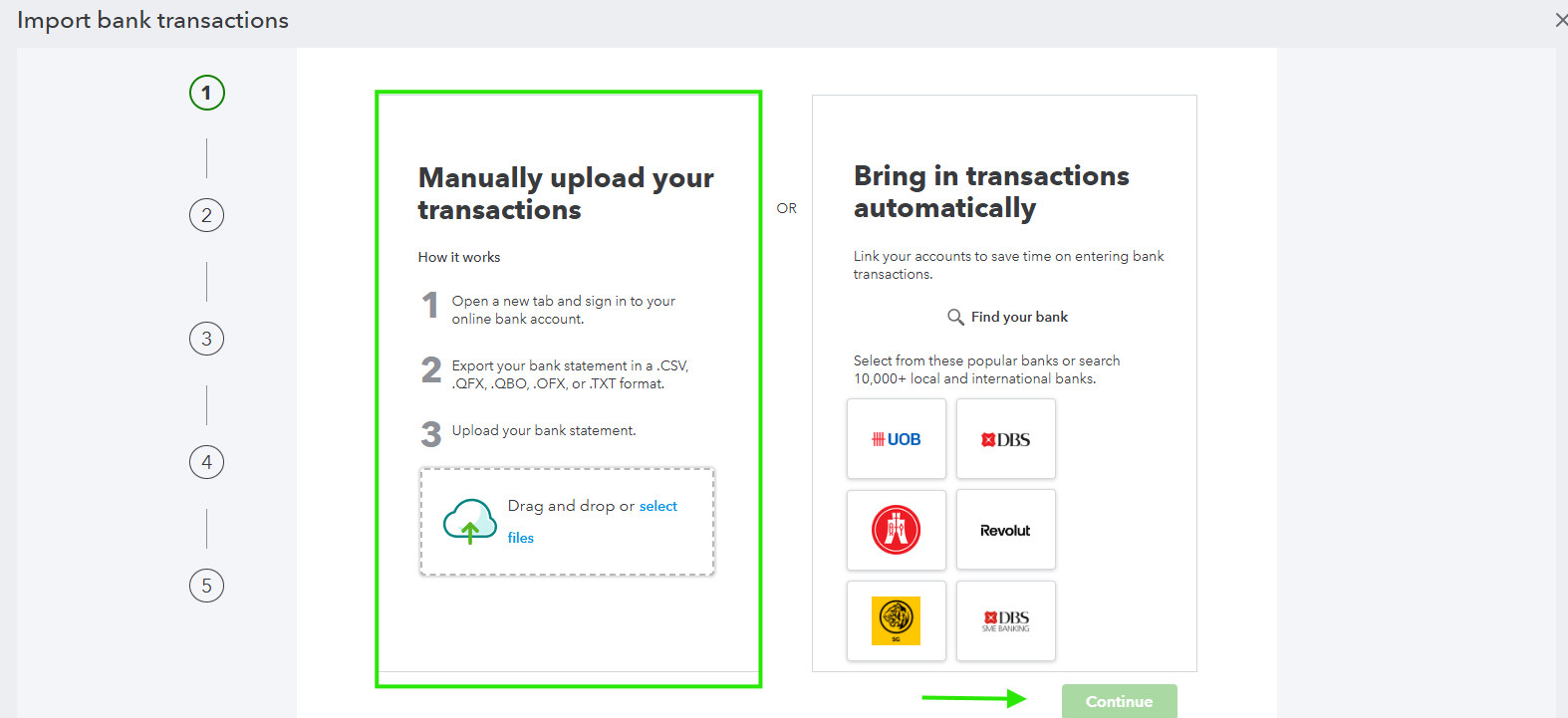
5. Follow the on-screen prompts to match the columns in your file (Date, Description, and Amount) to the fields in QuickBooks, then click Done.
If there's anything else we can assist you with, please don't hesitate to leave a comment.
