
- Mark as New
- Bookmark
- Subscribe
- Permalink
- Report Inappropriate Content
how can i change a posted split recurring transaction in quickbooks online?
if i select the transaction in the bank transactions and select Edit, i can change the expense type and vendor but nothing else. i need to change one amount in the split without having to reenter the entire transaction and all the splits.


- Mark as New
- Bookmark
- Subscribe
- Permalink
- Report Inappropriate Content
Banking
I can guide you through adjusting those split amounts, John422.
You mentioned that this transaction is posted. Do you mean categorized?
If so, there is no option to split the amount of the categorized entry in QuickBooks Online (QBO). However, we can still undo it to split the amount.
Here's how:
- Navigate to My apps and select Accounting.
- Choose Bank transaction.
- Go to the Posted tab and tick the transaction box to Undo.
- Once done, go to the Pending tab and select Split from the action dropdown.
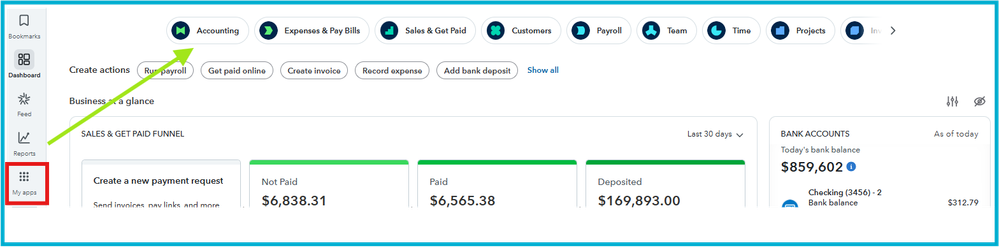


Regarding your second question, we need to reenter the entire transaction when performing a split entry because we use this to track different aspects of a single transaction separately.
Please reply to this thread if your questions are answered or if you need further assistance.
