

- Mark as New
- Bookmark
- Subscribe
- Permalink
- Report Inappropriate Content
Employees and payroll
Welcome back to the Community, parksbarbie.
Thanks for adding more details about your concern. This can help me provide a timely solution to fix the issue.
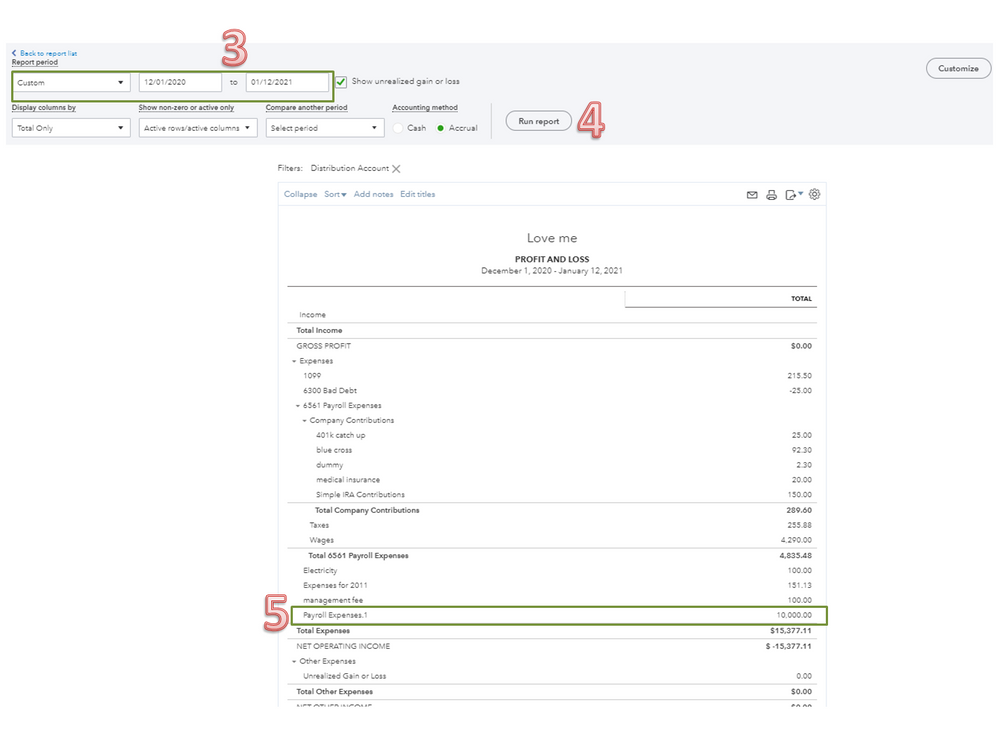
The date affects how transactions are reflected in the report. For your net payroll (12/31/2020) to show on the 2021 reports, you’ll have to set the date range to All or Custom. Let’s try to run the Profit and Loss Report as an example.
Here’s how:
- Go to the Reports menu on the left panel and type Profit and Loss in the search field.
- Click the Report period drop-down and pick All.
- If you opt to select Custom, fill in the correct information in the field boxes.
- Press the Run Report button to see the changes.
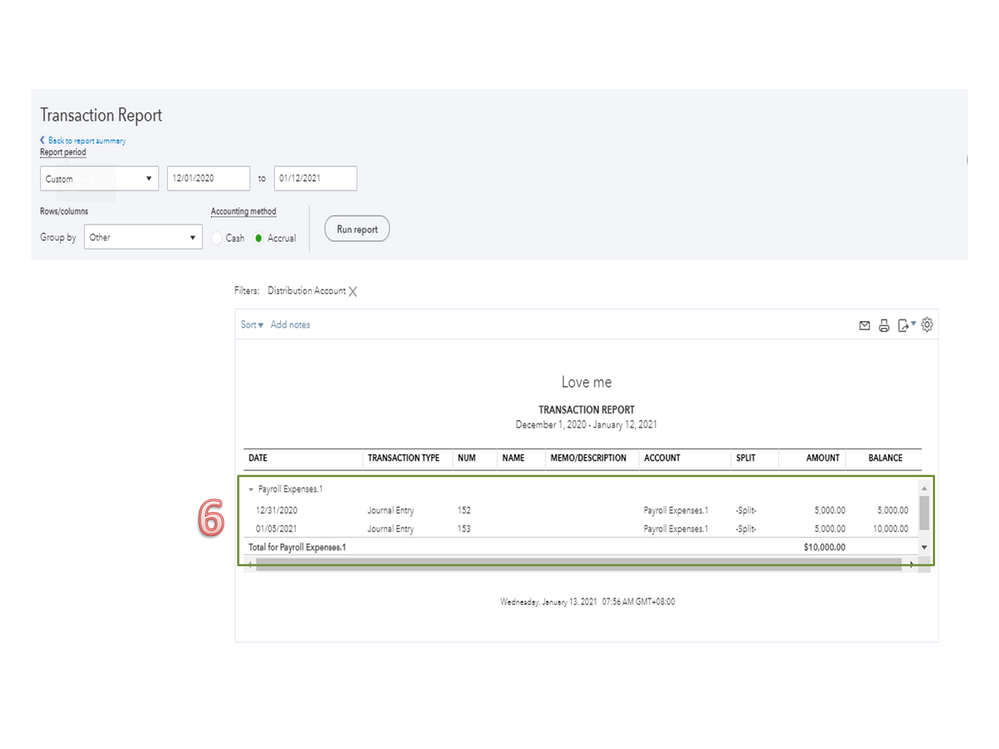
- Scroll down to the Expenses section to check the entry.
- Double click on the amount to view the complete details.
The following article provides an overview of managing reports and refining the information: Customize reports in QuickBooks Online.
Keep in touch if you have any clarifications or other concerns. I’ll be around to answer them for you. Have a great rest of the day.
