
- Mark as New
- Bookmark
- Subscribe
- Permalink
- Report Inappropriate Content
I created a revenue and a Other Revuenue account, however, when i create an invoice, the sales was capture to other revnue. How do i record them under revenue account?
Solved! Go to Solution.


- Mark as New
- Bookmark
- Subscribe
- Permalink
- Report Inappropriate Content
Manage Customers and Income
I'm here to ensure you can record your sales under the revenue account, michelleopm. This way, you'll be able to use the correct income account in recording your transactions and keep them accurate.
It seems that Revenue and Other Revenue accounts are both used to record income. In QuickBooks, the sales will automatically post to the income account that's assigned to the product/item. With this, you'll have to update the Income account of your product/item from Other Revenue to Revenue account.
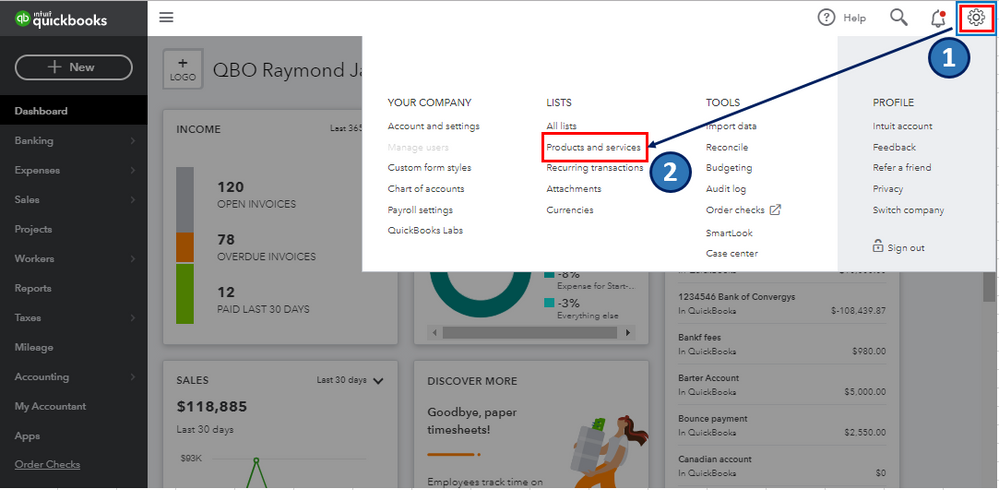
- Go to the Gear icon.
- Select Products and Services.
- Locate the product/item, then select Edit under the Action column.
- From the Income account drop-down arrow, select Revenue account.
- Click Save and close.
I've attached screenshots below for your reference.
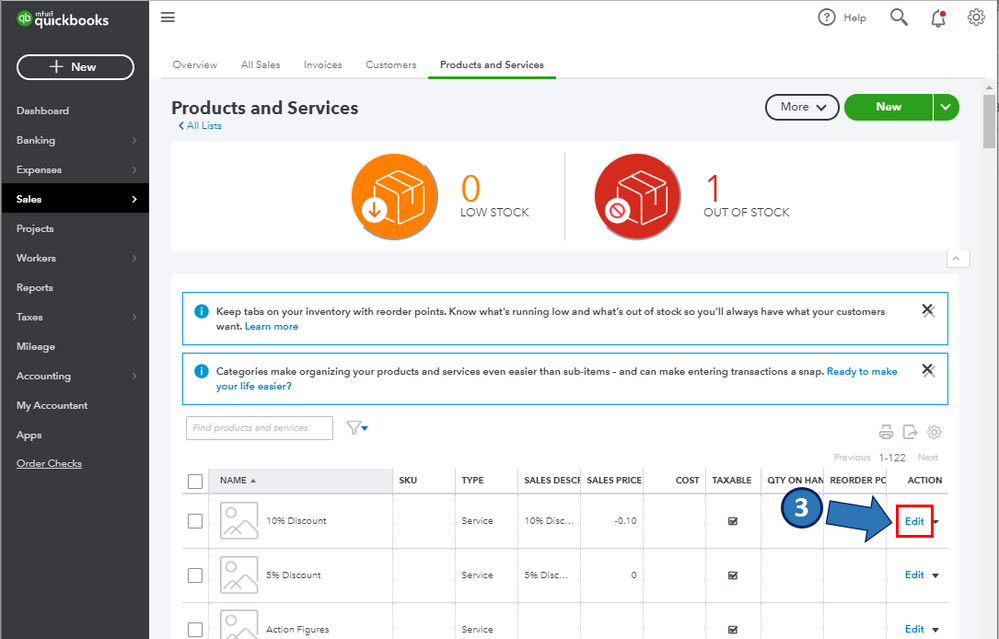
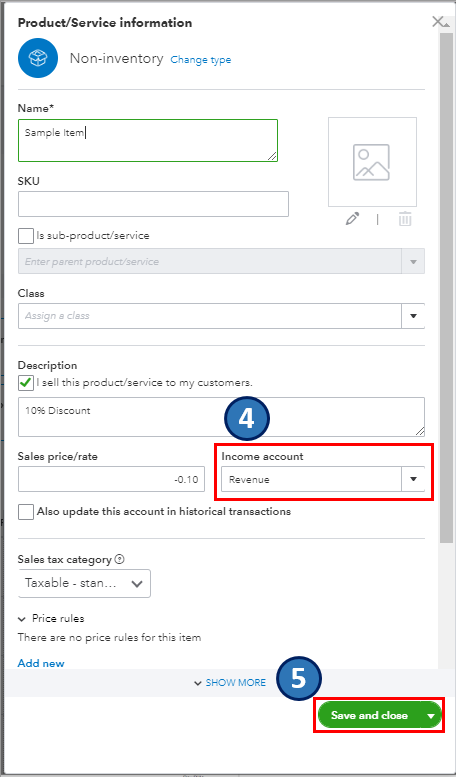
Please note that you can only change the account for an item one at a time. You'll have to repeat the same process until the last item you want to update.
Once done, you can open an invoice. Then, select the More hyperlink below to pull up the Transaction journal report. From there, you'll be able to verify which account that the invoice transaction is captured.
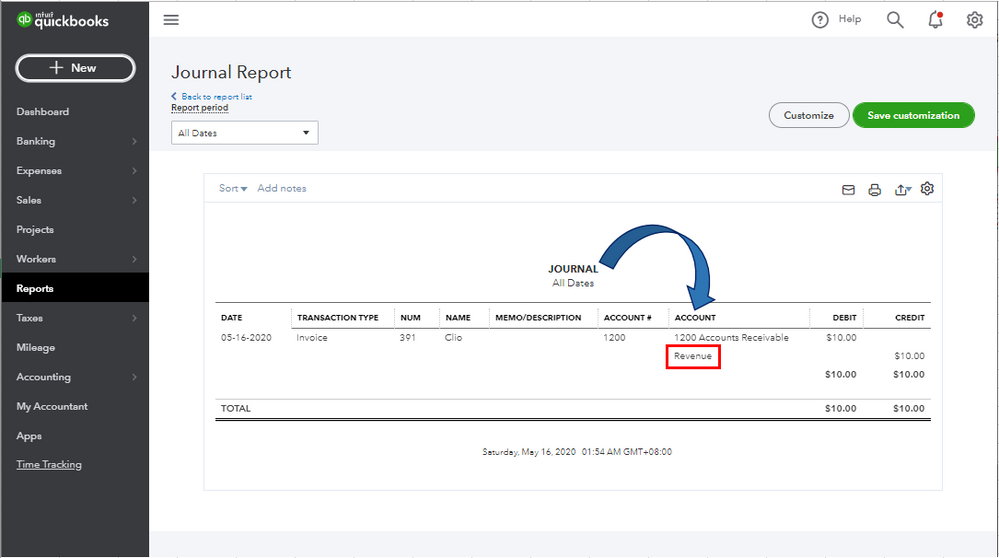
Please let me know if you have other concerns. I'm just around to help.
- Mark as New
- Bookmark
- Subscribe
- Permalink
- Report Inappropriate Content
Manage Customers and Income
Thank you for the solution! It worked and the problem has been rectified.
I'm thankful for the community, people here are wonderful and very helpful.
- Mark as New
- Bookmark
- Subscribe
- Permalink
- Report Inappropriate Content
Manage Customers and Income
It's good to hear that I'm able to solve your concern about recording sales transactions to the right account, michelleopm.
Please know that you're always welcome here in the Community.
I'll be right here to help if you have other concerns. Enjoy the rest of your day and take care always.
