- Mark as New
- Bookmark
- Subscribe
- Permalink
- Report Inappropriate Content
Our business is in Singapore with international clients. How do I set up a credit card gateway into Quickbooks so My customers can pay directly from an online invoice?


- Mark as New
- Bookmark
- Subscribe
- Permalink
- Report Inappropriate Content
Manage Customers and Income
Welcome to the Community, ioeshed.
Allow me to share some information regarding setting up an international credit card gateway for your customers in QuickBooks Online.
Setting up an international credit card gateway is currently unavailable in QuickBooks Online. For now, Merchant Services only accepts payments from US banks.
Your customer can contact the card-issuing bank to know if there is a way of using their international card with U.S. based businesses. You can get more details about this in this article: Accept Non-US credit card from customers using QuickBooks Merchant Services.
As a workaround, you might want to look for a third-party application that can integrate with QuickBooks Online to allow your customers to pay their invoices online via the international bank.
Here's how:
- Click Apps in the left navigation menu.
- Click the Browse Category drop-down menu, select Data Sync.
- Select the app you want to integrate.
- Click Get App Now and complete the following on-screen instructions.
- Or, you can go directly to this link https://quickbooks.intuit.com/sg/apps/.
Additionally, you might find this article interesting about receiving and making payments with a foreign currency in QuickBooks: Receiving and making payment for a foreign invoice/ bill with a foreign currency.
Please let me know if you have other questions related to QuickBooks. I'm always here to help you.
- Mark as New
- Bookmark
- Subscribe
- Permalink
- Report Inappropriate Content
Manage Customers and Income
Thank you for the reply RoseMarjorieA.
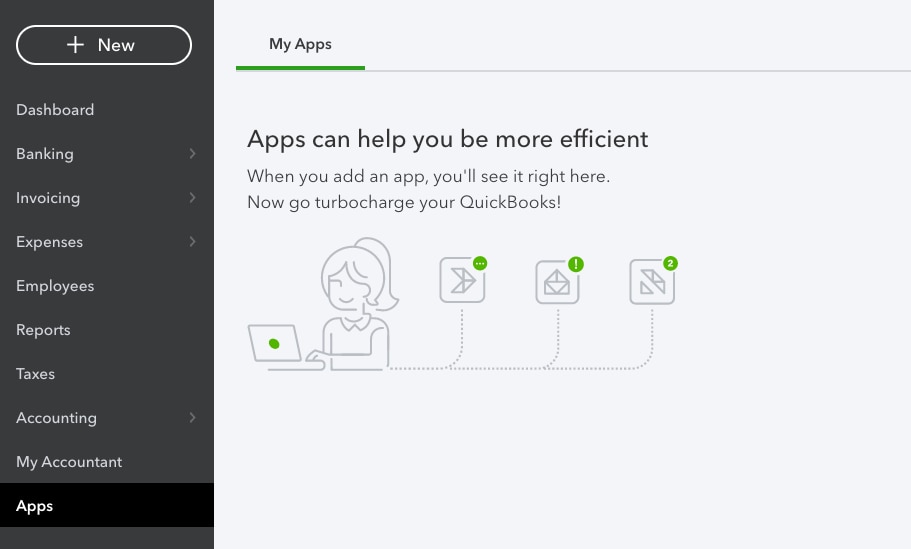
Problem start when I go to Apps and there is no Browse Category just a blank page screenshot attached. Do you have any idea if Singapore registered Quickbooks do not have any Apps option?
Thanks!

- Mark as New
- Bookmark
- Subscribe
- Permalink
- Report Inappropriate Content
Manage Customers and Income
I appreciate you for providing a screenshot above, ioeshed. This way, I can give you the exact information about integrating third-party applications to Singapore registered QuickBooks Online (QBO).
We recognize each company has unique needs, and I can see how beneficial it is for your business to integrate a payment third-party app. This way, your international clients can pay you directly from an online invoice.
The Apps menu is already available for the Singapore registered QBO. However, using it in finding the app you need is currently unavailable. There isn't a time frame provided by our engineers when it be fully functional. But, I assure you that it'll be accessible anytime soon.
In line with this, you can see the list of available apps and add-on categories for QBO Singapore by visiting this article: QuickBooks Online Apps. Once apps are added in your QuickBooks account, they should show in the Apps menu.
Moreover, you can also check out this article to effectively manage your business using QBO: Help articles for QuickBooks Online. It contains topics about banking, managing income and expenses, and reports to name a few.
Please let me know if you have other concerns. I'm just around to help.

- Mark as New
- Bookmark
- Subscribe
- Permalink
- Report Inappropriate Content