- Mark as New
- Bookmark
- Subscribe
- Permalink
- Report Inappropriate Content
E-transfer payroll
I e-transferred an employee his payroll amount instead of printing a cheque, or using direct deposit. On my banking page I now have an outstanding amount. How do I clear this? I tried using "find match" but there is nothing to match it to.


- Mark as New
- Bookmark
- Subscribe
- Permalink
- Report Inappropriate Content
Other Questions
Hi there,
I'm glad to have you reach out to the Community. I want to make sure I'm on the same page as you.
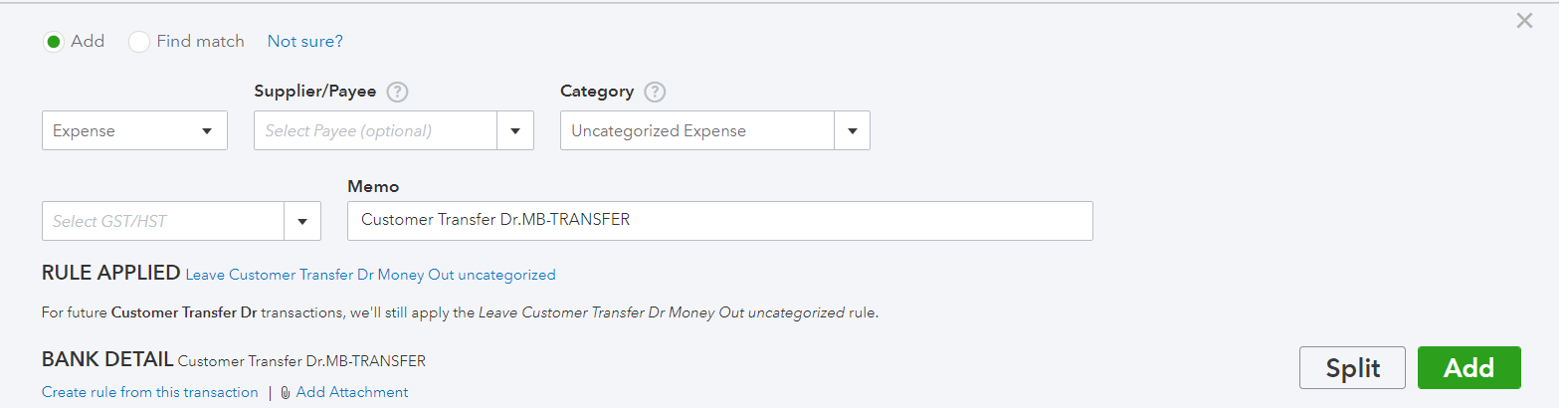
It looks like you've got your bank account connected according to the screenshot you sent. How would you normally categorize an e-transfer to an employee? I see the transaction is currently uncategorized.
- Mark as New
- Bookmark
- Subscribe
- Permalink
- Report Inappropriate Content
Other Questions
Yes I have the bank connected. Since we only have one employee, I figured it would be easier to e-transfer the funds over rather than through direct deposit. But I don't know how to match or record this.
Which do I choose from the first drop down "expense/check/transfer" and what category does this fall under?
- Mark as New
- Bookmark
- Subscribe
- Permalink
- Report Inappropriate Content
Other Questions
I see what you're saying. I want to make sure you're able to set this up correctly. I recommend creating a new Expense account called "Payroll Expenses". You can do this by following these steps:
1. Select Accounting from the left navigation menu
2. Click Chart of Accounts
3. Select New
I also suggest consulting your accountant on what the proper account Type and Detail Type to select for this kind of expense account. When you account for your e-transfers, you can select your Payroll Expense account to categorize them.
If you have any other questions, don't hesitate to reach out. I'll be here to help. :)