- Mark as New
- Bookmark
- Subscribe
- Highlight
- Report Inappropriate Content
VAT line on each individual items
Hello,
Happy New Year. Hope you all are good.
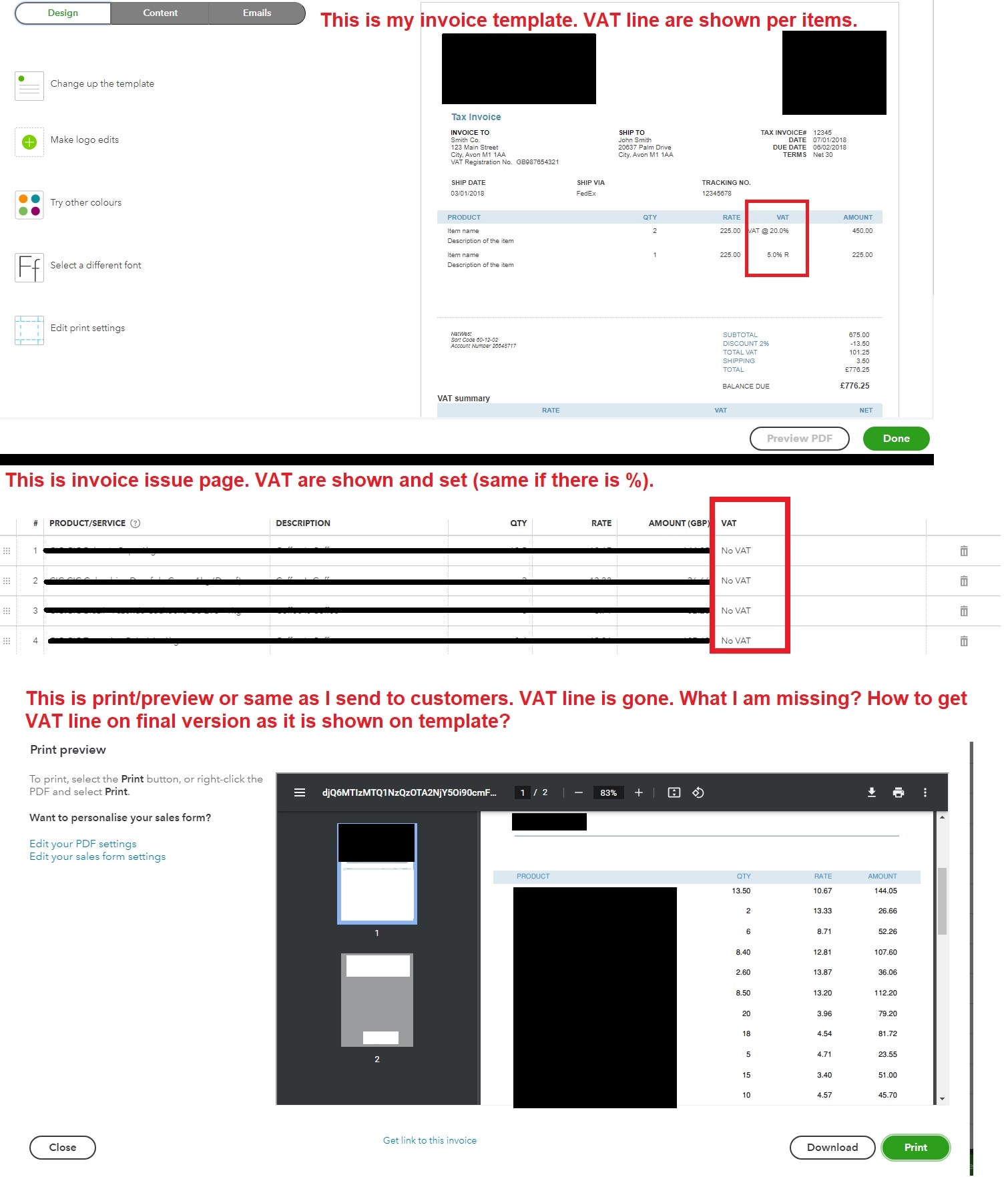
I have issue with TAX line on separate items on final invoice not showing up. Please help if I'm missing some kind of tick somewhere. I tried to look for solution, but it was fruitless.
I have template set to show tax line on item, when I fill invoice I have line to choose my VAT, but then I have invoice done for print/send tax line on items are gone.
Please help me to figure out how to match my final invoice with set template. I found some replies that this is not possible on Qbooks, but I cannot believe this as I can see that on my VAT template.
Attaching screenshot compilation of my situation.
Not all of our products and services falls under same VAT regulation (some are vatable, some are no vat), so it's really important for me to show what is what.
Thank you in advance.
Solved! Go to Solution.


- Mark as New
- Bookmark
- Subscribe
- Highlight
- Report Inappropriate Content
Other Questions
Hi Dode, thanks for dropping by on the Community. The tax lines per item are able to be shown on the VAT invoice, please first check that you have this option selected by navigating to the Cog > Custom form styles > Edit > Content > Select the middle section of the invoice > tick 'VAT' under 'columns'. :)
- Mark as New
- Bookmark
- Subscribe
- Highlight
- Report Inappropriate Content
Other Questions
That worked perfectly. Thank you. My actual issue was I was checking wrong template from I what was set.
Another question. After fixing this I can see my new invoice is working as intended, but my old ones kept same style. Is there a way to regenerate/refresh , so some of my old ones goes to new template?
Thank you