
- Mark as New
- Bookmark
- Subscribe
- Permalink
- Report Inappropriate Content
How to change a credit card credit to a credit card charge
I just manually inputted a years worth of credit card charges as credits, is there an easy way to correct that or am I going to have to delete each one and start over?
Solved! Go to Solution.


- Mark as New
- Bookmark
- Subscribe
- Permalink
- Report Inappropriate Content
Other questions
Welcome to the Community forum, @JGuynes.
To answer your query, it would be better to manually delete each of the Credit card credit entry and start over by entering them as charges or expenses. I understand that it's time-consuming, but it's the best way to properly record those entries in QuickBooks.
Below are the steps on how to delete:
- In your QuickBooks Online (QBO) account, go to the Expenses tab.
- In the Expenses section, locate and select the Credit Card Credit you want to delete.
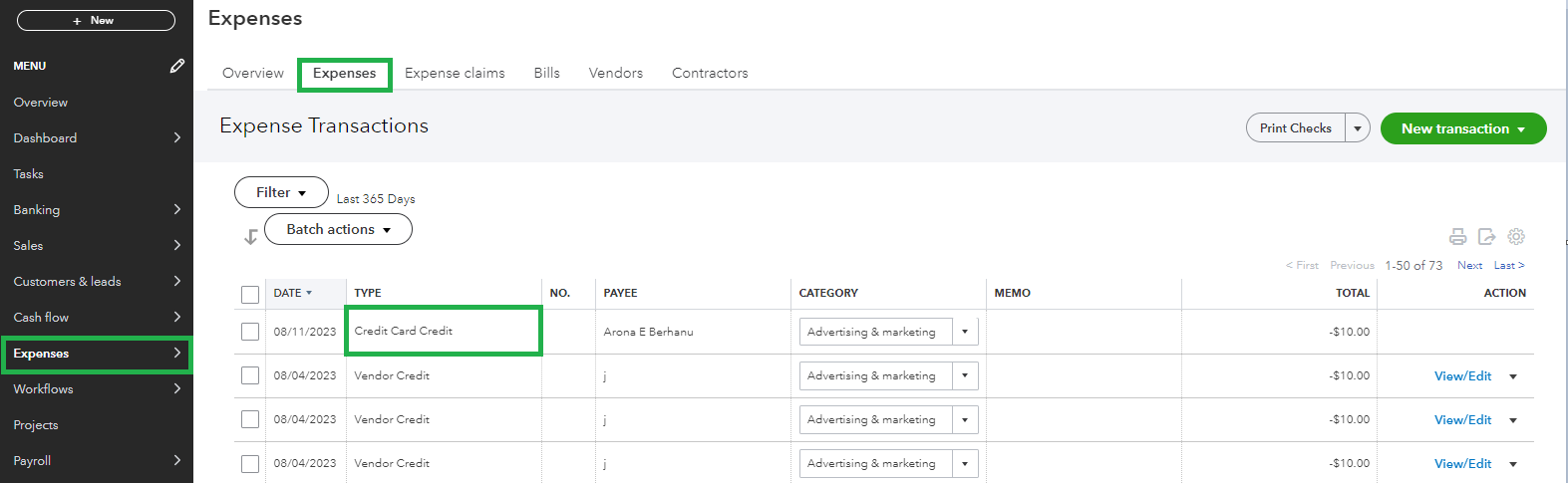
- On the transaction page, click on More, then select Delete.
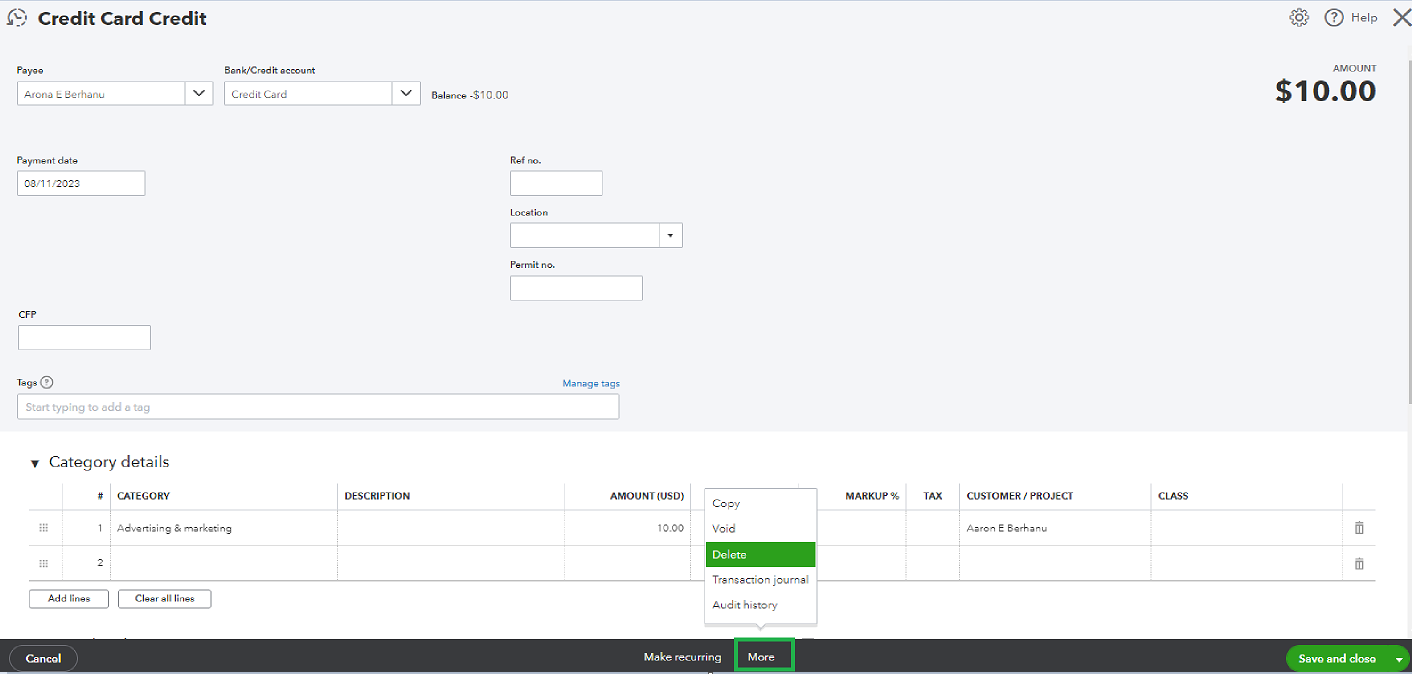
- Once ready, click on Yes.

You can also check out this article to learn how to review downloaded bank and credit card transactions in QuickBooks: Categorize online bank transactions in QuickBooks Online.
Should you require any further aid with managing your expenses or any other matters, please let me know by simply leaving a response below. I'll make sure to get back and provide you with the necessary assistance.
