

- Mark as New
- Bookmark
- Subscribe
- Permalink
- Report Inappropriate Content
Other questions
Hi nohassleautoserv1,
I understand how important it is to access and print your employees' forms from previous years. Here’s how you can do it:
1. Hover over My apps.
2. Go to Payroll, then Payroll taxes.
3. Select Filings.
4. Look for Archive and click it.
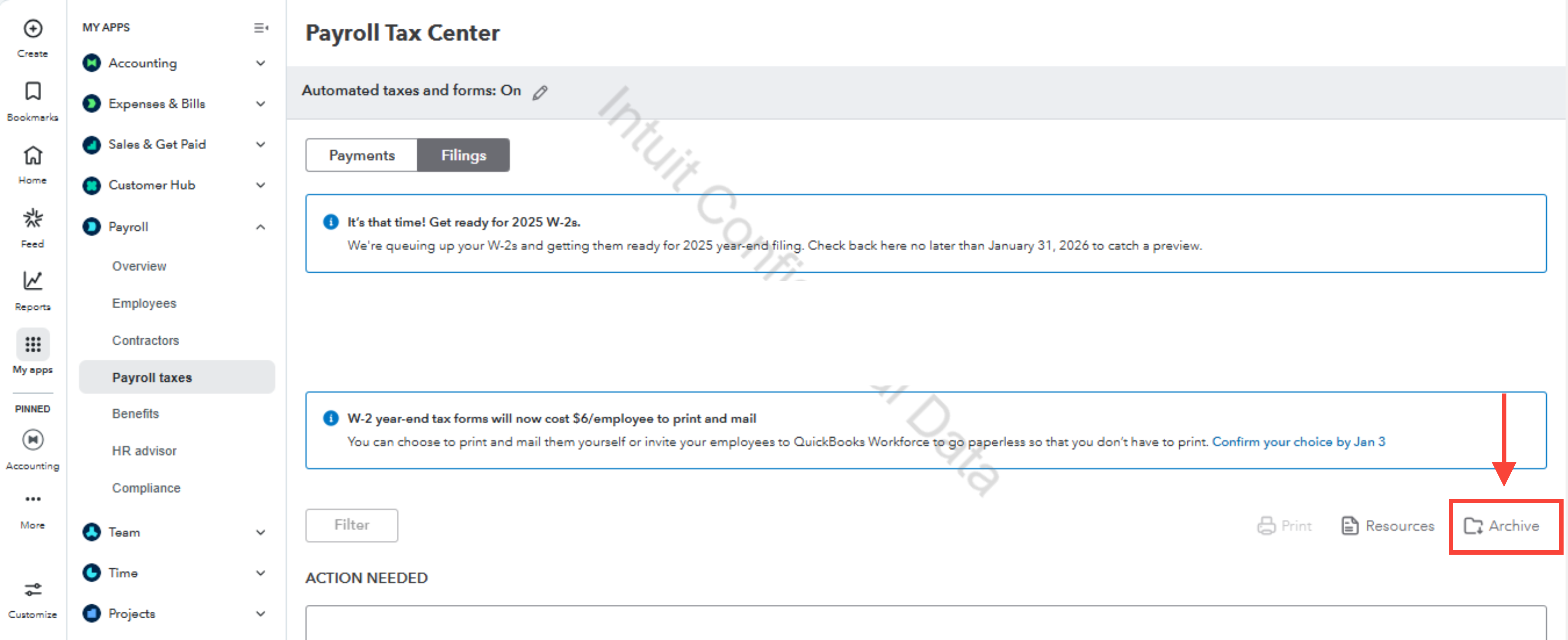
5. Filter the date to 2024.
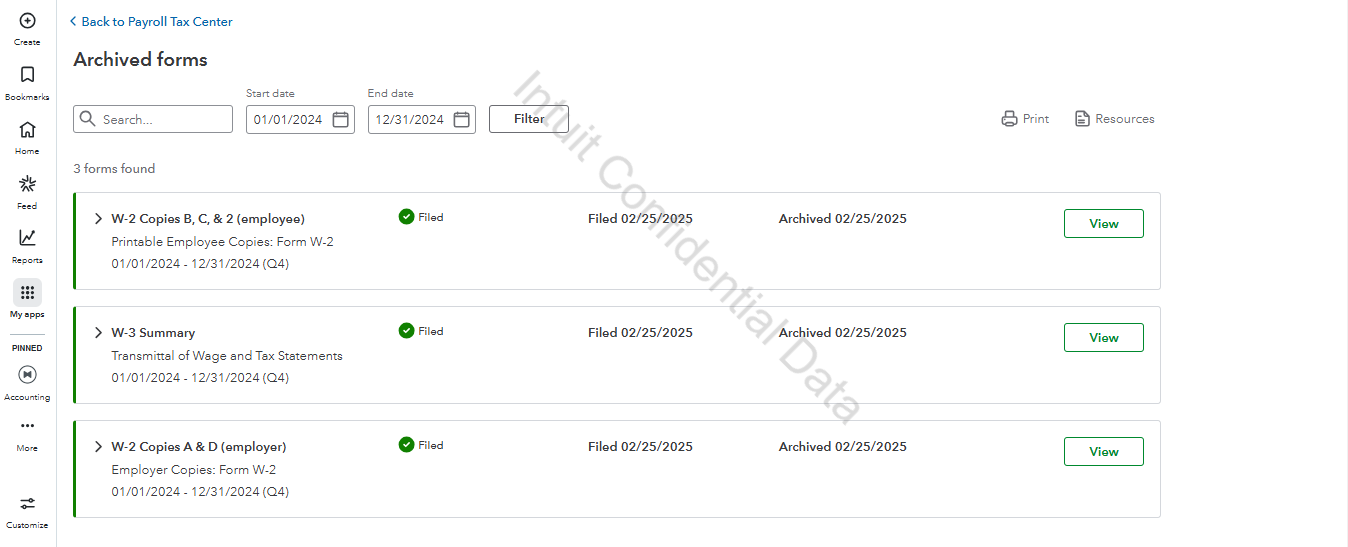
6. Click View to the forms you wanted to open and then Print.
- W-3 Summary Transmittal of Wage and Tax Statements
- W-2, Copies B, C & 2 (employee)
- W-2, Copies A & D (employer)
You can access your employees' W-2 forms for 2024 there. For additional guidance, you may also check this article: View your previously filed tax forms and payments.
Feel free to reply below if you have further questions.
- Mark as New
- Bookmark
- Subscribe
- Permalink
- Report Inappropriate Content
Other questions
Hi nohassleautoserv1,
I just wanted to follow up to check if the resolution we provided helped resolve your issue.
Please let us know if everything is now working as expected or if you’re still experiencing any problems.
We’ll be glad to assist further if needed.
