

- Mark as New
- Bookmark
- Subscribe
- Permalink
- Report Inappropriate Content
Other questions
Hey there, Super.
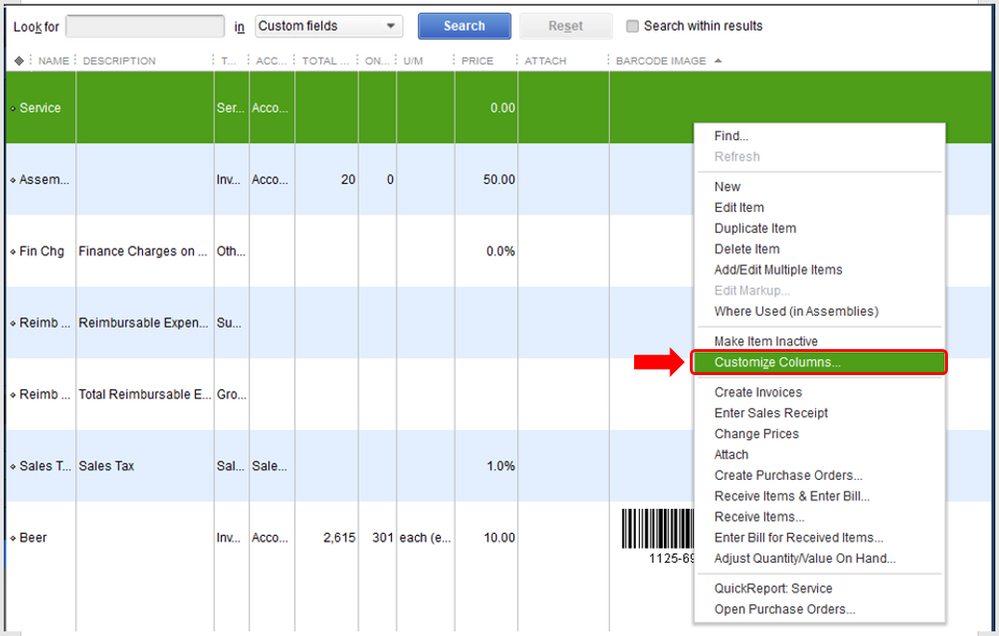
Did you create a custom field named Attribute and wanted to show this on the item list screen? If so you can customize the columns on your lists to show and search for the information you need.
Here's how:
- On your item lists screen, right-click and select Customize Columns.
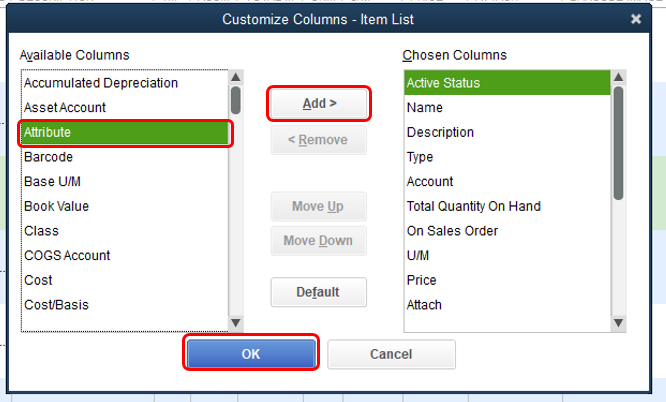
- From the Available Columns, select the custom field (Attribute).
- Click Add.
- Hit OK.
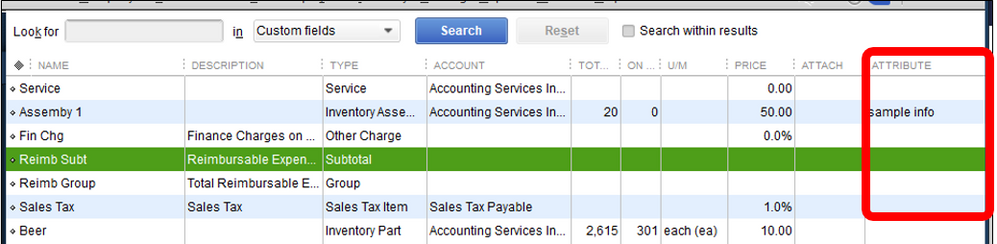
- This column will show on your Item Lists screen.
To help you utilize your custom fields, you can refer to this article: Create and use custom fields in QuickBooks Desktop. This will provide you steps on how to add these fields on your sales forms as well as showing it on your reports.
If you're referring to something else, please let me know. I'd be more than willing to lend you a hand. Have a good one.
