Turn on suggestions
Auto-suggest helps you quickly narrow down your search results by suggesting possible matches as you type.
Showing results for
SALE EXTENDED 70% OFF QuickBooks for 3 months* Ends 12/8
Buy nowThank you for posting on this thread, jo15.
I appreciate you for performing the initial steps in trying to find the parent account. The result you shared will guide us on how to resolve your concern.
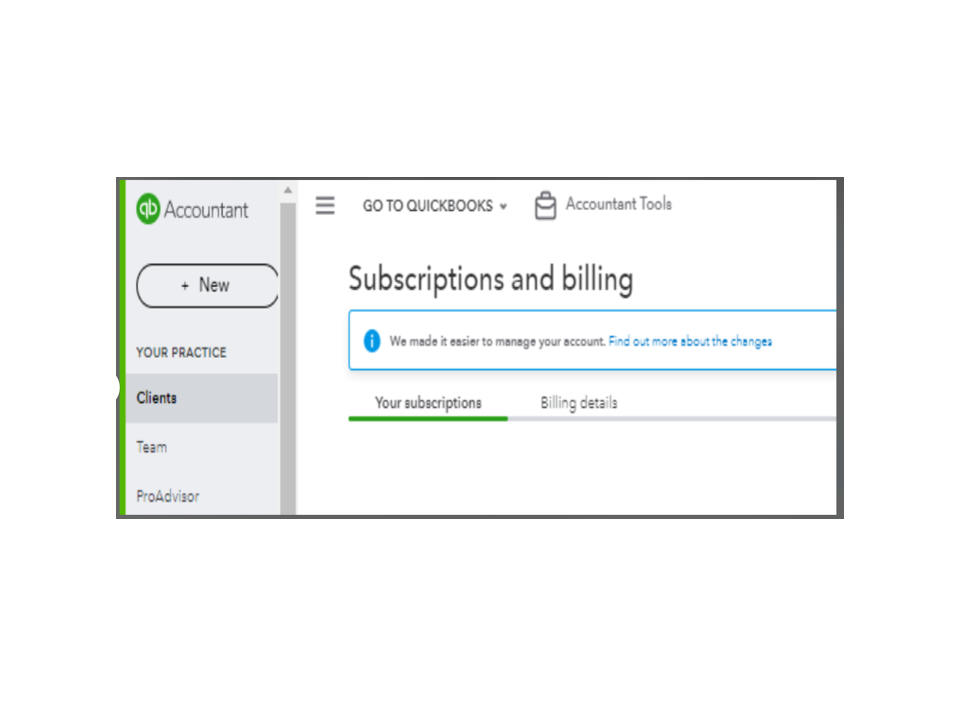
Let’s go to the Your subscriptions tab or Your account to see the parent account. I’m here to help make sure you can do this in just a few clicks.
Here’s how:
Here’s an article that covers all details on how to add a new client to your ProAdvisor discount plan, remove one, as well as check the discount charges: Manage your ProAdvisor Preferred Pricing plan and ProAdvisor discount clients.
For additional resources, the links below provide information on how the ProAdvisor program works and steps to take over billing for your clients.
Stay in touch if you have other questions about wholesale billing or concerns about the parent account. I’m always ready to help and get this taken care of for you. Have a great rest of the day, and stay safe.

