Turn on suggestions
Auto-suggest helps you quickly narrow down your search results by suggesting possible matches as you type.
Showing results for
SALE EXTENDED 70% OFF QuickBooks for 3 months* Ends 12/8
Buy nowHi, @hilineasphalt-ya.
Changing the pay period only takes a few steps. I'm delighted to help you accomplish it.
To change it to Sunday to Saturday, you'll have to edit the pay period ending by following these steps:
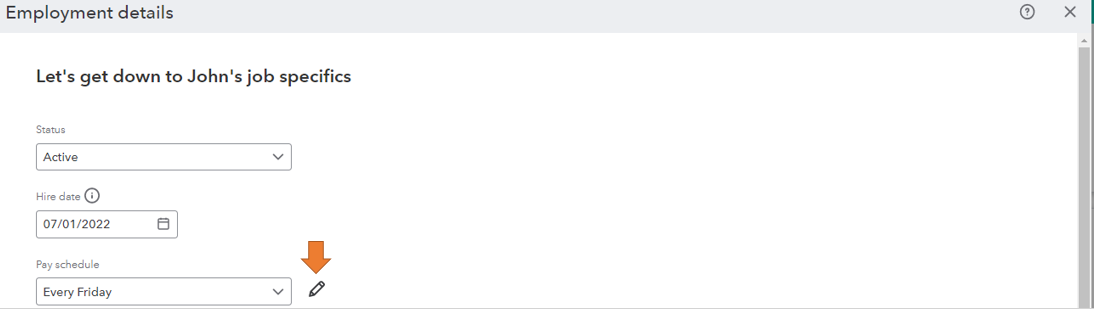

Additionally, we can only update future pay schedules. If you're trying to change the date on a previously run payroll, you can delete and recreate it instead. If you're unable to delete it, please contact us to connect to a payroll expert.
Please let me know how these steps work out. I want to make sure this is resolved for you. I'll get right back to this thread if you need more assistance with processing payroll. Have a great day!

