Turn on suggestions
Auto-suggest helps you quickly narrow down your search results by suggesting possible matches as you type.
Showing results for
SALE EXTENDED 70% OFF QuickBooks for 3 months* Ends 12/8
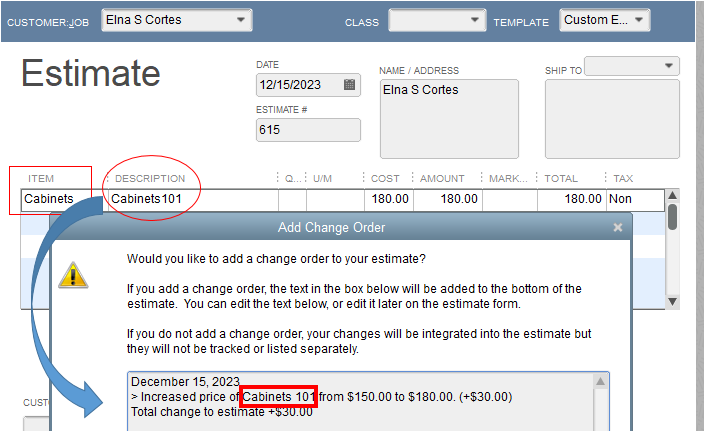
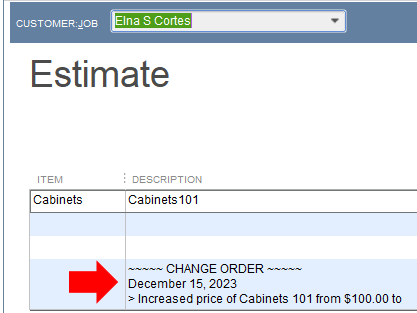
Buy nowYes, there’s a way, @Anonymous. And I’m here to help make the item description reflect in the Change Order instead of the item name.
To do that, you can simply change the item name in the Add Change Order window to your item description.
Here’s how:
Here’s an illuminating guide that contains ways to personalize your sales forms in QuickBooks Desktop: Use and customize form templates. It also includes steps to import, export, and duplicate a form template.
Please don’t hesitate to add a comment below if you have any other concerns or questions besides Change Orders descriptions. I’ll be here. Take care always!

