Turn on suggestions
Auto-suggest helps you quickly narrow down your search results by suggesting possible matches as you type.
Showing results for
You can record the full payment for the invoice and at the same time apply any overpayment as a credit, leaving it on the customer's account as a credit balance, accounts627. Let me guide you to resolve this.
Since your customer doesn't want a refund for the overpayment or duplicate payment, you can add it as a credit to their account. This way, it can be used for a future transaction, and there’s no need to apply the overpaid amount to an invoice immediately.
To record the full payment and the overpayment or duplicate payment, follow these steps:
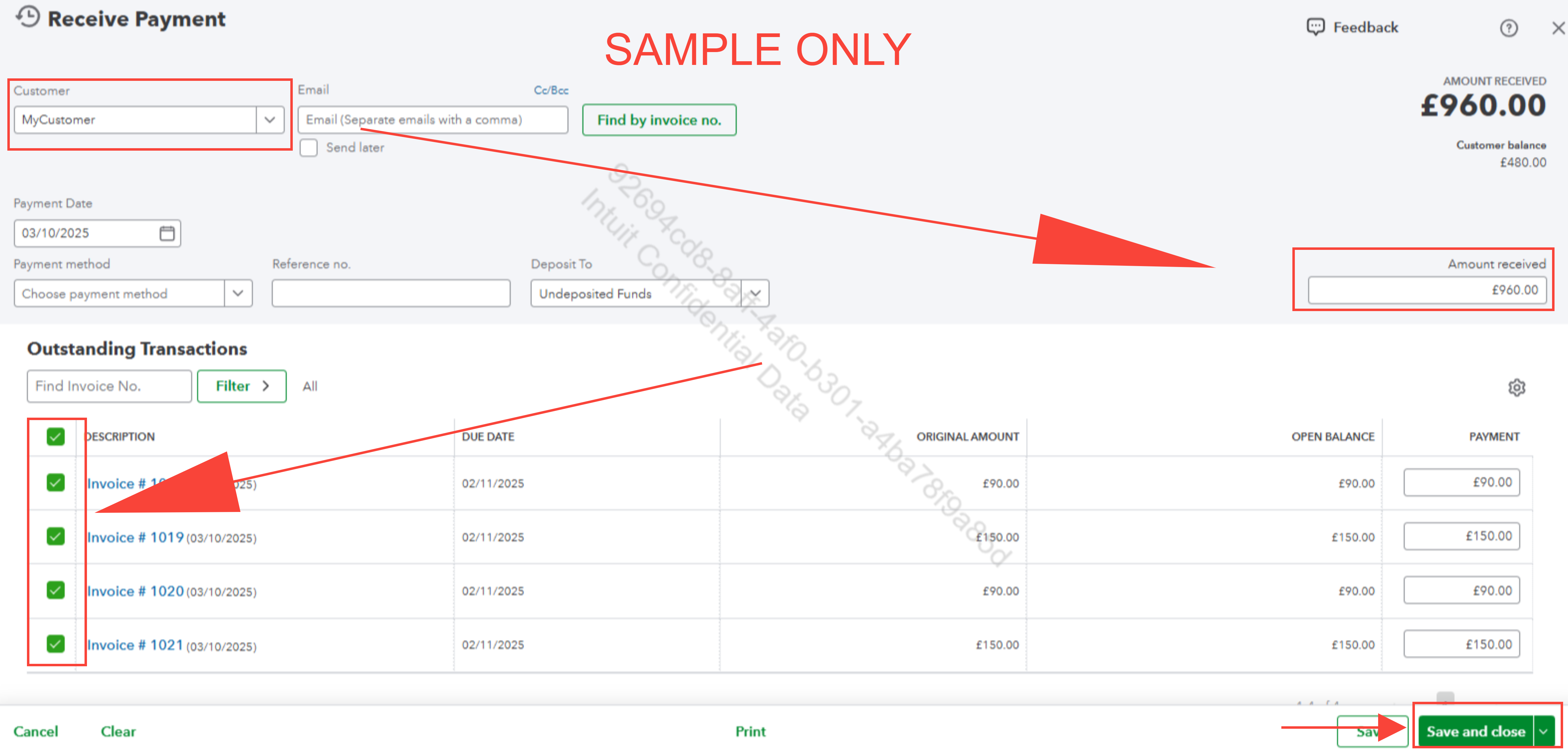
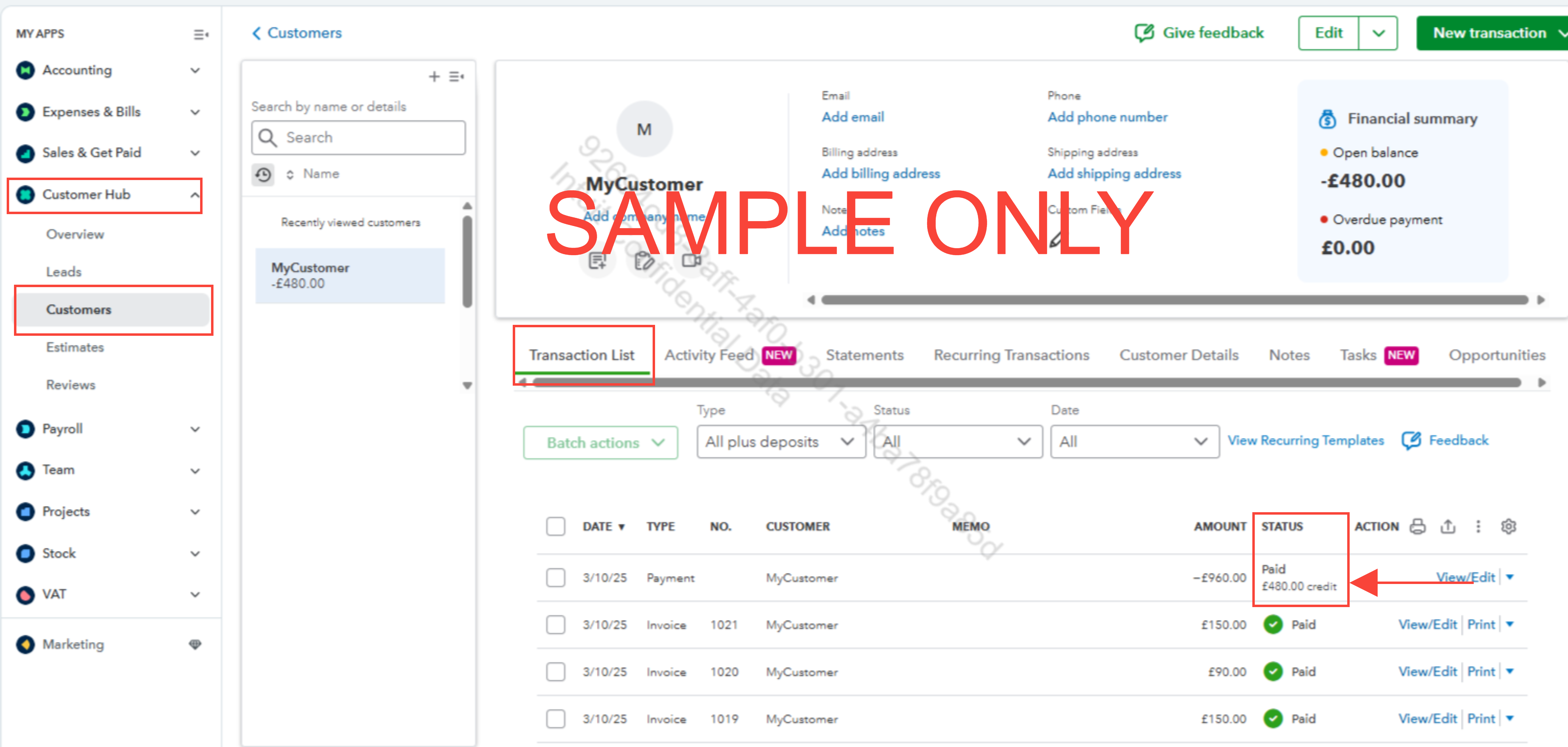
Once done, the invoices will be marked as paid, and the overpayment will be recorded as a credit on the customer's account. You can verify this by going to the Customer Hub.
Here's how:
Let us know if you have any further questions or need additional assistance.

