SUMMER SAVINGS 
90% OFF 

QuickBooks for 3 months*
Ends 8/27
Image Alt Text
Growing a business

6 sure-fire ways to increase sales this Black Friday/Cyber Monday weekend

Published on
5 min read

Black Friday and Cyber Monday, also known as BFCM or Cyber Weekend are two of the largest online selling days in the year. 2018 was no exception, with the online spend over five days totalling at US $24.2 billion.

2019 is shaping up to be even bigger with BFCM gaining popularity with businesses and consumers globally. Retailers large and small are fighting for a piece of the online buyer pie. With such intense competition, can your small business increase sales this Cyber Weekend? Implement these 6 tips for Black Friday marketing campaign success and we almost guarantee it!

1. Create hype

2019-blackfriday

As with any holiday/ sale season campaign, Black Friday and Cyber Monday are successful because participating businesses employ powerful psychological triggers such as urgency and scarcity to cause a spike in sales.


One way to maximize the impact of urgency and scarcity is to build anticipation around your sales before the weekend. Create teaser videos, build on the notion of exclusivity, use content to fan curiosity around your products but keep from divulging all the details of the sale until the day it begins.


Creating hype is an effective way to make sure you get off to a great start for Black Friday and is also a powerful marketing tool. If your campaigns are eye-catching and interesting enough, word-of-mouth referrals with increase, with the possibility of even going viral- every business owner’s dream.

2. Collect Pre-orders


If you have the contact details of your previous or existing customers or prospects that have expressed interest in your products before, a clever way to make sales before the weekend even begins is to employ a pre-order strategy.

A pre-order is when you list an item on your website or in your store that hasn’t been manufactured yet, or that isn’t on sale yet, but will be launched at a certain date or time (Black Friday and Cyber Monday). By allowing pre-orders on a product, customers can pay a deposit or pay the full amount for the product in order to reserve it before it’s available, so they know it won’t sell out and also will receive the product as soon as it launches.

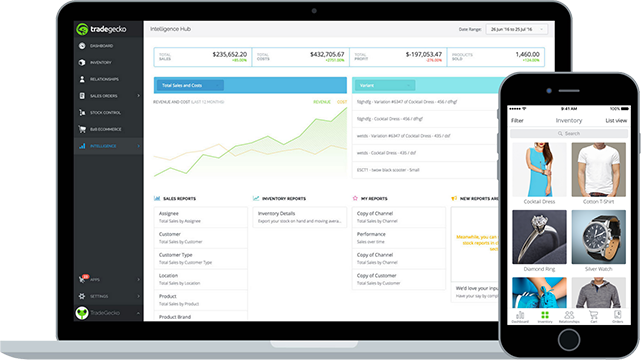
Tools such as TradeGecko’s backorder management functionality can help your business place and track pre-orders with suppliers effectively while having visibility into your available stock across multiple locations. A good pre-order strategy can can help you generate buzz and build momentum before your launch, gage the market demand for your product and, most importantly, lock down early sales to fund production or future marketing campaigns.

3. Optimize for mobile


optimizeformobilez

More than half of all orders over Cyber Weekend came from mobile devices (including tablets), amounting to over $10.1 billion dollars in sales. While orders placed on desktops still had a higher average order value (AOV), this consumer behaviour trend is clear. More and more consumers are shopping on the go. Therefore, ensuring that your eCommerce site is not only optimized to handle surges in orders but also optimized for browsing and checkout on mobile devices will impact your sales.

One tip for make your eCommerce store optimized for mobile sales is to not deviate the users from the main (and easiest to navigate) path, but keep them in the “Thumb Zone.” This refers to the area the most commonly interacted with by the average user on a mobile device that meets the following criteria:

  • one-handed use
  • right thumb on the screen
  • thumb anchored in the lower right-hand corner

4. Devise a discount strategy


Promoting Black Friday deals with a well planned out discount strategy will encourage your buyers to buy more products at a collectively lower price, thus increasing your AOV. One way to do this is to bundle groups of products together at a lower combined price than if they were purchased individually. If a customer selects an individual product, suggest the bundle instead, or offer add ons that they could use with the product that is already in the cart.

You could also offer free gifts for purchases over a certain price or offer a higher discount rate if the cart value exceeds a specified amount. Other discount strategies could be to encourage customers to return to your store to make a second purchase at a discounted price before the Cyber Weekend sale ends.

5. A/B Test marketing campaigns

a | b testing


Your eCommerce website or store is your greatest source of information into buyer behaviour. The more data you collect and the more frequently you make iterations to your store, the more effective your sales will be not just during Cyber Weekend, but all year round. 

Over the Black Friday/ Cyber Monday period test different interactions of web copy, banners, landing pages, marketing emails and paid targeting. The data collected will help you optimize your store for the following year’s Cyber Weekend, as well as other sale seasons. 

6. Customize cross-sells

Use the data that you have been tracking on your store to make helpful suggestions to buyers. Before Cyber Weekend begins, run reports on your store sales to understand the most popular items in your catalog and the most frequent combinations of products buyers have made in the past. 

You could then focus your marketing efforts on the most popular products in the days and weeks leading up to the sale. When a customer selects that particular product during the sale, you can automatically make a relevant add on recommendation. 


With the right strategy in place your business could experience the sharpest spike in revenue this Black Friday/ Cyber Monday. For more tips on how to get your business ready for sale periods, check out this handy seasonal sales checklist!

Do you want to gain efficiency in your wholesale business?

Start managing your inventory and sales orders from one seamless platform: TradeGecko.


QuickBooks has the tools you need to help your business thrive.
Share
Share

Mail icon
Explore what you can do with QuickBooks
No Thanks

Explore what you can do with QuickBooks

Image Alt Text

See profit at a glance

Get a clear view of what you make and spend over time.
Teal blue circle with a white icon of a credit card with a circle of arrows in the top right corner

Pay your team

Get payroll done right, and payroll taxes done for you.
Image Alt Text

Get expert help

Access personalized help and guidance right from the start.

Looking for something else?

QuickBooks

From big jobs to small tasks, we've got your business covered.

Firm of the Future

Topical articles and news from top pros and Intuit product experts.

QuickBooks Support

Get help with QuickBooks. Find articles, video tutorials, and more.

Call Sales: 1-800-285-4854

intuit
TurboTaxCredit KarmaQuickBooksMailchimp

© 2026 Intuit Inc. All rights reserved.

Intuit, QuickBooks, QB, TurboTax, Credit Karma, and Mailchimp are registered trademarks of Intuit Inc.

Money movement services are provided by Intuit Payments Inc., licensed as a Money Transmitter by the New York State Department of Financial Services. For details about our money transmission licenses, or for Texas customers with complaints about our service, please click here.

By accessing and using this page you agree to the Website Terms of Service.