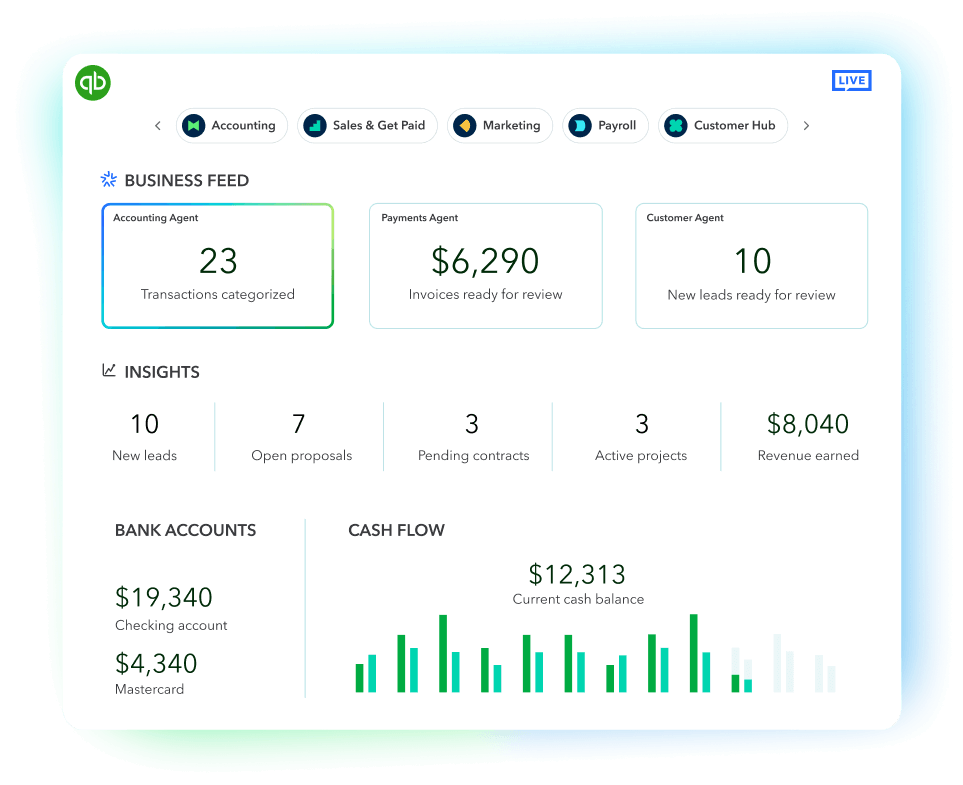
It only takes about 5 minutes to get up and running once you sync your bank or credit card transactions to QuickBooks Online. QuickBooks includes a step-by-step guide for your initial setup process. You’ll also have access to experts who can provide setup help and bookkeeping guidance, so you can stay organized and run your business with confidence. Free for 30 days. No auto-renew.
QuickBooks for self-employed business
Automate how you track your self-employed income and expenses. Save time, maximize your deductions, and file your taxes with no surprises.

Features depicted above may not be included in all plans
Stay on track and in control
Get paid faster
Simplify self-employed taxes
Know where you stand
Plans to keep self employment simple
- Open a QuickBooks Checking account for free—there’s no monthly fees or minimum balance.**See more
- NEWEvery dollar put away in savings envelopes earns you interest at over 40x the U.S. average.See more
- Give customers flexible ways to pay—via PayPal,** Venmo, Apple Pay®, credit, debit, or ACH payments.See more
- Get competitive payment processing rates with no setup costs or hidden fees—just pay as you go.See more
- Get instant access to eligible payments no matter what time of day you get paid.**See more
- See your business money come in and out over time, so you can make smart business decisions and pivot as you grow.See more
- with QuickBooks Live TaxSave time and effort by seamlessly moving from books to taxes, then prepare your current tax year return with unlimited expert help to get every credit you deserve. Access live tax experts powered by TurboTax and pay only when you file. Costs vary by entity type. Subject to eligibility.See more
- Share your books with your accountant or export important documents.**See more
- Get an overview of your business with profit & loss and sales reports.See more
- Automatically track miles, categorize trips, and get sharable reports.**See more
- Accept credit cards anywhere, connect to e-commerce tools, and calculate taxes automatically.**See more
- Run and export reports including profit & loss, expenses, and balance sheets.*See more
- Snap photos of your receipts and categorize them on the go.**See more
- Open a QuickBooks Checking account for free—there’s no monthly fees or minimum balance.**See more
- NEWEvery dollar put away in savings envelopes earns you interest at over 40x the U.S. average.See more
- Give customers flexible ways to pay—via PayPal,** Venmo, Apple Pay®, credit, debit, or ACH payments.See more
- Get competitive payment processing rates with no setup costs or hidden fees—just pay as you go.See more
- Get instant access to eligible payments no matter what time of day you get paid.**See more
- See your business money come in and out over time, so you can make smart business decisions and pivot as you grow.See more
- Let customers insert, tap, or use digital wallets to make in-person payments seamless.**See more
- Sync with customers, see their contact info, send invoices, and accept and track payments with ease.See more
- Automate recurring payments and give your customers the option to set up automatic payments.See more
- Apply for a flexible line of credit to get cash when you need it.See more
- Explore funding options with competitive rates—no hidden fees and no surprises.See more
- Organize and track your business bills online.See more
- with QuickBooks Live TaxSave time and effort by seamlessly moving from books to taxes, then prepare your current tax year return with unlimited expert help to get every credit you deserve. Access live tax experts powered by TurboTax and pay only when you file. Costs vary by entity type. Subject to eligibility.See more
- Share your books with your accountant or export important documents.**See more
- Run and export reports including profit & loss, expenses, and balance sheets.*See more
- Automatically track miles, categorize trips, and get sharable reports.**See more
- Accept credit cards anywhere, connect to e-commerce tools, and calculate taxes automatically.**See more
- Securely import transactions and organize your finances automatically.See more
- Snap photos of your receipts and categorize them on the go.**See more
- Assign vendor payments to 1099 categories, see payment history, prepare and file 1099s from QuickBooks.**See more
- Connect 1 online sales channel and automatically sync with QuickBooks.See more
- Try expert help FREE for 30 days**Connect with Live experts when you need it. They can provide setup help and bookkeeping guidance in QuickBooks, so you can stay organized and run your business with confidence. Free for 30 days. No auto-renew.See more
Frequently asked questions
There’s a QuickBooks plan for every stage of your business. When you’re ready to scale, you can seamlessly change plans to adopt new tools. And if you decide it’s not for you, you can cancel your subscription at any time.
QuickBooks Online comes with a free mobile app that helps you handle accounting, payments, and customers on the go.
QuickBooks is the #1 accounting software for small businesses, and it’s trusted by millions of businesses worldwide.1 Whether you’re just starting out or looking to scale your business further, there’s a QuickBooks plan for every stage. If you aren’t sure which plan is best for your business, take a quick quiz .
Being self-employed means you're your own boss, running a business and taking on its risks and rewards. For taxes, you'll report business income and expenses on Schedule C and may need to make estimated tax payments.
Self-employed is a broad term for running your own business, while freelancing typically means offering services on a project basis. Both report business income on a Schedule C, but the type of business and deductions may differ.
Find new ways to thrive

Preparing for tax time
Learn how self-employment tax works and tips on common self-employment tax deductions.

Managing cash flow
Learn how to track and view your cash flow to understand where your business stands.

Automating manual tasks
Learn how to automate repetitive tasks like sending invoices and tracking expenses.
Call Sales: 1-800-365-9606
© 2025 Intuit Inc. All rights reserved.
Intuit, QuickBooks, QB, TurboTax, Credit Karma, and Mailchimp are registered trademarks of Intuit Inc.
By accessing and using this page you agree to the Website Terms of Service.


Dedicated to your success
28 years experiences
Helping small business1
4.3/5
6700+ customer reviews on Capterra
Millions of customers
use QuickBooks globally1


