 QuickBooksHelpIntuit
Known issues in Pro Tax
by Intuit• Updated 4 months ago
The following are known issues in the current release of Pro Tax. Don't see your issue listed below? Search for other issues and errors on our Pro Tax Community and Support site.
Note: If you're experiencing issues that aren't listed below, feel free to reach out.
Year 1905 appears while working on the S15 after selecting Yes or No for the first question
| Issue | While working on the field for "If Yes, indicate the year the taxpayer opened their first FHSA/became a successor holder" automatically displays 1905 after selecting Yes or No to the first question. |
| Modules Impacted | T1 |
| Workaround | Remove 1905 and replace it with the following information, YYYYMMDD (Year, Month, Date) |
| Resolution | This issue will be resolved in an upcoming Pro Tax release. |
Issues with EFILE Error #353
| Issue | CRA EFILE# 353 The claim for the spouse or common-law partner amount at field 58120 of the provincial form 428 differs from the maximum allowable |
| Modules Impacted | T1 |
| Workaround | You'll need to paper-file the return. |
| Resolution | The CRA is aware of this error, but hasn't committed to a timeline to fix it. |
The AExempt form prevents an AT1 return from EFILE, even though a AS10 loss carryback was prepared
| Issue | In Pro Tax, the AExempt form prevents an AT1 return from EFILE, even though a AS10 loss carryback was prepared. |
| Modules Impacted | T2 |
| Workaround | Open the AExempt form for an AT1 return. Next, uncheck box number 3 (it has no taxable income for the taxation year).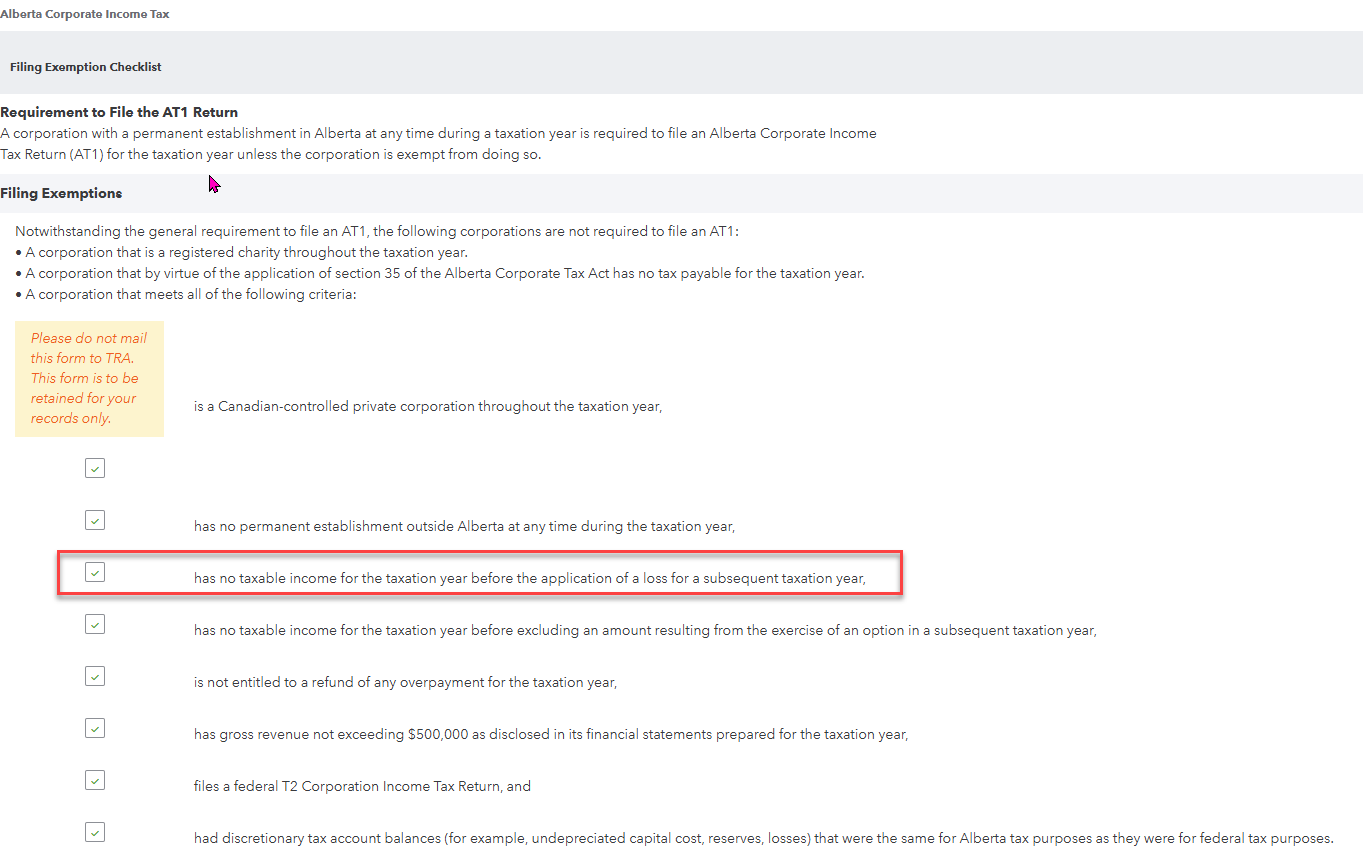 |
| Resolution | The AExempt form is calculating as it should. Once that box is unchecked, you will be able to EFILE. |
More like this
- Pro Tax release notesby QuickBooks
- Pro Tax frequently asked questionsby QuickBooks
- Create new returns in Pro Tax T2by QuickBooks
- Pro Tax Labsby QuickBooks