Space for pervasive banner when authenticated

QuickBooksHelpIntuit
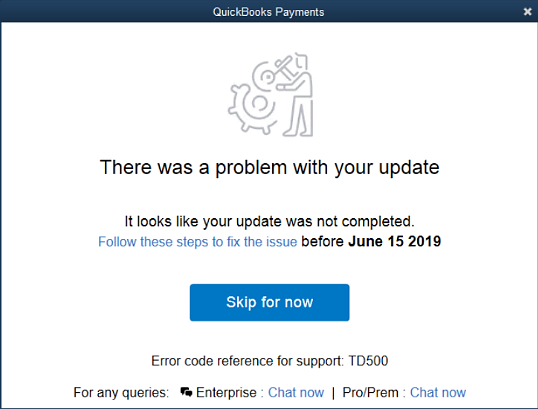
Fix error TD500: There was a problem with your update
by Intuit • 

Learn how to fix the error “There was a problem with your update,” error code TD500. This error appears when you try to process a credit card in QuickBooks Desktop.
This error can happen if you have more than one version of QuickBooks Desktop on your computer. Here’s how to fix this so you can take payments again and get back to business.
Option 1: Uninstall QuickBooks 2016 and install the repair file
Choose this option only if you no longer use QuickBooks 2016. Uninstalling QuickBooks does not erase your company data file.
Option 2: Update all your versions of QuickBooks and install the repair file
Figure out which versions of QuickBooks you have
Install QuickBooks updates and repair file
QuickBooks Desktop Mac PlusQuickBooks Desktop Premier PlusQuickBooks Desktop Pro Plus
Sign in now for personalized help
See articles customized for your product and join our large community of QuickBooks users.
Sign In / Sign Up
Call Sales: 1-800-365-9606




