- Mark as New
- Bookmark
- Subscribe
- Permalink
- Report Inappropriate Content
Account management
Yes, you can schedule a custom report, bdogan.
You'll see the toggle icon under Set Email Schedule when you go to the Custom Reports page.
Here are the steps:
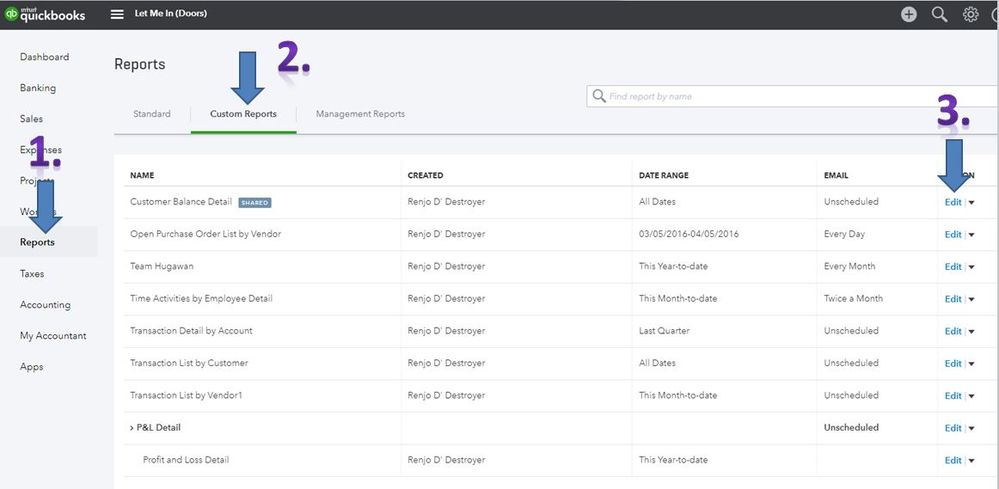
- On the left panel, click Reports.
- From the Reports page. click the Custom Reports page.
- Find the report you want to schedule, and click the Edit link.
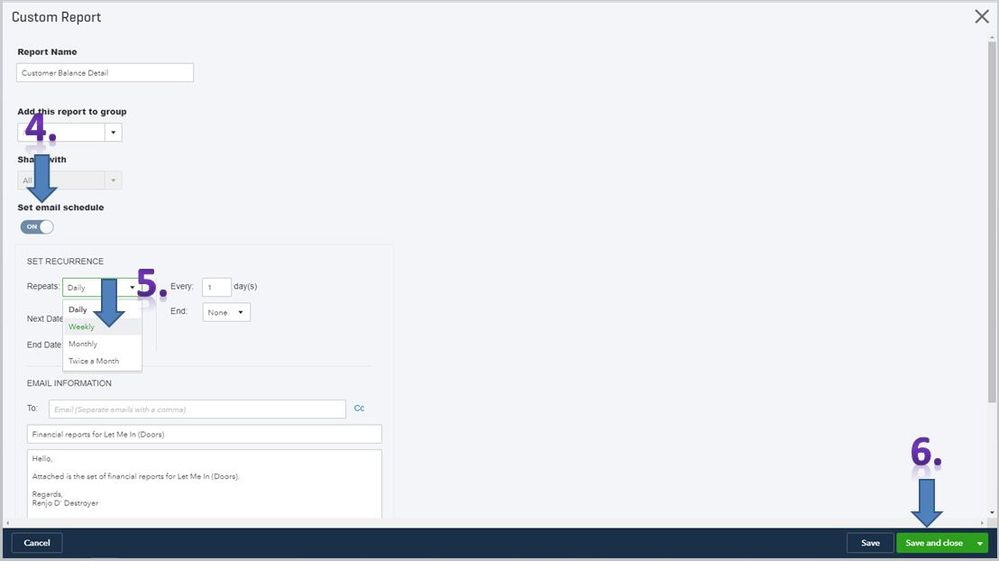
- Under Set email schedule, click the toggle icon to turn it on.
- Choose Weekly from the Repeats drop-down list.
- Enter the number of weeks and the On and End date.
- Click Save or Save and Close.
I've added some sample screenshots below.
You can also check this article for more information: Memorized Reports.
Feel free to get back to me if you have other questions. I'll be happy to help.